

Network Utilities & Analyzer
Network Utilities & Analyzer is made and published by Dayana Networks Ltd. AppBrain is an independent app data site and isn't affiliated with Dayana Networks Ltd. The app name, icon, screenshots and description belong to Dayana Networks Ltd and are shown as published on the App Store.
AppBrain's verdict
EstablishedWell rated- Rating on App Store
- 4.48
- 457 ratings
- Last updated
- April 13, 2024
Users rate it well: 4.5 stars from 457 ratings.
Rankings
App Store top chartsApp Store Rankings for Network Utilities & Analyzer
Competitors
Similar apps and more from Dayana Networks LtdAlternatives to Network Utilities & Analyzer




More from Dayana Networks Ltd







Releases
Updates seen on the App Store- Version
- 2.0.2
- Launched
- June 2017
No changelog data
User feedback
Ratings and reviews on the App StoreComments on Network Utilities & Analyzer for iOS
We don't have enough comments to show example comments. Please check back later.
Technology
Found in the app by AppBrain- Price
- Free
- App size
- 49.4 MB
- Content rating
- Everyone
Technologies used by Network Utilities & Analyzer
About the app and developer
About Network Utilities & Analyzer
Network Utilities & Analyzer is a productivity app developed by Dayana Networks Ltd.
What is the rating of Network Utilities & Analyzer?
Network Utilities & Analyzer is rated 4.48 out of 5 stars, based on 460 ratings.
Is Network Utilities & Analyzer free?
Network Utilities & Analyzer is free. The app size is 49.36 MB. The latest version available is 2.0.2. The last update was on April 13, 2024.
What are the requirements for Network Utilities & Analyzer?
The app has a content rating of Everyone. The app has been available on the App Store since June 2017.
Developer information for Dayana Networks Ltd
Address:
Frequently asked questions about Network Utilities & Analyzer
Is Network Utilities & Analyzer free?
Yes. Network Utilities & Analyzer is free on the App Store.
Is Network Utilities & Analyzer still available?
Yes. Network Utilities & Analyzer is on the App Store, and the last update we saw was on April 13, 2024.
How large is Network Utilities & Analyzer?
Network Utilities & Analyzer is 49.36 MB.
Is Network Utilities & Analyzer suitable for children?
App Store rates the content of Network Utilities & Analyzer as suitable for everyone.
How do people rate Network Utilities & Analyzer?
Network Utilities & Analyzer scores 4.48 out of 5 stars, from 457 ratings on the App Store.
Who made Network Utilities & Analyzer?
Network Utilities & Analyzer was developed by Dayana Networks Ltd. It is listed in the productivity category on the App Store.
What are the best alternatives to Network Utilities & Analyzer?
People looking at Network Utilities & Analyzer also look at these productivity apps: Deep Dig, PRTG - Monitoring, Network Toolbox Net security, Ekahau Analyzer, IP Keypad - Subnet Calculator.
Store listing
By Dayana Networks Ltd, from the App Store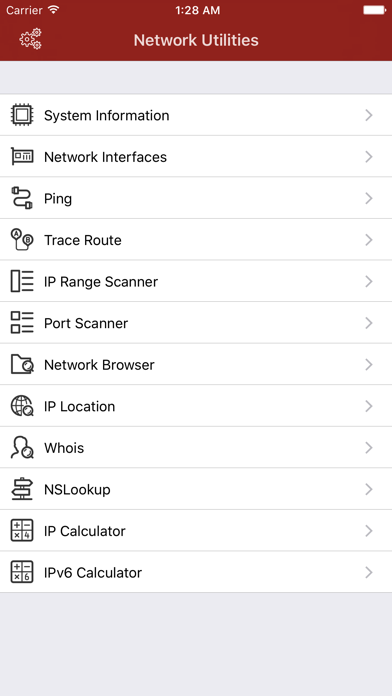
Description by Dayana Networks Ltd Written by the developer, not by AppBrain. Click to read.
Free version has some limitations on number of times you can run a service every day. You can use the subscription option to remove all limitations.
Network Utilities includes the following services:
- INFORMATION
• General System Information including system hardware, memory usage, disk usage, network interfaces, WiFi, DNS Name Servers
• Network Interfaces: Detail information about all the active network interfaces including link speed and data usage
• Network Browser: Scan nodes connected to each network interface
- NETWORK CONNECTION
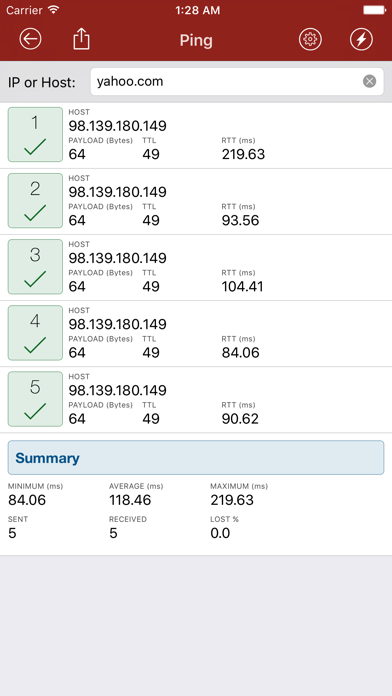
• Ping: Standard ping to Host, IPv4 or IPv6, number of requests, timeout and payload size is configurable
• World Ping: Ping the target Host, IPv4 or IPv6 from at least 5 different locations
• Traceroute: Standard trace function to destination Host, IPv4 or IPv6, timeout to each hop or maximum hops are configurable
• IP Range Scanner: Check for alive nodes in provided IPv4 range
• Port Scanner: Check for open ports on selected Host or IP, you can specify the port numbers or range of ports
• Speed Test: Check current connection speed including ping, download and upload speed
- HOST/IP TESTS
• Host to IP: Resolve a hostname to IP addresses based on current device DNS settings
• IP Location: Approximate location of an IP address or Host
• Whois: Whois database search on domain name or IP addresses
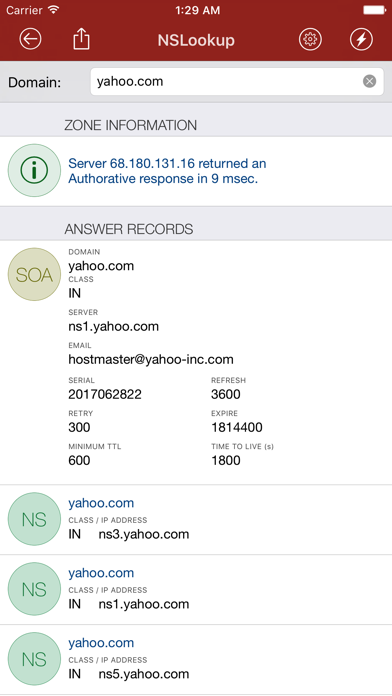
• NSLookup: Detail DNS records of a domain, DNS Server, Query Type, Query Class, Authoritative Records and search for IPv6 are configurable
• Email Validator: Check the structure and server validity of an email address
• RBL Blacklist Check: Check an IP address against major black lists
- SYSTEM TOOLS
• SSH Client: A built-in SSH client to connect to any SSH Server, supports both password and certificate authentication
• Telnet Client: A Telnet client to connect to any server that supports telnet protocol
• Wake On Lan: Provides ability to send WOL signal to any MAC address
- UTILITIES
• IP4 Calculator: Subnet class calculation of an IP4 address
• IPv6 Calculator: Network calculation of an IPv6 address
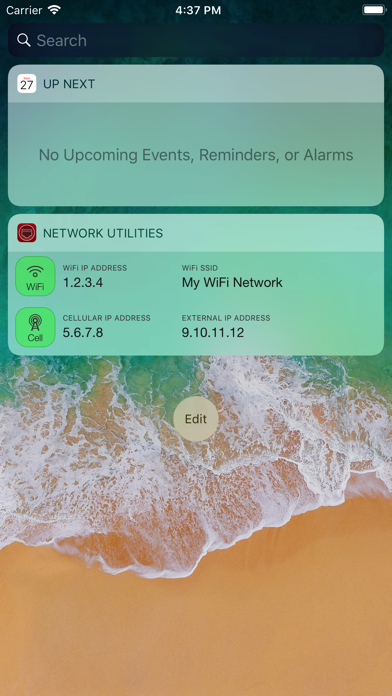
Network Utilities also has a Widget that can show the current connected WiFi and cellular information including private and external IP addresses.
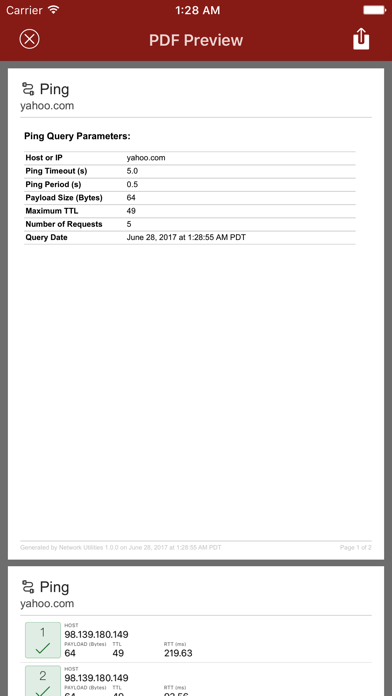
Additionally, you can share all the results as a PDF file