

Nintype is made and published by Jormy Games. AppBrain is an independent app data site and isn't affiliated with Jormy Games. The app name, icon, screenshots and description belong to Jormy Games and are shown as published on the App Store.
AppBrain's verdict
EstablishedWell rated- Best rank
- #72
- Top Paid, Indonesia
- Rating on App Store
- 4.10
- 167 ratings
- Last updated
- March 11, 2019
Users rate it well: 4.1 stars from 167 ratings. Its best ranking is #72 in Top Paid, Productivity in Indonesia.
Rankings
App Store top charts- Highest rank
- #72
- Chart
- Top Paid
- Productivity
- Country
- Indonesia
Competitors
Similar apps and more from Jormy GamesAlternatives to Nintype







Releases
Updates seen on the App Store- Version
- 1.999
- Launched
- February 2014
No changelog data
User feedback
Ratings and reviews on the App StoreComments on Nintype for iOS
We don't have enough comments to show example comments. Please check back later.
Technology
Found in the app by AppBrain- Price
- $4.99
- App size
- 79.0 MB
- Content rating
- Low
Technologies used by Nintype
About the app and developer
About Nintype
Nintype is a productivity app developed by Jormy Games.
User Ratings
Nintype is rated 4.10 out of 5 stars. The rating is based on 170 ratings.
App Information
Nintype costs $4.99. The app size is 78.97 MB. The latest version available is 1.999. The last update was on March 11, 2019.
Technical Requirements
The app has a content rating of Low Maturity. The app has been available on the App Store since February 2014.
Developer information for Jormy Games
Address:
Store listing
By Jormy Games, from the App Store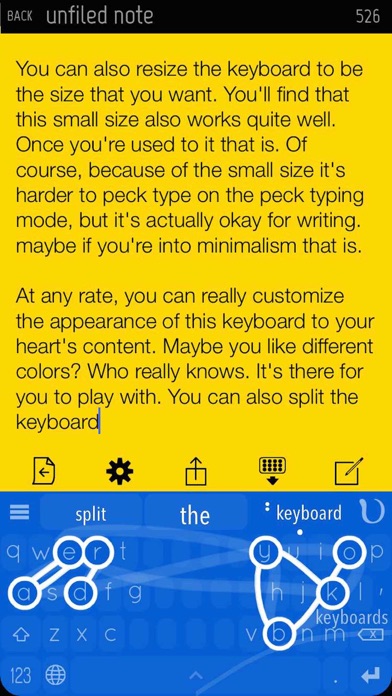
Description by Jormy Games Written by the developer, not by AppBrain. Click to read.
-----------------------
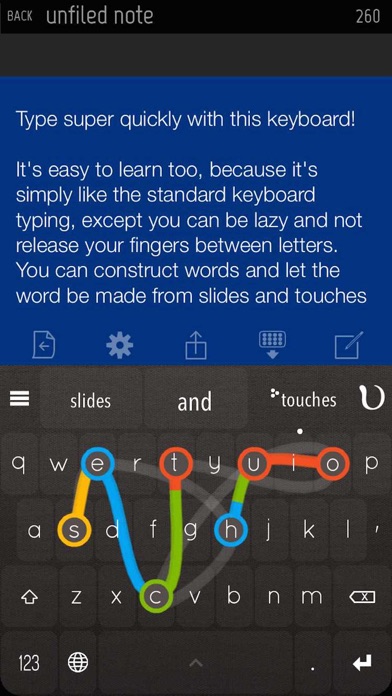
Transform your iPhone or iPad into a highly productive device where you can actually type relatively quickly with it - so writing emails, reports and articles are much nicer, because you can type faster on the iPad/iPhone than most people can on a desktop keyboard!
This notes app comes with a 3rd party keyboard, which is most probably what you're after.
Keyboard Features:
- Two-Handed Sliding Keyboard - construct words with slides and taps
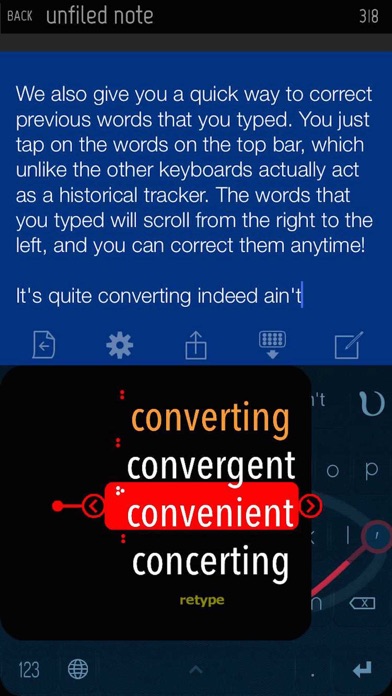
- A top bar to correct previous words quickly
- Slide left/right at the spacebar to move the cursor quickly
- Backspace slide to quickly erase words
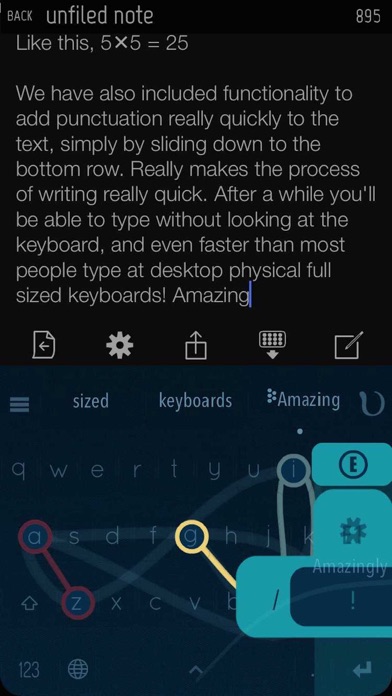
- Edge slide shortcuts to quickly add punctuations
- Quickpaste menu (press-hold caps)
- Height / layout adjustment. Can split, align right, left, etc.
- Flick autocomplete
- Number pad layout quick access (slide right from the 123 button, at the bottom left)
- Calculator which actually counts things - numbers ready to be inserted
- Customizable theme - with a lot of presets
- Autospace Mode (Automatically flushes in adjustable time, dynamic timing, new and improved! recommended for expert users)
- Emojis! Press hold the topleft button at the topbar!
- Emojify - type any english word (e.g happy), slide down from X, and select the emoji you want!
Supported Languages:
Priority Support - English
Secondary Support - Danish, Dutch, French, German, Indonesian, Italian, Norwegian, Polish, Portuguese, Romanian, Spanish, Swedish
Nintype App (A note-taking app) features:
- Subfolders, unlimited depth too
- Shortcuts System
- Recent Notes History system
- A Robust Archive system.
- Quick Share Shortcuts