
NoiseLevel is made and published by KBMSoft ApS. AppBrain is an independent app data site and isn't affiliated with KBMSoft ApS. The app name, icon, screenshots and description belong to KBMSoft ApS and are shown as published on the App Store.
AppBrain's verdict
Established- Best rank
- #86
- Top Paid, Austria
- Rating on App Store
- 2.64
- 28 ratings
- Last updated
- September 29, 2017
It doesn't have enough ratings yet to judge what users think. Its best ranking is #86 in Top Paid, Utilities in Austria.
Rankings
App Store top charts- Highest rank
- #86
- Chart
- Top Paid
- Utilities
- Country
- Austria
App Store Rankings for NoiseLevel
Top rankings
| Rank | Country | Category | List |
|---|---|---|---|
| 86 | Austria | Utilities | Top Paid |
Ranking history in Austria
Competitors
Similar apps and more from KBMSoft ApSAlternatives to NoiseLevel




More from KBMSoft ApS



Releases
Updates seen on the App Store- Version
- 1.3
- Launched
- before 2010
No changelog data
User feedback
Ratings and reviews on the App StoreComments on NoiseLevel for iOS
We don't have enough comments to show example comments. Please check back later.
Technology
Found in the app by AppBrain- Price
- $0.99
- App size
- 3.03 MB
- Content rating
- Everyone
Technologies used by NoiseLevel
About the app and developer
About NoiseLevel
NoiseLevel is an utilities app developed by KBMSoft ApS.
User Ratings
NoiseLevel is rated 2.64 out of 5 stars. The rating is based on 28 ratings.
App Information
NoiseLevel costs $0.99. The app size is 3.03 MB. The latest version available is 1.3. The last update was on September 29, 2017.
Technical Requirements
The app has a content rating of Everyone. The app has been available on the App Store since before 2010.
Developer information for KBMSoft ApS
Address:
Store listing
By KBMSoft ApS, from the App Store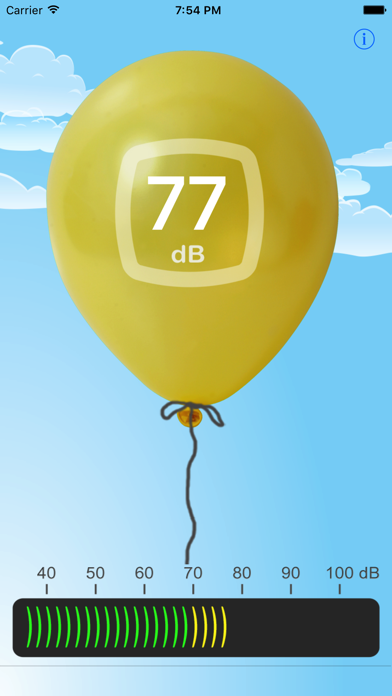
Description by KBMSoft ApS Written by the developer, not by AppBrain. Click to read.
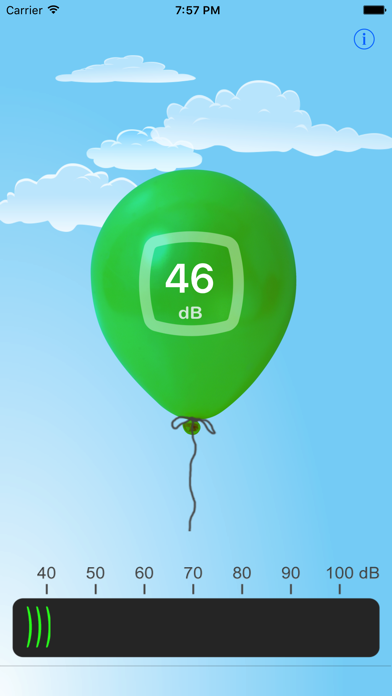
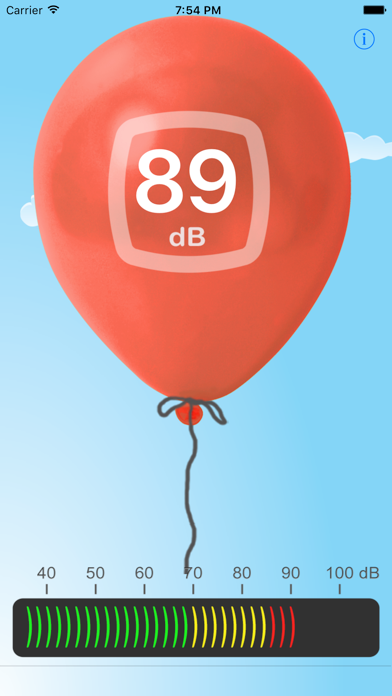
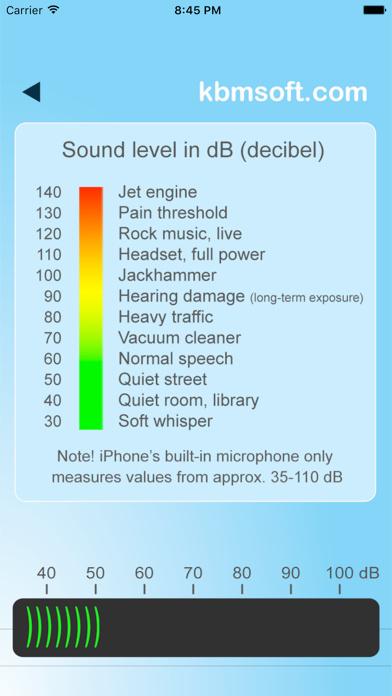
NoiseLevel uses your iPhone's built-in microphone to first pick up sound and then displays it in dB (= decibels) on a status bar at the bottom of NoiseLevel's main screen.
Sounds are also displayed visually as a balloon whose size and color change according to the level of the sound measured. See the balloon burst at high sound levels - you can also make it burst by creating a sharp, high sound, for an example by clapping your hands. Have fun experimenting!
For best results, turn the iPhone so the microphone is pointing directly at the sound source. The screen flips accordingly.
Disclaimer:
NoiseLevel is fairly accurate but it should NOT be considered a professional sound level meter. The built-in microphone of the iPhone can only measure values between 35 to 110 dB and values may vary slightly between iPhones.