

Note Reader is made and published by Hieu Huynh. AppBrain is an independent app data site and isn't affiliated with Hieu Huynh. The app name, icon, screenshots and description belong to Hieu Huynh and are shown as published on the App Store.
AppBrain's verdict
- Last updated
- May 3, 2026
Rankings
App Store top chartsApp Store Rankings for Note Reader
Competitors
Similar apps and more from Hieu HuynhMore from Hieu Huynh


Releases
Updates seen on the App Store- Version
- 1.0.2
- Launched
- August 2024
No changelog data
User feedback
Ratings and reviews on the App StoreComments on Note Reader for iOS
We don't have enough comments to show example comments. Please check back later.
Technology
Found in the app by AppBrain- Price
- $2.99
- App size
- 23.1 MB
- Content rating
- Everyone
Technologies used by Note Reader
About the app and developer
About Note Reader
Note Reader is an entertainment app developed by Hieu Huynh.
What is the rating of Note Reader?
Note Reader has no ratings yet.
Is Note Reader free?
Note Reader costs $2.99. The app size is 23.10 MB. The latest version available is 1.0.2. The last update was on May 3, 2026.
What are the requirements for Note Reader?
The app has a content rating of Everyone. The app has been available on the App Store since August 2024.
Developer information for Hieu Huynh
Address:
Frequently asked questions about Note Reader
Is Note Reader free?
No. Note Reader costs $2.99 on the App Store.
Is Note Reader still available?
Yes. Note Reader is on the App Store, and the last update we saw was on May 3, 2026.
How large is Note Reader?
Note Reader is 23.10 MB.
Is Note Reader suitable for children?
App Store rates the content of Note Reader as suitable for everyone.
Who made Note Reader?
Note Reader was developed by Hieu Huynh. It is listed in the entertainment category on the App Store.
Store listing
By Hieu Huynh, from the App Store

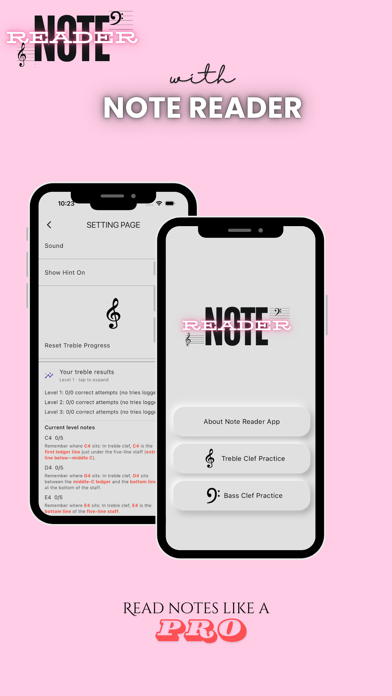
Description by Hieu Huynh Written by the developer, not by AppBrain. Click to read.
Master Treble Clef Notes
Level 1-3 for Treble and Bass notes lesson.
Start with Basic Notes - Immediate Feedback on Your Progress
1. Start the App
Open Note Reader and choose a lesson: Treble or Bass clef notes to begin your musical journey.
2. Recognize the Note
Look at the note displayed on the screen and get ready to identify it.
3. Play the Note
Use the on-screen keyboard to play the note. Receive instant feedback with a green check for correct answers and a red cross for incorrect ones.
4. Turn ON/OFF Hint
Enable hints in the settings. If you need help, the correct key will be highlighted after 8 seconds. Alternatively, long-press the note image to see the note name.
5. Progress and Levels
Track your progress at the bottom of the screen and advance through levels as you improve your skills.
6. Mute and Reset
Mute sounds or reset your progress anytime in the settings page. Just tap the settings icon in the top right corner.
7. Practice Regularly
Regular practice is the key to mastering note reading. Enjoy and have fun while you learn!