
nPlayer Lite
nPlayer Lite is made and published by Newin Inc. AppBrain is an independent app data site and isn't affiliated with Newin Inc. The app name, icon, screenshots and description belong to Newin Inc. and are shown as published on the App Store.
AppBrain's verdict
EstablishedLoved by users- Rating on App Store
- 4.58
- 3,800 ratings
- Last updated
- February 12, 2025
Users love it: 4.6 stars from 3,800 ratings.
Rankings
App Store top chartsApp Store Rankings for nPlayer Lite
Competitors
Similar apps and more from Newin Inc.Alternatives to nPlayer Lite




More from Newin Inc.





Releases
Updates seen on the App Store- Version
- 3.13.0
- Launched
- February 2016
No changelog data
User feedback
Ratings and reviews on the App StoreComments on nPlayer Lite for iOS
We don't have enough comments to show example comments. Please check back later.
Technology
Found in the app by AppBrain- Price
- Free
- App size
- 67.0 MB
- Content rating
- High
Technologies used by nPlayer Lite
About the app and developer
About nPlayer Lite
nPlayer Lite is an entertainment app developed by Newin Inc.
User Ratings
nPlayer Lite is rated 4.58 out of 5 stars. The rating is based on 3.8 thousand ratings.
App Information
nPlayer Lite is freely available from the App Store. The app size is 67.01 MB. The latest version available is 3.13.0. The last update was on February 12, 2025.
Technical Requirements
The app has a content rating of High Maturity. The app has been available on the App Store since February 2016.
Developer information for Newin Inc.
Address:
Frequently asked questions about nPlayer Lite
Is nPlayer Lite free?
Yes. nPlayer Lite is free on the App Store.
Is nPlayer Lite still available?
Yes. nPlayer Lite is on the App Store, and the last update we saw was on February 12, 2025.
How large is nPlayer Lite?
nPlayer Lite is 67.01 MB.
Is nPlayer Lite suitable for children?
App Store gives nPlayer Lite a high maturity rating. It is meant for adults.
How do people rate nPlayer Lite?
nPlayer Lite scores 4.58 out of 5 stars, from 3,800 ratings on the App Store.
Who made nPlayer Lite?
nPlayer Lite was developed by Newin Inc. It is listed in the entertainment category on the App Store.
What are the best alternatives to nPlayer Lite?
People looking at nPlayer Lite also look at these entertainment apps: KMPlayer, Infuse, MX Player : All Media Player, Fast Player - video player, zFuse - Media Player.
Store listing
By Newin Inc., from the App Store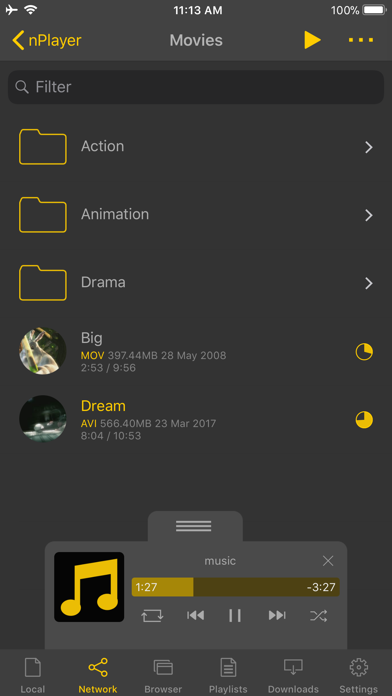
Description by Newin Inc. Written by the developer, not by AppBrain. Click to read.
- You don't need to store video files in your device with limited storage space. nPlayer's powerful and various network technologies will help you to stream them from remote devices.
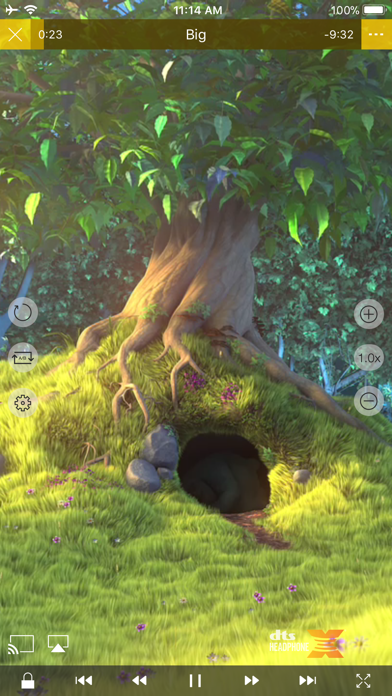
- With your finger tip, you can adjust playback position, move to previous and next subtitle position, adjust location and font size of subtitles, control volume and brightness.
- Experience nPlayer, thousands of users recommendations.
* This version of nPlayer contains advertisements.
* Features
- Supports iXpand Flash Drive
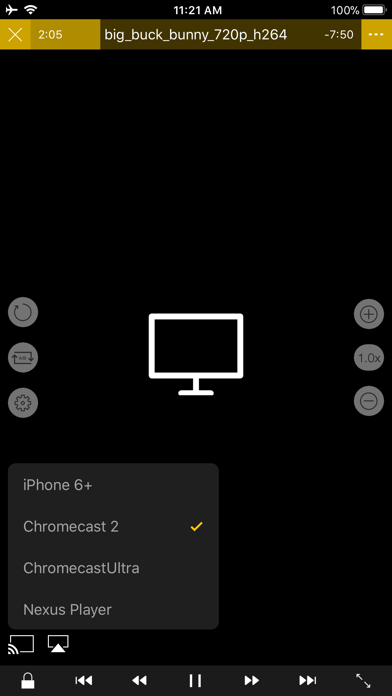
- Supports HDMI output
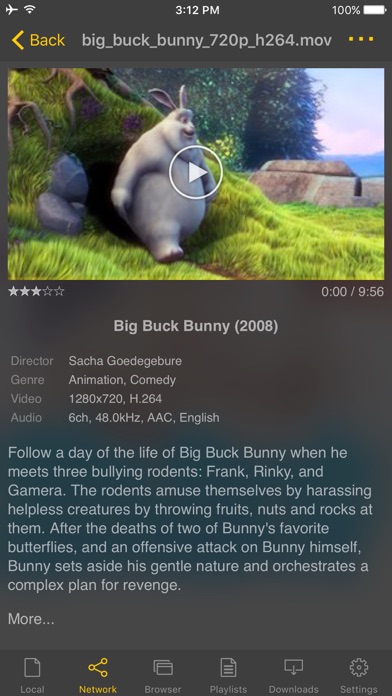
- Supports video files : MP4, MOV, MKV, AVI, WMV, ASF, FLV, OGV, RMVB, TP etc.
- Supports audio files : MP3, WAV, WMA, FLAC, APE etc.
- Supports subtitle files : SMI, SRT, SSA, IDX, SUB, LRC, SUP, MLP2 etc.
- Supports image files : JPG, PNG, BMP, GIF, TIFF etc.
- Supports playlist files : CUE, M3U, PLS
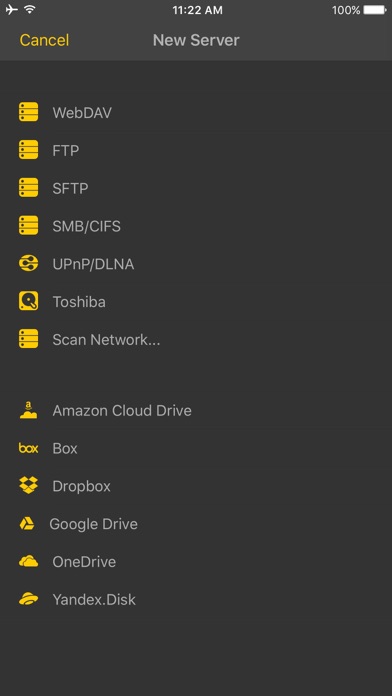
- Supports WebDAV, FTP, SFTP, HTTP, SMB/CIFS, NFS
- Supports UPnP/DLNA (supports subtitles if DLNA server provides subtitles information.)
- Supports cloud service (Box, Dropbox, OneDrive, Yandex.Disk)
- Supports in-app web browser
- Supports iTunes video/audio play (except for DRM contents)
- Supports videos and pictures in Album
- Playback speed control : 0.5x ~ 4.0x
- Resume playback
- AB repeat(specific section repetition)
- Screen lock
- Supports AV1/HEVC/H.264/MPEG4 Hardware acceleration
- Supports 3D video mode
- Screen flip horizontally, vertically. brightness and saturation control
- Aspect ratio : Default, 1:1, 3:2, 4:3, 5:3, 16:9, 1.85:1 etc
- Supports multi-track audio
- Supports audio boost
- Supports audio sync
- Supports lyrics display
- Supports embedded subtitles
- Supports multi-track subtitles
- Supports user’s selection of subtitle files
- Supports addition of optional subtitle files while playback
- Supports subtitles font, color, shadow, outline customization
- Supports subtitles sync
- Supports external subtitle fonts
- Supports SAMI(SMI) tag
- Supports SSA/ASS with full styling, embedded subtitles
- File management : Delete, Move, Rename, Create a folder
- Playlist management : Add, Delete, Modify
- Supports recently played list
- Folder lock
- Supports Open-in
- Supports UI theme
* Gesture Features
- Tap : Menu
- Double tap : Pop-up play
- Drag horizontally : Playback position adjustment
- Drag vertically on right half of the screen : Volume control
- Drag vertically on left half of the screen : Brightness control
- Pinch on the screen : Screen size adjustment
- Drag horizontally on subtitle text : Move to previous/next subtitle text
- Drag vertically on subtitle text : Subtitle position adjustment
- Pinch on subtitle text : Subtitle font size adjustment
- Supports finger gesture customization