

zFuse - Media Player
zFuse - Media Player is made and published by s-joys Co., Ltd. AppBrain is an independent app data site and isn't affiliated with s-joys Co., Ltd. The app name, icon, screenshots and description belong to s-joys Co., Ltd. and are shown as published on the App Store.
AppBrain's verdict
EstablishedLoved by users- Rating on App Store
- 4.66
- 1,220 ratings
- Last updated
- September 12, 2026
- Size
- 156.3 MB
Users love it: 4.7 stars from 1,220 ratings.
User feedback
Ratings and reviews on the App StoreComments on zFuse - Media Player for iOS
We don't have enough comments to show example comments. Please check back later.
Store listing
By s-joys Co., Ltd., from the App Store




Description by s-joys Co., Ltd. Written by the developer, not by AppBrain. Click to read.
- zFuse supports ASS/SSA/SUP effect subtitles, enabling you to experience full subtitle effects just like on your PC/Mac.
- zFuse features powerful networking technologies that allow you to play media from your PC or NAS directly, without occupying any space on your limited device storage and without needing to download anything.
- zFuse also allows you to easily download files or directories directly from your PC or NAS, making it the perfect companion for your trips.
- zFuse supports a variety of gestures - simply move your fingers to adjust playback position, font size, volume, and brightness.
- zFuse carefully protects your privacy with folder encryption, so you no longer need to worry about privacy issues.
- zFuse's detailed features include:
* SMB/CIFS playback and discovery (easily play media files from your PC).
* Download media files or directories from SAMBA/DLNA/WebDAV/FTP directly.
* UPnP/DLNA playback and discovery.
* Emby and Jellyfin media server support.
* AirPlay playback.
* Picture-in-Picture mode support.
* iPad split-screen multitasking support.
* Hardware acceleration.
* HDR Tone Mapping support on non-HDR displays.
* Subtitle effects support.
* 0.5x-3.0x playback speed control.
* 0.5x-5.0x screen zoom.
* Media preview while seeking.
* Built-in audio enhancement.
* Multi-soundtrack selection.
* Embedded/external subtitle track selection.
* Subtitle synchronization.
* Audio synchronization.
* External subtitle font selection support.
* Playlist file preview before playback.
* Blu-ray directory playback.
* Real-time playlist management and editing.
* Screen mirroring.
* File Management:
- Delete, move, rename, create folders.
- Wi-Fi file transfer support without USB cable connection.
- Streaming media playlist creation support.
- File decompression support: 7z, zip, rar, tar, bz, bz2, etc.
* Gesture Controls:
- Horizontal drag: adjust playback position.
- Vertical drag on left side: adjust volume.
- Vertical drag on right side: adjust brightness.
- Pinch to zoom: adjust screen size.
- Double-tap: play/pause.
- Two-finger double-tap: change video aspect ratio.
* External Keyboard Support:
- Space: pause/play.
- Left Arrow: backward seek.
- Right Arrow: forward seek.
- Esc: exit playback.
- S: change playback speed.
- B: play previous.
- N: play next.
- Z: change screen scale.
* Supported Video Formats: MP4, MOV, MKV, AVI, WMV, FLV, RMVB, ASF, OGV, Blu-ray ISO and more.
* Supported Audio Formats: MP3, WAV, WMA, FLAC, APE and more.
* Supported Subtitle Formats: SRT, SSA, ASS, SUP, VTT.
* Supported Image Formats: JPG, PNG, BMP, TIFF, GIF, HEIC and more.
* Supported eBook Formats: EPUB, TXT, PDF.
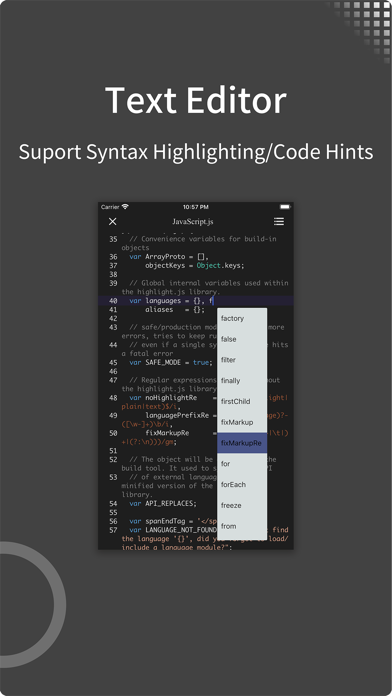
* Code Editor Supported Languages: JSON, HTML, XML, C/C++, Lua, Java, Objective-C, Swift, Python, JavaScript.
* Supported Document Formats: Word, Excel, PowerPoint, Numbers, Keynote, Pages, RTF, CSV.
Safety and technology
Found in the app by AppBrain- Price
- Free
- App size
- 156.3 MB
- Content rating
- Everyone
Technologies used by zFuse - Media Player
Releases
Updates seen on the App Store- Version
- 1.10.138
- Launched
- December 2015
No changelog data
Alternatives
Similar apps and more from s-joys Co., Ltd.Alternatives to zFuse - Media Player



More from s-joys Co., Ltd.


Rankings
App Store top chartsApp Store Rankings for zFuse - Media Player
About the app and developer
About zFuse - Media Player
zFuse - Media Player is an entertainment app developed by s-joys Co., Ltd.
User Ratings
zFuse - Media Player is rated 4.66 out of 5 stars. The rating is based on 1.2 thousand ratings.
App Information
zFuse - Media Player is freely available from the App Store. The app size is 156.31 MB. The latest version available is 1.10.138. The last update was on September 12, 2026.
Technical Requirements
The app has a content rating of Everyone. The app has been available on the App Store since December 2015.
Developer information for s-joys Co., Ltd.
Address: