

OBD2UDS Car Scanner & OBD2
OBD2UDS Car Scanner & OBD2 is made and published by Rich Pearl Limited Corporation. AppBrain is an independent app data site and isn't affiliated with Rich Pearl Limited Corporation. The app name, icon, screenshots and description belong to Rich Pearl Limited Corporation and are shown as published on the App Store.
AppBrain's verdict
- Last updated
- October 13, 2026
Rankings
App Store top chartsApp Store Rankings for OBD2UDS Car Scanner & OBD2
Competitors
Similar apps and more from Rich Pearl Limited CorporationAlternatives to OBD2UDS Car Scanner & OBD2


More from Rich Pearl Limited Corporation

Also available on Google Play

Releases
Updates seen on the App Store- Version
- 1.5.0
- Launched
- April 2026
No changelog data
User feedback
Ratings and reviews on the App StoreComments on OBD2UDS Car Scanner & OBD2 for iOS
We don't have enough comments to show example comments. Please check back later.
Technology
Found in the app by AppBrain- Price
- Free
- App size
- 66.1 MB
- Content rating
- Everyone
Technologies used by OBD2UDS Car Scanner & OBD2
About the app and developer
About OBD2UDS Car Scanner & OBD2
OBD2UDS Car Scanner & OBD2 is an utilities app developed by Rich Pearl Limited Corporation.
What is the rating of OBD2UDS Car Scanner & OBD2?
OBD2UDS Car Scanner & OBD2 has no ratings yet.
Is OBD2UDS Car Scanner & OBD2 free?
OBD2UDS Car Scanner & OBD2 is free. The app size is 66.14 MB. The latest version available is 1.5.0. The last update was on October 13, 2026.
What are the requirements for OBD2UDS Car Scanner & OBD2?
The app has a content rating of Everyone. The app has been available on the App Store since April 2026.
Developer information for Rich Pearl Limited Corporation
Rich Pearl Limited Corporation
Address:
Store listing
By Rich Pearl Limited Corporation, from the App Store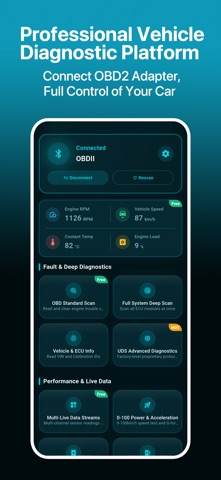




Description by Rich Pearl Limited Corporation Written by the developer, not by AppBrain. Click to read.
Connect a compatible ELM327 Bluetooth OBD2 adapter to read supported vehicle data, build your dashboard and save records and charts.
EXTENDED PARAMETERS BY VEHICLE
Browse reference parameters by make and model, add them to your list and try a read. Set a capture duration for supported parameters, then review trends and statistics.
- Browse parameters by make and model
- Try reading one or multiple parameters
- Add custom parameters or import compatible CSV definitions
- Review capture charts, minimum, maximum and average values
- Export captured data as CSV for comparison
Reference entries are not proof of testing on every listed vehicle. Availability depends on model year, configuration, ECU, protocol and adapter.
FAULT CODES AND VEHICLE CHECKS
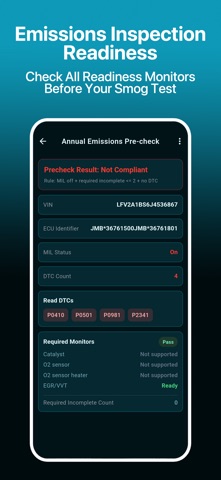
Read and clear supported engine fault codes. View freeze frames and vehicle or ECU information to help investigate a check engine light. I/M readiness, Mode 06 test data and oxygen sensor waveforms provide context for emissions preparation and troubleshooting.
LIVE DATA AND YOUR DASHBOARD
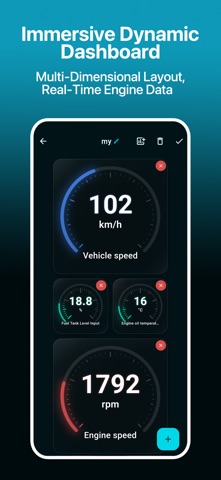
Monitor supported sensors such as RPM, coolant temperature, speed, engine load and fuel trims. Configure your dashboard and parameters before connecting; vehicle support is checked after connection.
ADVANCED UDS DIAGNOSTICS
Read diagnostic information from supported ECU modules where a compatible configuration is available. Coverage may include engine, transmission, ABS or SRS and varies by vehicle. Save reports or copy vehicle and fault-code details for further analysis.
RECORDS, FUEL DATA AND CSV
Record multiple PID sensors, review charts and history, and save fuel records and diagnostic reports for repair comparisons. Export PID and fuel records as CSV. Some interrupted tests retain partial results.
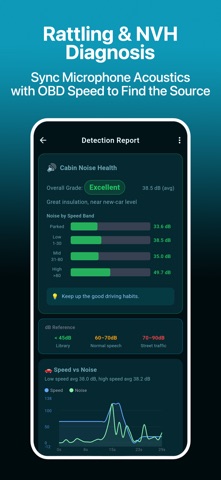
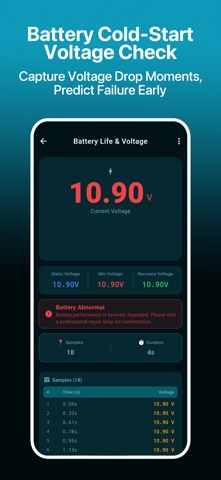
Additional tools include acceleration tests, battery voltage and cranking-drop checks, fuel and energy monitoring, and cabin noise monitoring. Available data depends on your device and vehicle.
BEFORE YOU CONNECT
- A Bluetooth OBD2 adapter compatible with your phone and vehicle is required separately.
- Standard OBD2, extended parameters and UDS have different coverage. Not every vehicle or module is supported.
- Browse the reference catalog; adding, editing, importing, trial reads and capture require sign-in and applicable Premium access. Recording and history require sign-in; some professional tools require Premium.
- Clearing codes does not repair faults. Results support troubleshooting.
Read faults and track changes with OBD2UDS for vehicle checks backed by data.
SUBSCRIPTIONS
If you choose an auto-renewing subscription, payment is charged to your Apple account at confirmation. It renews unless auto-renewal is turned off at least 24 hours before the period ends. Manage or cancel in your Apple account subscription settings. Prices, periods and access are shown on the purchase screen.
Privacy policy: https://www.obd2uds.com/privacy.html
Terms of use: https://www.apple.com/legal/internet-services/itunes/dev/stdeula/