

OCR, Read & Convert Documents
OCR, Read & Convert Documents is made and published by Anatol Radzko. AppBrain is an independent app data site and isn't affiliated with Anatol Radzko. The app name, icon, screenshots and description belong to Anatol Radzko and are shown as published on the App Store.
AppBrain's verdict
- Last updated
- October 16, 2026
- Size
- 11.9 MB
User feedback
Ratings and reviews on the App StoreComments on OCR, Read & Convert Documents for iOS
We don't have enough comments to show example comments. Please check back later.
Store listing
By Anatol Radzko, from the App Store
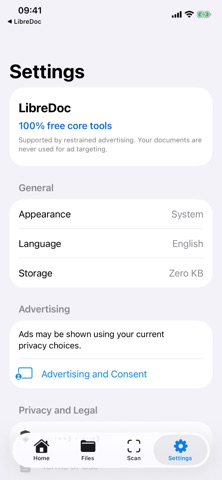
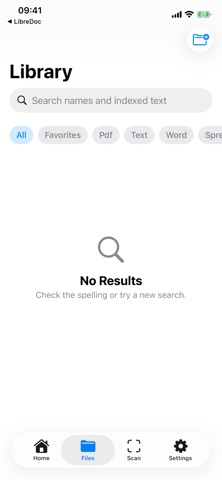

Description by Anatol Radzko Written by the developer, not by AppBrain. Click to read.
READ AND ORGANIZE
- Open PDFs, text files, images, office documents, presentations, spreadsheets, EPUB books, and other formats supported by iOS Quick Look.
- Search your local library and recognized text.
- Import explicitly from Files, Photos, the camera scanner, or the clipboard.
EDIT AND ANNOTATE
- Highlight, add notes, rotate, and remove PDF pages.
- Try one recognized PDF text change free, then save and open the edited copy automatically. After using it, voluntarily complete three rewarded videos to unlock one more text change; this can be repeated when videos are available.
- With PDF Editor or Full Pro, replace recognized visible text in ordinary and scanned PDFs and save a new flattened copy.
- Edit DOCX, ODT, RTF, and a broad range of plain/source-text formats directly. Legacy DOC changes are saved safely to a new DOCX copy.
- Export a copy whenever you choose.
SCAN AND CONVERT
- Scan paper pages with automatic edge detection.
- Run automatic OCR on the device across recognition languages supported by iOS, with an additional Belarusian Cyrillic fallback.
- Convert supported content locally between PDF, TXT, DOCX, RTF, HTML, CSV, JPEG, and PNG.
- Extract text from DOCX, XLSX, PPTX, unencrypted EPUB, PDFs, and images; Office/EPUB “text layout” exports do not preserve complex layout, formulas, charts, animation, macros, or embedded objects.
- Export the first supported PDF page as JPEG or PNG.
CREATE A PROFESSIONAL CV
- Build a polished CV PDF in English, Italian, Russian, Spanish, French, or German.
- Choose from 20 print-ready layouts.
- Add an optional portrait with local head-and-shoulders framing. Adjust the photo with pinch-to-zoom and dragging before creating your CV.
- Each CV export is purchased separately, including for subscribers.
PRIVATE BY DEFAULT
- No account is required.
- Documents remain on the device unless you explicitly share or export them.
- Document content is never sent to the advertising provider.
LibreDoc does not promise to open or edit every possible file. Availability depends on the format, file integrity, encryption or DRM, and capabilities provided by the installed iOS version. See the in-app Format Support page for the exact matrix.
Safety and technology
Found in the app by AppBrain- Price
- Free
- App size
- 11.9 MB
- Content rating
- Everyone
Technologies used by OCR, Read & Convert Documents
Releases
Updates seen on the App Store- Version
- 1.1.7
- Launched
- August 2026
No changelog data
Alternatives
Similar apps and more from Anatol RadzkoAlternatives to OCR, Read & Convert Documents


Rankings
App Store top chartsApp Store Rankings for OCR, Read & Convert Documents
About the app and developer
About OCR, Read & Convert Documents
OCR, Read & Convert Documents is a productivity app developed by Anatol Radzko.
User Ratings
The app has no ratings yet.
App Information
OCR, Read & Convert Documents is freely available from the App Store. The app size is 11.85 MB. The latest version available is 1.1.7. The last update was on October 16, 2026.
Technical Requirements
The app has a content rating of Everyone. The app has been available on the App Store since August 2026.
Developer information for Anatol Radzko
Address:
Frequently asked questions about OCR, Read & Convert Documents
Is OCR, Read & Convert Documents free?
Yes. OCR, Read & Convert Documents is free on the App Store.
Is OCR, Read & Convert Documents still available?
Yes. OCR, Read & Convert Documents is on the App Store, and the last update we saw was on October 16, 2026.
How large is OCR, Read & Convert Documents?
OCR, Read & Convert Documents is 11.85 MB.
Is OCR, Read & Convert Documents suitable for children?
App Store rates the content of OCR, Read & Convert Documents as suitable for everyone.
Who made OCR, Read & Convert Documents?
OCR, Read & Convert Documents was developed by Anatol Radzko. It is listed in the productivity category on the App Store.
What are the best alternatives to OCR, Read & Convert Documents?
People looking at OCR, Read & Convert Documents also look at these productivity apps: PDF Toolkit: PDF Editor & Scan, ReadSync - PDF Reader, PDF Scanner & Doc Editor, PDF Editor: Fill, Sign & Scan, Pure PDF Editor Offline.