OPENG - AI Memory & Search is a productivity app developed by Changsha Oupeng Technology Co., Ltd.
User Ratings
The app has no ratings yet.
App Information
OPENG - AI Memory & Search is freely available from the App Store. The app size is 34.22 MB. The latest version available is 1.4. The last update was on November 4, 2026.
Technical Requirements
The app has a content rating of Everyone. The app has been available on the App Store since September 2026.
OPENG - AI Memory & Search is made and published by
Changsha Oupeng Technology Co., Ltd.
AppBrain is an independent app data site and isn't affiliated with Changsha Oupeng Technology Co., Ltd.
The app name, icon, screenshots and description belong to Changsha Oupeng Technology Co., Ltd and are shown as published on the App Store.
Description by Changsha Oupeng Technology Co., Ltd(from the App Store)
Saved it somewhere. Can't find it now?
OPENG brings useful webpages, screenshots, files, and notes into your personal knowledge space. Save in the moment, find things again in your own words, and keep asking questions about the material you have collected.
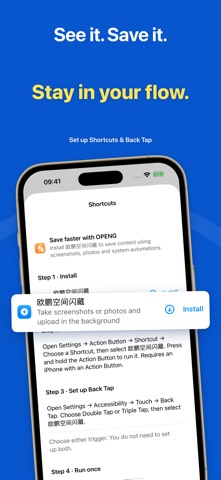
SAVE WITHOUT LOSING YOUR FLOW Use the system share sheet to save links and materials. Take photos, record audio, write notes, or import images and files in the app. After setting up Apple Shortcuts, use Back Tap, the Action Button, or AssistiveTouch where supported by your device for quicker capture.
GIVE YOUR MATERIALS A HOME Keep reading excerpts, course materials, work documents, meeting notes, and ideas together. Filter by source and organize with tags. Open content details and available extracted text to revisit the important parts without searching through every app.
FORGOT THE TITLE? DESCRIBE IT Try asking, "Where is that AI product design article I saved last week?" Describe the topic or a clue you remember to search materials saved to your cloud library. You do not need the exact title.
FIND IT, THEN KEEP GOING Ask follow-up questions, explore key points, and compare ideas using the materials you retrieve. Put past saves to work in your studies, writing, and projects instead of collecting them again and forgetting them.
SEE YOUR KNOWLEDGE GROW Review your saved-item count, active days, and activity calendar. See when you added new material and how small moments of saving build up over time.
CONNECT YOUR EVERYDAY TOOLS Connect supported cloud drives and Feishu or WeCom bot notification channels. Set conditions and message formats for newly saved content, so matching materials can fit into your existing workflow. Connections require authorization or setup. Features and allowances are described in the app.
MADE FOR IPHONE AND IPAD Capture on your phone, then read and organize on iPad. Choose Simplified Chinese, English, Japanese, German, or French in app settings.
BEFORE YOU START You can take photos, save notes, and browse local content without signing in. Cloud synchronization, server-side content processing, and AI features require sign-in and an internet connection; related benefits are linked to your OPENG account. Shortcuts, cloud drives, and notification channels require setup. Some features or usage allowances require a subscription; see the in-app purchase screen for details. Payment is charged to your Apple account. Manage automatic renewal in your Apple account subscription settings. AI responses can be inaccurate; verify important information against original sources.
Privacy Policy: https://openg.space/privacy Terms of Use: https://openg.space/terms
Each subscription will automatically renew 3 days before the expiration date for
the same time period. Subscriptions can be cancelled at any time before the renewal.