

Paperlogix - Document Scanner
Paperlogix - Document Scanner is made and published by Onloft Software LLC. AppBrain is an independent app data site and isn't affiliated with Onloft Software LLC. The app name, icon, screenshots and description belong to Onloft Software LLC and are shown as published on the App Store.
AppBrain's verdict
Established- Rating on App Store
- 4.54
- 68 ratings
- Last updated
- February 21, 2026
It doesn't have enough ratings yet to judge what users think.
Rankings
App Store top chartsApp Store Rankings for Paperlogix - Document Scanner
Competitors
Similar apps and more from Onloft Software LLCAlternatives to Paperlogix - Document Scanner







More from Onloft Software LLC

Releases
Updates seen on the App Store- Version
- 1.17.1
- Launched
- October 2017
No changelog data
User feedback
Ratings and reviews on the App StoreComments on Paperlogix - Document Scanner for iOS
We don't have enough comments to show example comments. Please check back later.
Technology
Found in the app by AppBrain- Price
- Free
- App size
- 28.1 MB
- Content rating
- Everyone
Technologies used by Paperlogix - Document Scanner
About the app and developer
About Paperlogix - Document Scanner
Paperlogix - Document Scanner is a productivity app developed by Onloft Software LLC.
User Ratings
Paperlogix - Document Scanner is rated 4.54 out of 5 stars. The rating is based on 68 ratings.
App Information
Paperlogix - Document Scanner is freely available from the App Store. The app size is 28.14 MB. The latest version available is 1.17.1. The last update was on February 21, 2026.
Technical Requirements
The app has a content rating of Everyone. The app has been available on the App Store since October 2017.
Developer information for Onloft Software LLC
Address:
Store listing
By Onloft Software LLC, from the App Store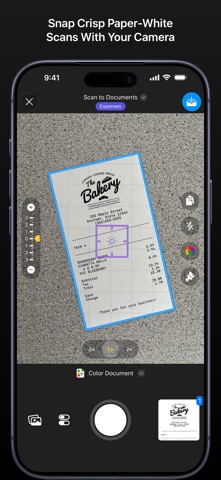




Description by Onloft Software LLC Written by the developer, not by AppBrain. Click to read.
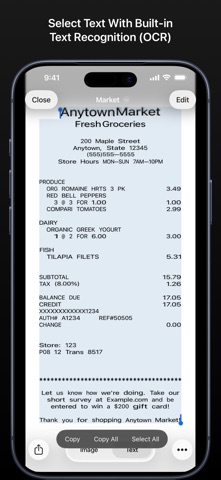
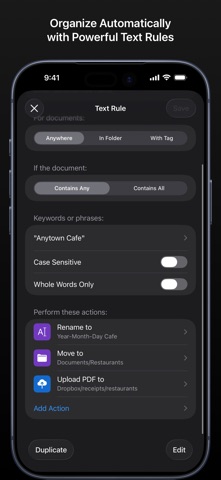
Upgrade to Paperlogix Pro to enable automation, text recognition (OCR), cloud upload, capture presets, customizable color themes, and more. Powerful automation workflows and rules let you automatically sort, organize, and archive your scans.
Capture Scans with Your Camera
• Automatic cropping detects document edges
• Correction for skew and perspective distortion
• Background whitening for clean, paper-white scans
• Fine tune camera exposure
• Scan using any of your device's back cameras
• Scan in color, grayscale, or black & white
• Scan multi-page documents
• Snap scans automatically with Auto Capture
• Easily change scanning configuration with Capture Presets
• Edit and create your own Capture Presets (Pro)
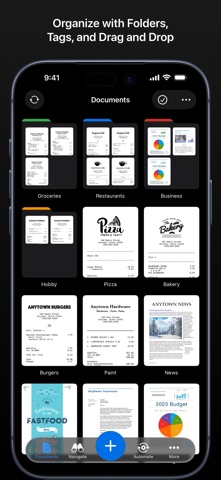
Organize Scans
• Organize with nested folders (Basic or Pro)
• Create tags to quickly access your documents or folders (Basic or Pro)
• Move or tag items with iOS drag and drop
View and Edit Scans
• Browse multi-page scans
• Adjust colors, brightness, contrast, and rotation
• Whiten backgrounds
• Precision crop tool with magnifier
• Instantly revert back to your original camera images
• Peek into scans with 3D or Haptic Touch
• Merge scans
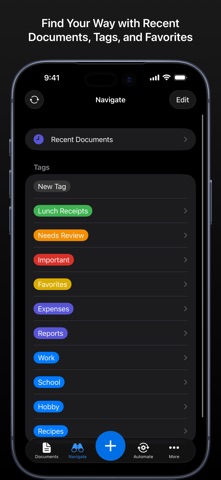
Navigate
• Instantly access recent documents
• Instantly access tagged items and favorites
• Find documents and folders with pull down search bar
Text Recognition (Pro)
• Convert documents to selectable text
• Built-in text recognition executes directly on your device
Cloud Services (Pro)
• Share to Dropbox, Google Drive, Box, Evernote, or OneDrive
• Upload to cloud services from workflows and rules
Automation (Pro)
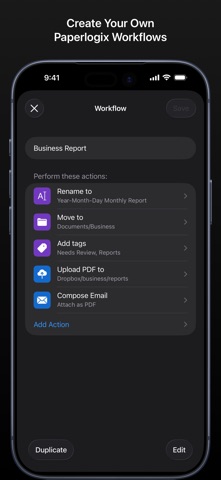
• Create workflows to automate common actions such as renaming, moving, or uploading documents
• Create rules to perform actions automatically
• Automatic text recognition for processing text rules
• View the status of all your automation actions
• Export and Import your workflows and rules
Automation Rules (Pro)
• Perform actions when documents contain specific text
• Perform actions when documents are created
• Perform actions when documents are added to a folder
• Perform actions when documents are tagged
Automation Actions (Pro)
• Rename document
• Move to folder
• Tag document
• Recognize Text
• Upload to Dropbox, Google Drive, Box, Evernote, or OneDrive cloud services
• Save to Photos
• Compose Email
• Compose Message
Share Your Scans
• Export scans as JPEG images
• Export scans as PDF documents (Basic or Pro)
• Encrypt exported PDF documents (Basic or Pro)
Color Themes
• Support for dark mode
• Customizable color themes (Basic or Pro)