Parental Control: Screen Time is a lifestyle app developed by Lumos apps.
User Ratings
The app has no ratings yet.
App Information
Parental Control: Screen Time is freely available from the App Store. The app size is 55.21 MB. The latest version available is 1.0.0. The last update was on January 15, 2025.
Technical Requirements
The app has a content rating of Everyone. The app has been available on the App Store since January 2025.
Description by Lumos apps(from the App Store)
Take control of your child's device usage with Parental Control: Screen Time – the ultimate app to help you manage screen time, block apps, and ensure a healthy balance between technology and family life. Whether you're looking to restrict social media, limit gaming apps, or keep an eye on your child's phone usage, we've got you covered.
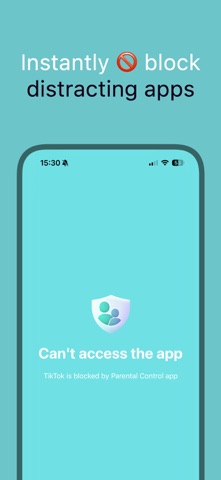
Keep Your Kids Safe & Focused - Screen Time Monitoring: Track your child's device activity and set healthy daily time limits to ensure they use their phones responsibly. - App & Social Media Blocker: Block distracting apps and social media to help your kids stay focused on what's important, from study time to family time. - Educational Mode: Encourage learning by enabling access to only educational apps during specific times of the day.
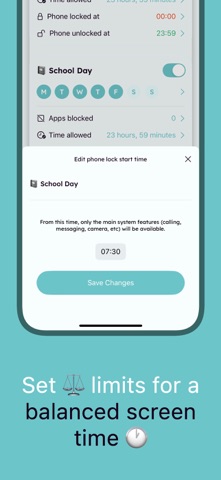
Powerful Control, Seamless Experience - Custom Time Limits: Set daily or weekly limits for specific apps or categories, keeping screen time in check without arguments. - Focus Mode: Instantly lock apps to help your kids stay focused on tasks like homework or bedtime routines. - Hide & Restrict Apps: Hide or block non-essential apps to prevent distractions and ensure your child uses their device in a healthy way.
Easy-to-Use, Effective Parental Control Parental Control: Screen Time offers an easy-to-use interface for parents to monitor and manage their child's phone usage effectively. Set limits, block apps, and create a distraction-free environment, all while giving your kids the right amount of freedom to explore the educational side of technology.
Why Choose Us? - Protect your child's mental health by reducing excessive screen time. - Keep your kids focused during study time or family dinners. - Empower your kids to build healthier digital habits.
Download **Parental Control: Screen Time** today and take the first step towards a safer, more balanced digital experience for your kids. Give your family the freedom to thrive in the real world—with just the right amount of screen time.
Note: Parental Control: Screen Time offers optional premium features through in-app purchases. Subscription details are available within the app.
---
Privacy Policy: https://www.kovalee.app/privacy-policy Terms of use: https://www.apple.com/legal/internet-services/itunes/dev/stdeula/
Each subscription will automatically renew 3 days before the expiration date for
the same time period. Subscriptions can be cancelled at any time before the renewal.