It doesn't have enough ratings yet to judge what users think.
parM@iler is made and published by
Partire Inc.
AppBrain is an independent app data site and isn't affiliated with Partire Inc.
The app name, icon, screenshots and description belong to Partire Inc. and are shown as
published on the App Store.
About parM@iler
parM@iler is an utilities app developed by Partire Inc.
User Ratings
parM@iler is rated 1.00 out of 5 stars. The rating is based on one rating ratings.
App Information
parM@iler costs $1.99. The app size is 11.03 MB. The latest version available is 2.0.11. The last update was on May 16, 2025.
Technical Requirements
The app has a content rating of Everyone. The app has been available on the App Store since before 2010.
Description by Partire Inc.(from the App Store)
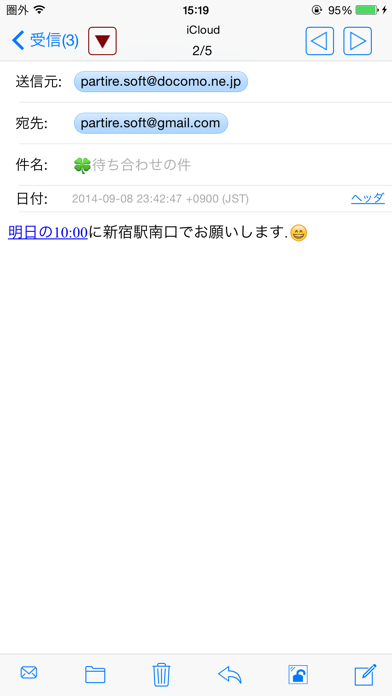
With ParM@iler, you can send, receive, and organize email messages.
Special instruction - Even if you select IMAP, the software does not perform synchronization with the server.
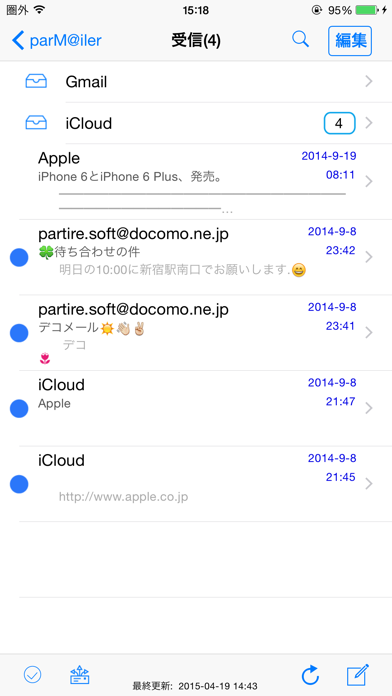
Specification - You can set up rules to filter incoming messages or reorganize messages you've already received. - The secret mode ON The mail set beforehand as is displayed from the list and it is possible to do without. - The header of the received mail can be displayed. - Cooperation between 'eM@il Sender'. (You can send image up to 20 x 20 in size.) - Up to five files from Photo Library can be attached. - Sent and received e-mails with all accounts appear in the same list. (You can also display only the e-mails with an individual account.) - Up to 10 e-mail accounts can be registered. - The signature of each account can be set. - If you set the software that you do not delete e-mail draft after sending an e-mail, you can utilize the draft as a template. - When receiving it, all data is downloaded. - The image of the received attached file can be preserved in the photograph library. - You can prevent a new message view and a receiving message view from rotating. - You can set the number of e-mails to display in the list from 10 to 50. - Compatible with the Vertical/Horizontal Layout entry. - Compatible exclusively with the SMTP authentication (LOGIN/CRAM-MD5). - Compatible with IMAP/POP3. - Compatible with SSL/TLSv1.
The mail server verified. - Gmail - AOL - iColud
Restrictions - Even when an e-mail is received, the software does not delete the e-mail on the server. If you do not delete received e-mails, access of unread e-mails becomes slow, so delete the e-mails using other mail applications. - Even if you select IMAP, the software does not perform synchronization with the server. The software refers to INBOX for the received mail - The send mail is save only in the application. - The paste in the photo cannot be done with iPhone OS 3.0 or later. - You cannot perform quotation when you replay HTML e-mail. - Spotlight search is not supported. - Push notification is not supported. - When the software receives an e-mail, the mail on the server becomes the already read e-mail. - The software transforms an attached file into JPEG when sending the e-mail and deletes its positional information. - You cannot set and cancel the software into the secret mode in the landscape mode.
Each subscription will automatically renew 3 days before the expiration date for
the same time period. Subscriptions can be cancelled at any time before the renewal.