

PDF Converter - Convert Image
PDF Converter - Convert Image is made and published by CREATIVE TECHNOLOGIES LLC. AppBrain is an independent app data site and isn't affiliated with CREATIVE TECHNOLOGIES LLC. The app name, icon, screenshots and description belong to CREATIVE TECHNOLOGIES LLC and are shown as published on the App Store.
AppBrain's verdict
- Rating on App Store
- 5.00
- 4 ratings
- Last updated
- April 18, 2025
It doesn't have enough ratings yet to judge what users think.
Rankings
App Store top chartsApp Store Rankings for PDF Converter - Convert Image
Competitors
Similar apps and more from CREATIVE TECHNOLOGIES LLCAlternatives to PDF Converter - Convert Image




More from CREATIVE TECHNOLOGIES LLC


Releases
Updates seen on the App Store- Version
- 1.0.5
- Launched
- February 2025
No changelog data
User feedback
Ratings and reviews on the App StoreComments on PDF Converter - Convert Image for iOS
We don't have enough comments to show example comments. Please check back later.
Technology
Found in the app by AppBrain- Price
- Free
- App size
- 14.9 MB
- Content rating
- Everyone
Technologies used by PDF Converter - Convert Image
About the app and developer
About PDF Converter - Convert Image
PDF Converter - Convert Image is a business app developed by CREATIVE TECHNOLOGIES LLC.
User Ratings
PDF Converter - Convert Image is rated 5.00 out of 5 stars. The rating is based on 4 ratings.
App Information
PDF Converter - Convert Image is freely available from the App Store. The app size is 14.87 MB. The latest version available is 1.0.5. The last update was on April 18, 2025.
Technical Requirements
The app has a content rating of Everyone. The app has been available on the App Store since February 2025.
Developer information for CREATIVE TECHNOLOGIES LLC
Address:
Store listing
By CREATIVE TECHNOLOGIES LLC, from the App Store


Description by CREATIVE TECHNOLOGIES LLC Written by the developer, not by AppBrain. Click to read.
Import and Export PDFs:
- Quickly convert Word, Excel, PPT, JPG/PNG, and TXT to PDF.
- In just a few taps export PDFs to Word, JPG, and PPTX.
Edit and Organize PDFs:
- Extract text from documents and save it in your preferred format.
- Merge multiple files into one PDF or split large documents.
Sign and Secure Documents:
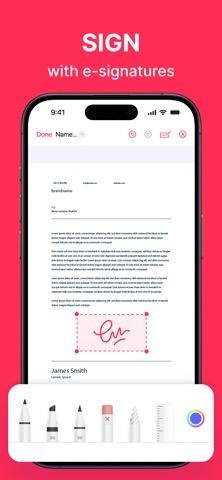
- Add e-signatures, custom stamps or watermarks.
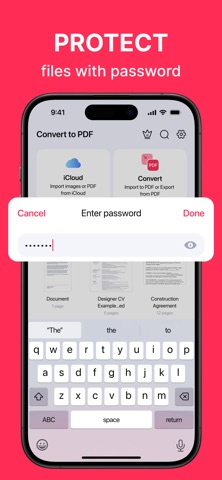
- Protect sensitive files with passwords.
Scan and Share:
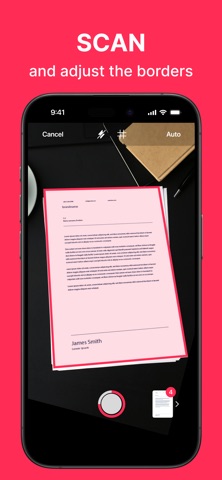
- Scan documents with smart preview tools—adjust borders, enhance quality, reorder, rotate, or remove pages before saving.
- Share via email, messaging apps, or cloud storage in seconds.
Boost your productivity and streamline document management with powerful, easy-to-use tools.
Terms of Service: https://calledandrey.github.io/pdfapp/terms.html
Privacy Policy: https://calledandrey.github.io/pdfapp/privacy.html
Got questions or suggestions? Email us at pdfappnet@gmail.com.
We’d love to hear your feedback!