

PDF Editor Docs files scanner
PDF Editor Docs files scanner is made and published by OFFIWIZ, S.L. AppBrain is an independent app data site and isn't affiliated with OFFIWIZ, S.L. The app name, icon, screenshots and description belong to OFFIWIZ, S.L. and are shown as published on the App Store.
AppBrain's verdict
Established- Rating on App Store
- 4.11
- 18 ratings
- Last updated
- March 26, 2026
It doesn't have enough ratings yet to judge what users think.
Rankings
App Store top chartsApp Store Rankings for PDF Editor Docs files scanner
Competitors
Similar apps and more from OFFIWIZ, S.L.Alternatives to PDF Editor Docs files scanner





 PDFMaker: JPG to PDF converter


More from OFFIWIZ, S.L.


Releases
Updates seen on the App Store- Version
- 2.2.1
- Launched
- July 2020
No changelog data
User feedback
Ratings and reviews on the App StoreComments on PDF Editor Docs files scanner for iOS
We don't have enough comments to show example comments. Please check back later.
Technology
Found in the app by AppBrain- Price
- Free
- App size
- 46.1 MB
- Content rating
- Everyone
Technologies used by PDF Editor Docs files scanner
About the app and developer
About PDF Editor Docs files scanner
PDF Editor Docs files scanner is a productivity app developed by OFFIWIZ, S.L.
User Ratings
PDF Editor Docs files scanner is rated 4.11 out of 5 stars. The rating is based on 18 ratings.
App Information
PDF Editor Docs files scanner is freely available from the App Store. The app size is 46.05 MB. The latest version available is 2.2.1. The last update was on March 26, 2026.
Technical Requirements
The app has a content rating of Everyone. The app has been available on the App Store since July 2020.
Developer information for OFFIWIZ, S.L.
Address:
Store listing
By OFFIWIZ, S.L., from the App Store


Description by OFFIWIZ, S.L. Written by the developer, not by AppBrain. Click to read.
Sign, edit, read, create, draw, protect and modify any PDF file
PDF Editor - Sign PDF, Create PDF & Edit PDF is a document editor that allows you to edit PDF. It is also a PDF Reader to read PDF. Choose the PDF to edit and modify your PDF in a thousand ways: draw, write on PDF, paint, password, PDF reader, bookmarks, notes, signatures and much more thanks to the best free PDF editor for smartphones.
PDF Editor - Sign PDF, Create PDF and Edit PDF has the following characteristics:
- Sign PDF:
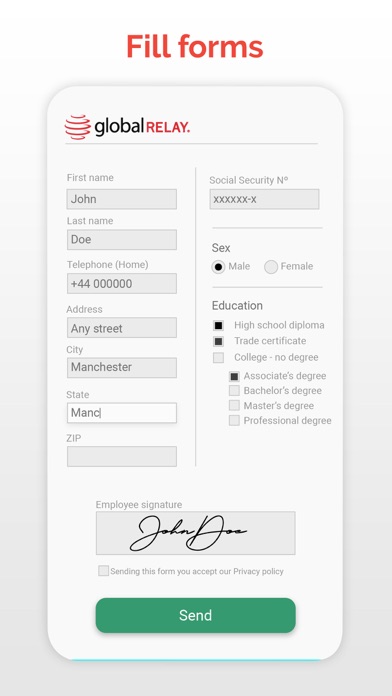
You can add and save your signature to edit and sign your PDF. Leave your signature in your PDF writer. Write your signature and save it to be able to sign future PDFs with a single click.
- Notes:
Add notes to your PDF files, PDF Editor has a document and note editor to annotate the most important parts of your edited PDF file.
- Paint and draw lines and shapes:
Use the pencil to draw lines in the PDF, select the color and edit the PDF drawing lines and shapes. Point out annotations, draw arrows, make squares, write on PDF as if it were a word file or an image.
- Text editor:
Built-in text editor to underline or cross out the text of your PDF. Edit PDF by writing text and then you can highlight, underline or cross out the words you want.
- Stamps:
Post stamps with the most important messages. Draft stamp, confidential stamp, personal stamp ... Add stamp with the date and time. Perfect to review PDF.
- Bookmark:
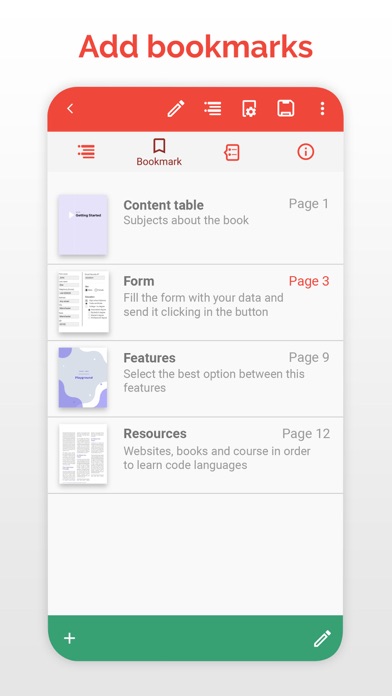
You can put bookmark in your PDF documents to mark where you were reading your PDF or editing your PDF. Very useful to read PDF books. Easy and simple PDF reader.
- Photos and images:
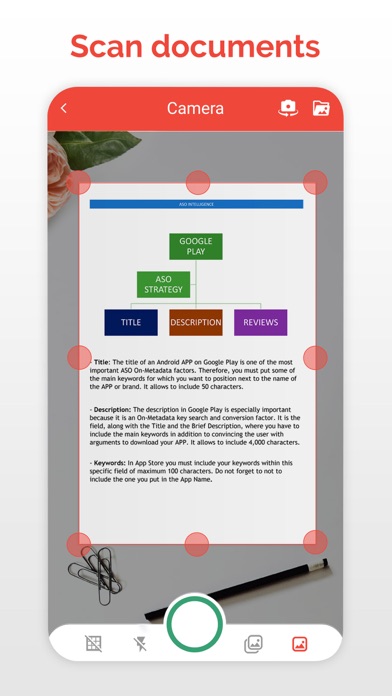
Add photos and images to your PDF, you can choose the photo from the gallery or take pictures with the camera to add the image to the PDF with the size and shape you want.
- Create PDF:
Create your PDF document, choose paper size, folio color and if you have guide lines, you can generate PDF and edit PDF documents to your liking thanks to the powerful pdf writer.
- Password: Protect PDF documents is easy and fast with this application because you can put a password to the documents to block PDF and that can only be unlocked with the password that you put.
- Share your files with other tools and applications:
Share the documents you have converted with any other messaging application, mail or social network. Complete your work with PDF Manager or PDF Converter and finish completing the application with the best tools.
Subscription information:
- Length of Subscription: 1 month ( 7 day free trial) or 1 year.
- Price: $2.99 per month billed monthly. $24.99 per year billed yearly.
- Subscription automatically renews unless auto-renew is turned off at least 24-hours before the end of the current period.
- Payment will be charged to iTunes Account at confirmation of purchase.
- Account will be charged for renewal within 24-hours prior to the end of the current period, and identify the cost of the renewal.
- Subscriptions may be managed by the user and auto-renewal may be turned off by going to the user's Account Settings after purchase.
- Any unused portion of a free trial period, if offered, will be forfeited when the user purchases a subscription to that publication, where applicable.
Privacy Policy: http://www.ticktalksoft.com/policy/
Terms of use: https://www.ticktalksoft.com/terms_of_use