




AppBrain's verdict
New- Rating on App Store
- 5.00
- 1 ratings
- Last updated
- September 23, 2026
- Size
- 13.0 MB
PDF Editor: Scan to PDF came out 50 days ago. It doesn't have enough ratings yet to judge what users think.
User feedback
Ratings and reviews on the App StoreComments on PDF Editor: Scan to PDF for iOS
We don't have enough comments to show example comments. Please check back later.
Store listing
By Prabhat Pedagandham, from the App StoreDescription by Prabhat Pedagandham Written by the developer, not by AppBrain. Click to read.
No account and no sign-in. The app ships without network access at all, so nothing you open can be uploaded — not by us, not by anyone. Nothing it produces is branded or stamped.
EDIT WHAT IS ALREADY THERE
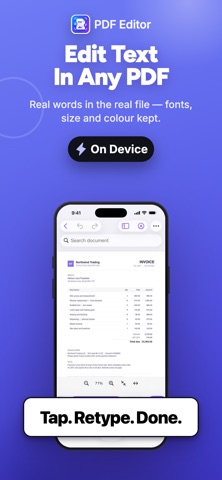
• Change words in an existing PDF. Tap a line, retype it, and the layout stays where it was.
• Fill in forms, or type anywhere on a printed form that has no fields.
• Sign by drawing or typing. Your signature stays in this app's own storage on this device, is left out of backups, and never leaves it.
SCAN AND READ PAPER
• Photograph pages with edge detection, auto-capture, perspective correction and shadow removal.
• Read the text on a photographed page, then copy it, export it, or retype a line in place.
• Make a scan searchable by adding an invisible text layer — the page still looks exactly the same.
PAGES AND FILES
• Reorder, rotate, delete, duplicate, insert and extract pages by dragging.
• Correct page orientation: one page at a time, at full size, or turn a whole document at once.
• Combine several PDFs, choosing which file goes first and rearranging pages afterwards.
• Split a document, export pages as images, or export the text as a Word file.
• Compress by re-encoding oversized images only — text and drawings are left untouched, so the file stays sharp and searchable.
MARK UP AND PROTECT
• Draw, highlight, underline, strike through, add notes, shapes and text boxes.
• Redact properly. The content is removed from the file, not hidden under a black box that copy-and-paste defeats.
• Add your own watermark — text or an image, tiled, centred or dragged anywhere.
BUILT TO BE HONEST
• Your changes are written to a draft as you work, so a crash loses nothing.
• Undo and redo everything, including page changes.
• Saving asks before it overwrites, and validates the file before it replaces yours.
• Where a tool has a limit worth knowing, the app says so in the app — not after it has cost you something.
WHAT THIS APP DOES NOT DO
It does not convert to Word or Excel with the original layout. Doing that faithfully needs a server, and this app has no network access. It exports the document's text instead, and says so before you use it.
Safety and technology
Found in the app by AppBrain- Price
- Free
- App size
- 13.0 MB
- Content rating
- Everyone
Technologies used by PDF Editor: Scan to PDF
Releases
Updates seen on the App Store- Version
- 2.0.2
- Launched
- September 2026
No changelog data
Alternatives
Similar apps and more from Prabhat PedagandhamAlternatives to PDF Editor: Scan to PDF


More from Prabhat Pedagandham

Rankings
App Store top chartsApp Store Rankings for PDF Editor: Scan to PDF
About the app and developer
About PDF Editor: Scan to PDF
PDF Editor: Scan to PDF is a productivity app developed by Prabhat Pedagandham.
What is the rating of PDF Editor: Scan to PDF?
PDF Editor: Scan to PDF is rated 5.00 out of 5 stars, based on one rating ratings.
Is PDF Editor: Scan to PDF free?
PDF Editor: Scan to PDF is free. The app size is 13.03 MB. The latest version available is 2.0.2. The last update was on September 23, 2026.
What are the requirements for PDF Editor: Scan to PDF?
The app has a content rating of Everyone. The app has been available on the App Store since September 2026.
PDF Editor: Scan to PDF is made and published by Prabhat Pedagandham. AppBrain is an independent app data site and isn't affiliated with Prabhat Pedagandham. The app name, icon, screenshots and description belong to Prabhat Pedagandham and are shown as published on the App Store.
Developer information for Prabhat Pedagandham
Address: