

PDF Manager - Scan Text, Photo
PDF Manager - Scan Text, Photo is made and published by MULTI MOBILE Ltd. AppBrain is an independent app data site and isn't affiliated with MULTI MOBILE Ltd. The app name, icon, screenshots and description belong to MULTI MOBILE Ltd and are shown as published on the App Store.
AppBrain's verdict
Established- Rating on App Store
- 4.81
- 78 ratings
- Last updated
- April 29, 2026
It doesn't have enough ratings yet to judge what users think.
Rankings
App Store top chartsApp Store Rankings for PDF Manager - Scan Text, Photo
Competitors
Similar apps and more from MULTI MOBILE LtdAlternatives to PDF Manager - Scan Text, Photo





More from MULTI MOBILE Ltd








Releases
Updates seen on the App Store- Version
- 1.13
- Launched
- November 2020
No changelog data
User feedback
Ratings and reviews on the App StoreComments on PDF Manager - Scan Text, Photo for iOS
We don't have enough comments to show example comments. Please check back later.
Technology
Found in the app by AppBrain- Price
- Free
- App size
- 34.4 MB
- Content rating
- Everyone
Technologies used by PDF Manager - Scan Text, Photo
About the app and developer
About PDF Manager - Scan Text, Photo
PDF Manager - Scan Text, Photo is a business app developed by MULTI MOBILE Ltd.
User Ratings
PDF Manager - Scan Text, Photo is rated 4.81 out of 5 stars. The rating is based on 78 ratings.
App Information
PDF Manager - Scan Text, Photo is freely available from the App Store. The app size is 34.41 MB. The latest version available is 1.13. The last update was on April 29, 2026.
Technical Requirements
The app has a content rating of Everyone. The app has been available on the App Store since November 2020.
Developer information for MULTI MOBILE Ltd
Address:
Frequently asked questions about PDF Manager - Scan Text, Photo
Is PDF Manager - Scan Text, Photo free?
Yes. PDF Manager - Scan Text, Photo is free on the App Store.
Is PDF Manager - Scan Text, Photo still available?
Yes. PDF Manager - Scan Text, Photo is on the App Store, and the last update we saw was on April 29, 2026.
How large is PDF Manager - Scan Text, Photo?
PDF Manager - Scan Text, Photo is 34.41 MB.
Is PDF Manager - Scan Text, Photo suitable for children?
App Store rates the content of PDF Manager - Scan Text, Photo as suitable for everyone.
How do people rate PDF Manager - Scan Text, Photo?
PDF Manager - Scan Text, Photo scores 4.81 out of 5 stars, from 78 ratings on the App Store.
Who made PDF Manager - Scan Text, Photo?
PDF Manager - Scan Text, Photo was developed by MULTI MOBILE Ltd. It is listed in the business category on the App Store.
What are the best alternatives to PDF Manager - Scan Text, Photo?
People looking at PDF Manager - Scan Text, Photo also look at these business apps: PDF Photos Scanner: JPG to PDF, PDF Max Pro, MemoCam: OCR Camera & Scanner, PDF Office Pro, Acrobat Expert, Lock Notes Pro.
Store listing
By MULTI MOBILE Ltd, from the App Store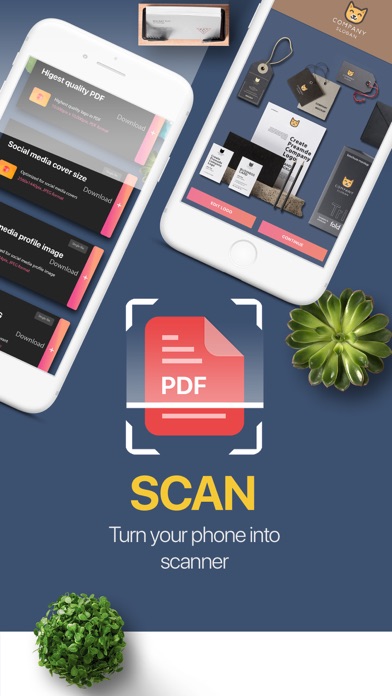


Description by MULTI MOBILE Ltd Written by the developer, not by AppBrain. Click to read.
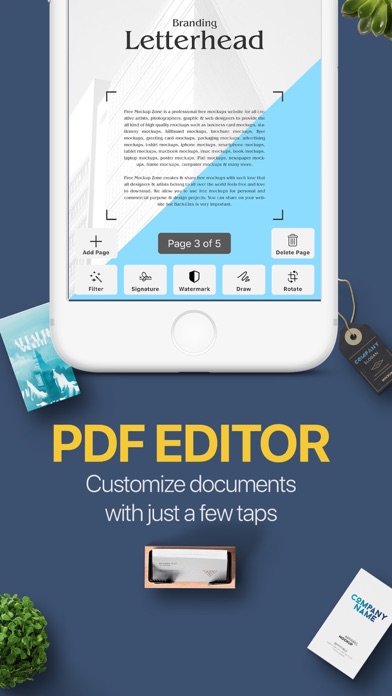
- Scan any document you need, detects borders automatically
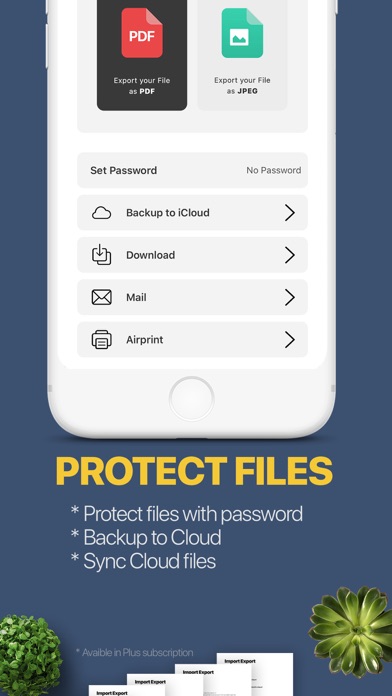
- Export to PDF or JPEG in high quality
- Sign documents just in a few taps and multiple signatures
- Share via social media, messengers, email and more
PDF Manager App is an easy-to-use, portable and powerful mobile scanner.
Scan documents where you are, at home or on the go.
Manage all your documents and keep them in hand.
Just place the necessary document in front of a camera: app automatically detects borders, crops it and saves as a document.
Scan a lot of pages quickly or add pages to existing documents. Further you can edit, sign, share it or store important docs on your device.
Possibility:
- Scan as many documents as you need and sort them in folders
- Scan things, you need to keep records: to-do lists, mindmaps, receipts, notes
- Turn handwritten notes into digital copies
- Add signatures
- Add Watermarks to your documents
- Export documents in necessary format
- Share documents to email, messengers
- Save documents locally on device or cloud
- Print document via Wi-Fi printers
Plus
Add features like backing document to iCloud and password protect your documents.
Privacy Policy
http://apps-machine.com/privacypolicy
Terms of Use
http://apps-machine.com/termsofuse