

PDF: Reader, Scanner, Editor
PDF: Reader, Scanner, Editor is made and published by Artem Dorozhkin. AppBrain is an independent app data site and isn't affiliated with Artem Dorozhkin. The app name, icon, screenshots and description belong to Artem Dorozhkin and are shown as published on the App Store.
AppBrain's verdict
- Rating on App Store
- 4.00
- 4 ratings
- Last updated
- June 1, 2025
It doesn't have enough ratings yet to judge what users think.
Rankings
App Store top chartsApp Store Rankings for PDF: Reader, Scanner, Editor
Competitors
Similar apps and more from Artem DorozhkinAlternatives to PDF: Reader, Scanner, Editor


More from Artem Dorozhkin


Releases
Updates seen on the App Store- Version
- 1.0.3
- Launched
- February 2025
No changelog data
User feedback
Ratings and reviews on the App StoreComments on PDF: Reader, Scanner, Editor for iOS
We don't have enough comments to show example comments. Please check back later.
Technology
Found in the app by AppBrain- Price
- Free
- App size
- 10.9 MB
- Content rating
- Everyone
Technologies used by PDF: Reader, Scanner, Editor
About the app and developer
About PDF: Reader, Scanner, Editor
PDF: Reader, Scanner, Editor is an utilities app developed by Artem Dorozhkin.
What is the rating of PDF: Reader, Scanner, Editor?
PDF: Reader, Scanner, Editor is rated 4.00 out of 5 stars, based on 4 ratings.
Is PDF: Reader, Scanner, Editor free?
PDF: Reader, Scanner, Editor is free. The app size is 10.91 MB. The latest version available is 1.0.3. The last update was on June 1, 2025.
What are the requirements for PDF: Reader, Scanner, Editor?
The app has a content rating of Everyone. The app has been available on the App Store since February 2025.
Developer information for Artem Dorozhkin
Address:
Store listing
By Artem Dorozhkin, from the App Store


Description by Artem Dorozhkin Written by the developer, not by AppBrain. Click to read.
Key Features:
- PDF Viewer & Reader – Open and read PDF files with a smooth, user-friendly interface.
- PDF Editor – Add text, highlight content, draw, and make edits effortlessly.
- E-Signature – Sign documents electronically and share them instantly.
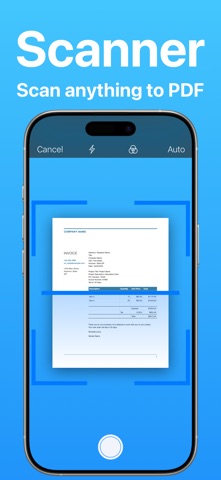
- PDF Scanner – Scan documents using your camera and convert them into PDFs.
- OCR (Optical Character Recognition) – Extract and recognize text from scanned PDFs.
- Convert PDFs – Export PDFs to Word, Excel, JPG, and more.
- Annotate & Highlight – Add comments, highlight text, and mark up PDFs with ease.
- Fill PDF Forms – Complete and submit PDF forms digitally.
- Secure & Share – Protect PDFs with passwords and share via email or cloud services.
Perfect for students, professionals, and anyone who works with PDFs daily!
Easily upgrade to Pro and unlock unlimited access to measurements and more with a renewable App Store subscription.
We offer auto-renewing subscription plans with the following terms:
• Available durations: 1 week, 1 month, or 12 months.
• Payment is charged to your App Store account upon purchase confirmation.
• Subscriptions renew automatically unless canceled at least 24 hours before the end of the current billing cycle.
• Your account will be charged for renewal within 24 hours before your subscription expires, with the renewal cost clearly indicated.
• You can manage your subscription and turn off auto-renewal anytime in your Account Settings.
• Active subscriptions cannot be canceled before the end of the billing period.
• If a free trial is available, any unused portion will be forfeited upon purchasing a subscription.
Terms of use(EULA): https://www.apple.com/legal/internet-services/itunes/dev/stdeula/