

PDF Scanner by Camera - Scan+
PDF Scanner by Camera - Scan+ is made and published by Magomed Baulov. AppBrain is an independent app data site and isn't affiliated with Magomed Baulov. The app name, icon, screenshots and description belong to Magomed Baulov and are shown as published on the App Store.
AppBrain's verdict
- Rating on App Store
- 4.50
- 4 ratings
- Last updated
- April 6, 2023
It doesn't have enough ratings yet to judge what users think.
Rankings
App Store top chartsApp Store Rankings for PDF Scanner by Camera - Scan+
Competitors
Similar apps and more from Magomed BaulovAlternatives to PDF Scanner by Camera - Scan+







More from Magomed Baulov

Releases
Updates seen on the App Store- Version
- 4.0.2
- Launched
- October 2022
No changelog data
User feedback
Ratings and reviews on the App StoreComments on PDF Scanner by Camera - Scan+ for iOS
We don't have enough comments to show example comments. Please check back later.
Technology
Found in the app by AppBrain- Price
- Free
- App size
- 93.2 MB
- Content rating
- Everyone
Technologies used by PDF Scanner by Camera - Scan+
About the app and developer
About PDF Scanner by Camera - Scan+
PDF Scanner by Camera - Scan+ is a business app developed by Magomed Baulov.
User Ratings
PDF Scanner by Camera - Scan+ is rated 4.50 out of 5 stars. The rating is based on 4 ratings.
App Information
PDF Scanner by Camera - Scan+ is freely available from the App Store. The app size is 93.19 MB. The latest version available is 4.0.2. The last update was on April 6, 2023.
Technical Requirements
The app has a content rating of Everyone. The app has been available on the App Store since October 2022.
Developer information for Magomed Baulov
Address:
Store listing
By Magomed Baulov, from the App Store


Description by Magomed Baulov Written by the developer, not by AppBrain. Click to read.
Scanner PDF supports image processing and can transform, rotate, sharpen your images, for best document quality, combined with Scanner PDF's top edge OCR engine.
Scanner+ App Main Features:
SCAN
Generate high-resolution scans within seconds
Auto detection tool to optimize what you want to scan
Multiple page PDF support
EDIT
Automatic border detection and cropping
Transform and rotate images with just one tap
OCR
Built-in OCR (optical character recognition) feature
Recognize any text from your scans
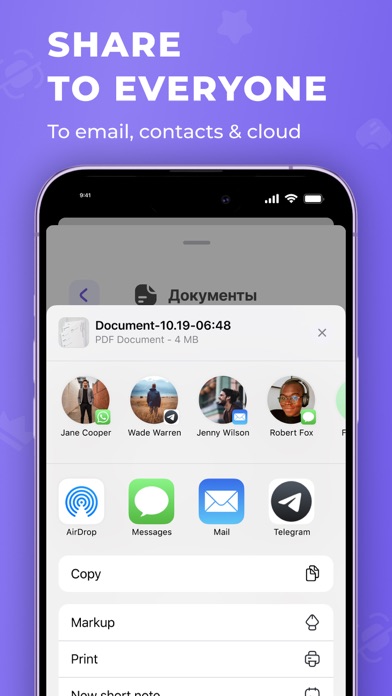
SHARE & SAVE
Save scans as PDF and images
Share documents easily via email and popular platforms.
Premium Features:
Unlimited Scans
Text Recognizing
Unlimited PDF/JPEG Conversions
Unlimited Export
100% Ad Free
Use the 3-day trial to evaluate all of the benefits by yourself!
Terms of subscription:
* Trial period - 3 days after linking your iTunes account
* Payment will be charged to iTunes Account at the checkout
* The renewal fee will be charged to your account within 24 hours before the end of the current subscription period
* After purchasing a subscription, you can manage it and turn off automatic updates in your account settings
* The current subscription will be renewed if you don’t cancel it at least 24 hours before it expires
* You cannot cancel the current subscription. However, you can unsubscribe from future purchases
Privacy Policy http://utilitness.site/privacy/en/privacy.html
Terms of use: http://utilitness.site/terms/en/terms.html
Contact us: support@utilitness.site