PDF to Excel + is made and published by
科 姚.
AppBrain is an independent app data site and isn't affiliated with 科 姚.
The app name, icon, screenshots and description belong to 科 姚 and are shown as
published on the App Store.
About PDF to Excel +
PDF to Excel + is a productivity app developed by 科 姚.
User Ratings
The app has no ratings yet.
App Information
PDF to Excel + costs $5.99. The app size is 9.30 MB. The latest version available is 6.0. The last update was on December 19, 2017.
Technical Requirements
The app has a content rating of Everyone. The app has been available on the App Store since August 2014.
Description by 科 姚(from the App Store)
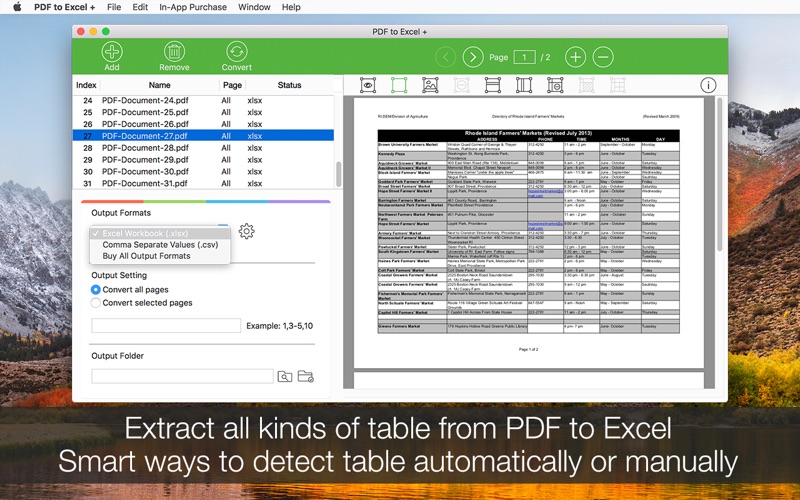
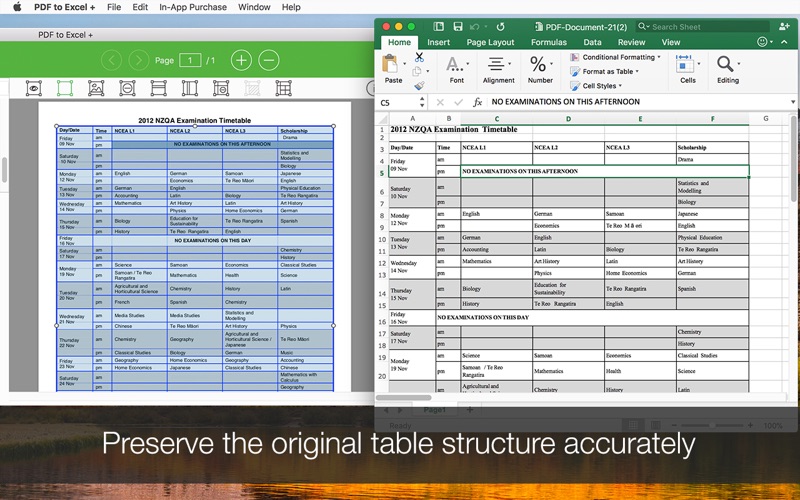
PDF to Excel + can quickly and accurately convert native PDF files to Microsoft Excel Spreadsheet (.xlsx). Do you still spend lots of time retyping or extracting data from PDF files? With PDF to Excel +, not anymore!
* Easily and quickly converts PDF to Excel People would love to save data from Excel application to PDF for archive and distribution. This app is designed for converting PDF back to the original Excel file so you can perform calculator, formula or organize the data easier.
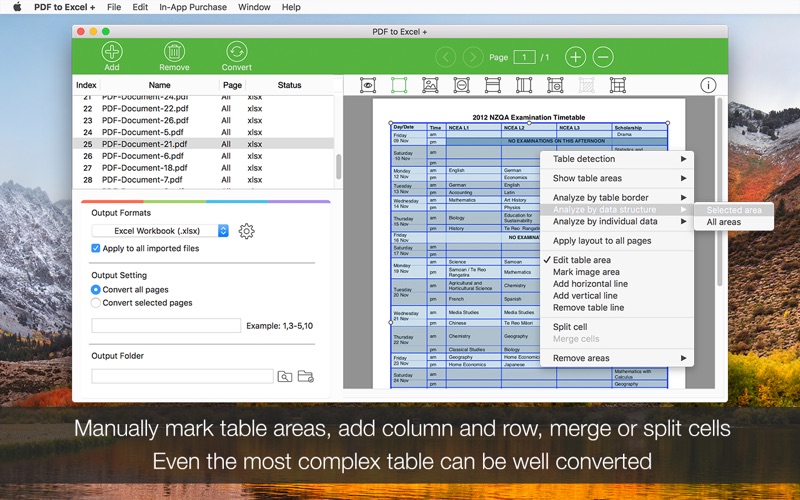
* Smart ways to convert PDF to Excel In order to convert all types of PDF file accurately, there are two ways for table recognition and conversion. (1) Base on table borders Select this if your table in PDF has borders, PDF to Excel + can quickly detect table and convert them correctly according to table borders. (2) Base on data structure If the table has no borders, select this option, PDF to Excel + will detect table based on the data structures, rows and columns locations.
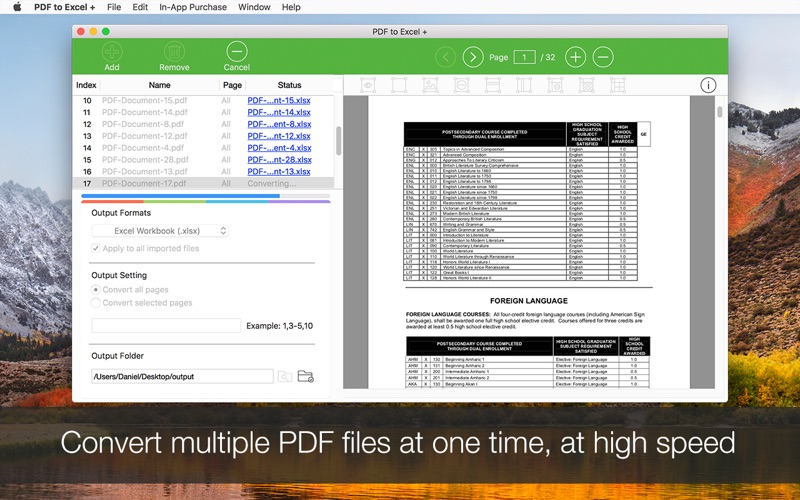
* Auto table detection For most of the table data with full or partial border lines, PDF to Excel + can detect table automatically, so all you need to do is add PDF file, click ‘Convert’ button, and select the output folder to store the output excel file.
* Let you mark table manually If auto detection is not correct, you can still mark table areas by yourself. Just simply drag an area in the built-in PDF Reader, it will perform table detection for that area instantly.
* Mark table flexibly For some table with complex layout, for example, with merged cells, or title rows. You can add columns and rows lines, merge and split cells as you wish. The output file will strictly and accurately convert the PDF base on the table you marked. In this case, it can handle even the most complex PDF file data without any problems.
* Flexible output options You can convert table data only or any text data into Excel file; you can keep original formatting, such as font and cell color, borderlines etc., or just convert data without formatting; or you can convert all pages into one sheet or place each page into one sheet as you want.
* Convert multiple PDF files at one time You can add as many PDF files as you want at one time, at a speed of 100 page per min, which means that even the longest and batch files will be converted in minutes to save your time.
*Notice: This version does not have OCR function, so scanned PDF will be converted into the blank page instead of editable data in Excel. If you can't select and copy data in Preview, usually that PDF file is a scanned or image-only PDF, please contact our support team for help**
SUPPORT If you have any problems or questions with our app, please consider contacting us first. We will answer your questions within 24 hours and solve the problem ASAP. We take our customers seriously. You can reach us by email at support@lightenpdf.com Thanks.
Each subscription will automatically renew 3 days before the expiration date for
the same time period. Subscriptions can be cancelled at any time before the renewal.