
Sign PDF is made and published by 科 姚. AppBrain is an independent app data site and isn't affiliated with 科 姚. The app name, icon, screenshots and description belong to 科 姚 and are shown as published on the App Store.
AppBrain's verdict
- Last updated
- March 13, 2017
- Size
- 2.89 MB
User feedback
Ratings and reviews on the App StoreComments on Sign PDF for iOS
We don't have enough comments to show example comments. Please check back later.
Store listing
By 科 姚, from the App Store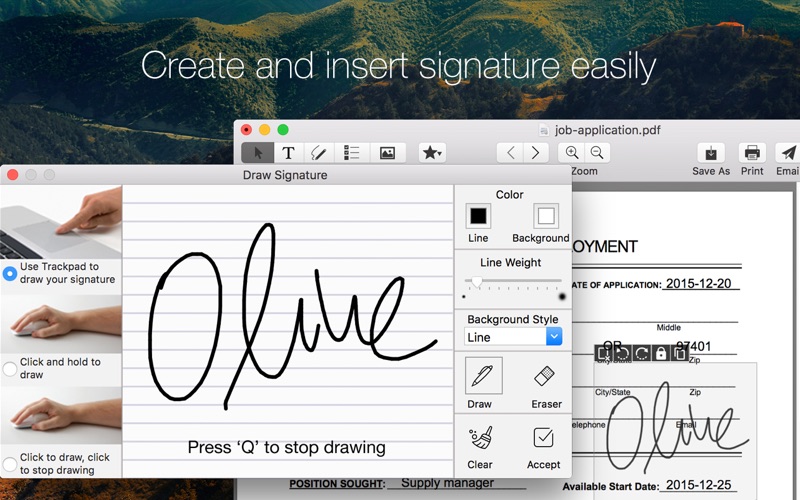
Screenshots by 科 姚, from the the App Store listing
Description by 科 姚 Written by the developer, not by AppBrain. Click to read.
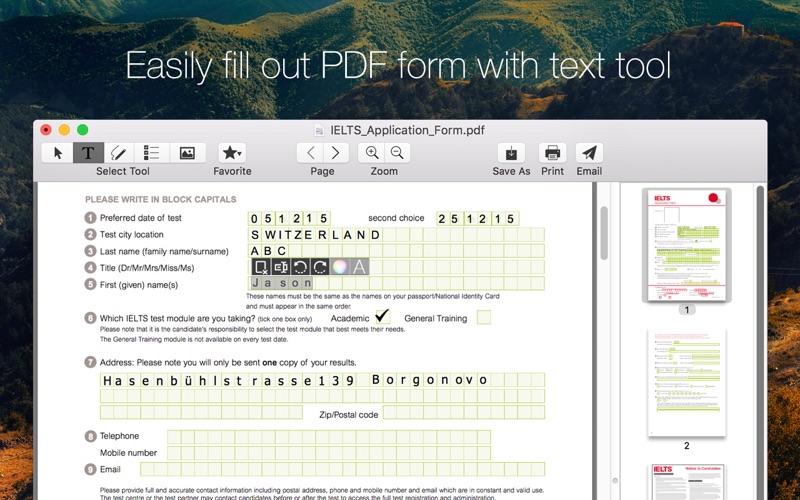
Sign PDF lets you easily sign PDF documents or fill out any PDF forms, so you can easily sign the your business document, invoice, financial report etc., without printing it out and signing them manually.
**What can you benefit from Sign PDF?
• Optimize your paperless workflow
You might have to print, sign manually, scan and send back in the past. Now Sign PDF makes a difference. You don't need to waste any paper, everything can be done digitally and fast.
• Easy and lightning fast
It takes only 3 steps to sign a PDF
1. Open a PDF document.
2. Draw, type or insert your signature image
3. Save, print or email the signed PDF files.
• Flexible ways to create your signature
You can personalize your signature by several ways.
1. Typing text content, you can customize the font style, color etc.
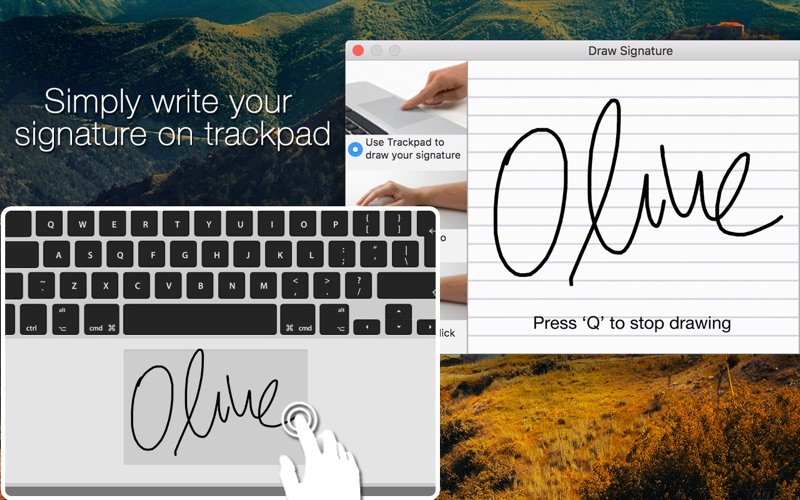
2. Drawing using trackpad or mouse, and insert the signature with transparent background into PDF easily.
3. Insert any existed digital signature image from your local disk.
Sign PDF lets you insert your signature or image files to anywhere within the PDF.
• Content embedded into PDF
Unlike some of other apps, which just create text boxes and annotations that flow above the content and can be deleted in PDF Reader. Sign PDF is actually a simple PDF Editor and form filler, text, signature, images you added are embedded into PDF.
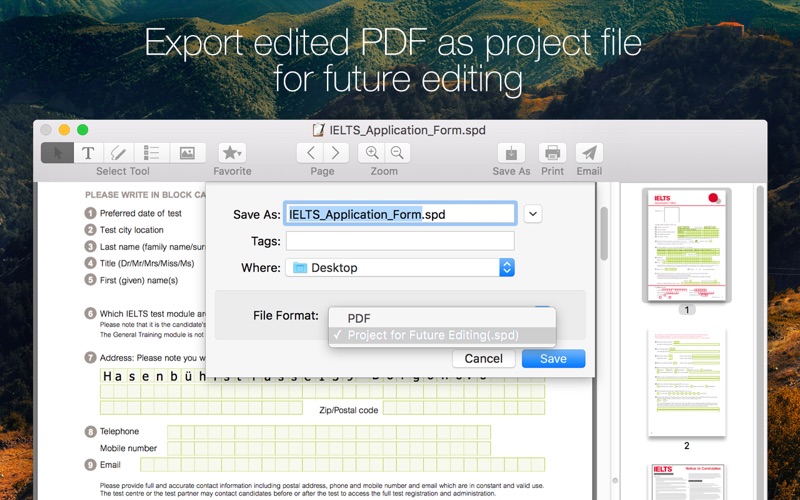
* Once you save the edited PDF, you can't change the placed text, if you need to edit the document in the future, please save it as project file '.spd' file before saving it as 'PDF'.
** Other features:
• Clear and simple interface, all the functions are listed in the toolbar.
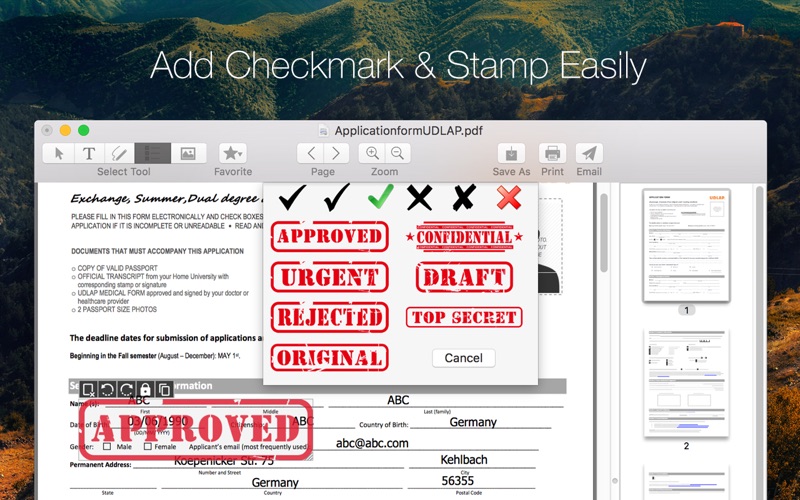
• Let you add checkmark stamp when you review the PDF.
• Record your signatures or images automatically for re-use.
• Print the signed PDF document directly from the app without saving and printing from Preview.
SUPPORT
If you have any feedback or questions, we'd love to hear from you! Lighten Software offers free tech support: you can reach us by email at support@lightenpdf.com Thanks.
**What can you benefit from Sign PDF?
• Optimize your paperless workflow
You might have to print, sign manually, scan and send back in the past. Now Sign PDF makes a difference. You don't need to waste any paper, everything can be done digitally and fast.
• Easy and lightning fast
It takes only 3 steps to sign a PDF
1. Open a PDF document.
2. Draw, type or insert your signature image
3. Save, print or email the signed PDF files.
• Flexible ways to create your signature
You can personalize your signature by several ways.
1. Typing text content, you can customize the font style, color etc.
2. Drawing using trackpad or mouse, and insert the signature with transparent background into PDF easily.
3. Insert any existed digital signature image from your local disk.
Sign PDF lets you insert your signature or image files to anywhere within the PDF.
• Content embedded into PDF
Unlike some of other apps, which just create text boxes and annotations that flow above the content and can be deleted in PDF Reader. Sign PDF is actually a simple PDF Editor and form filler, text, signature, images you added are embedded into PDF.
* Once you save the edited PDF, you can't change the placed text, if you need to edit the document in the future, please save it as project file '.spd' file before saving it as 'PDF'.
** Other features:
• Clear and simple interface, all the functions are listed in the toolbar.
• Let you add checkmark stamp when you review the PDF.
• Record your signatures or images automatically for re-use.
• Print the signed PDF document directly from the app without saving and printing from Preview.
SUPPORT
If you have any feedback or questions, we'd love to hear from you! Lighten Software offers free tech support: you can reach us by email at support@lightenpdf.com Thanks.
Safety and technology
Found in the app by AppBrain- Price
- $4.99
- App size
- 2.89 MB
- Content rating
- Everyone
Technologies used by Sign PDF
Releases
Updates seen on the App Store- Version
- 3.3
- Launched
- December 2012
No changelog data
Alternatives
Similar apps and more from 科 姚More from 科 姚




Rankings
App Store top chartsApp Store Rankings for Sign PDF
This app is not ranked
About the app and developer
About Sign PDF
Sign PDF is a finance app developed by 科 姚.
What is the rating of Sign PDF?
Sign PDF has no ratings yet.
Is Sign PDF free?
Sign PDF costs $4.99. The app size is 2.89 MB. The latest version available is 3.3. The last update was on March 13, 2017.
What are the requirements for Sign PDF?
The app has a content rating of Everyone. The app has been available on the App Store since December 2012.
Developer information for 科 姚
Address: