

PDF Translator: MultiDocX
PDF Translator: MultiDocX is made and published by App Harbour ApS. AppBrain is an independent app data site and isn't affiliated with App Harbour ApS. The app name, icon, screenshots and description belong to App Harbour ApS and are shown as published on the App Store.
AppBrain's verdict
- Last updated
- August 8, 2026
- Size
- 2.85 MB
User feedback
Ratings and reviews on the App StoreComments on PDF Translator: MultiDocX for iOS
We don't have enough comments to show example comments. Please check back later.
Store listing
By App Harbour ApS, from the App Store


Description by App Harbour ApS Written by the developer, not by AppBrain. Click to read.
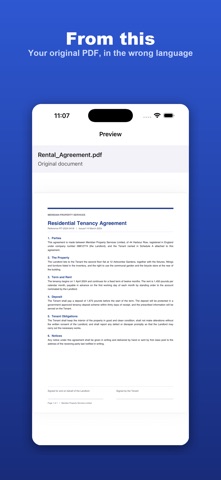
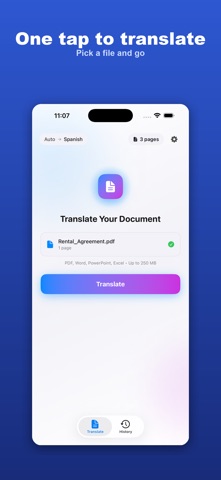
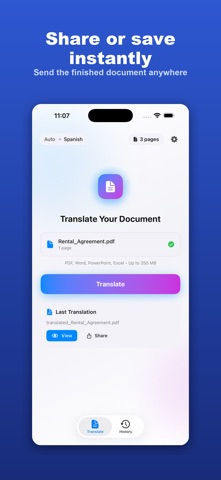
Translate a whole document in seconds and get it back looking exactly like the original. No retyping, no broken formatting, no copy and paste into a translation box. Upload, pick a language, and read.
WHAT YOU CAN TRANSLATE
- PDF documents
- Word files (DOCX and DOC)
- PowerPoint decks (PPTX and PPT)
- Excel spreadsheets (XLSX and XLS)
130+ LANGUAGES
Translate to and from 130+ languages powered by Google Cloud, from Spanish, French, and German to Arabic, Chinese, Japanese, Hindi, and more.
LAYOUT STAYS INTACT
Tables, columns, headings, fonts, and images carry over, so the translated file is ready to share or print.
START FREE
Your first 3 pages are free, with no account or sign up required.
PAY YOUR WAY
Page packs, a one time purchase that never expires: 3 pages for 0.99, 10 pages for 2.99, 30 pages for 6.99, 75 pages for 14.99.
MultiDocX Plus, a subscription for regular use: Plus Weekly at 7.99 per week (up to 40 pages each week), or Plus Monthly at 9.99 per month (up to 80 pages each month).
WHO IT IS FOR
- Students reading research and textbooks in another language
- Professionals handling contracts, reports, and proposals
- Travelers and new arrivals decoding official letters and forms
- Anyone who receives a file in a language they do not speak
HOW IT WORKS
1. Upload your PDF, Word, PowerPoint, or Excel file
2. Choose the language you want
3. Get your translated file back with the layout preserved
Translation runs on a secure cloud backend for high quality results, so an internet connection is required. Files are processed in the cloud, not on your device.
SUBSCRIPTION TERMS
MultiDocX Plus (Plus Weekly, Plus Monthly) is billed to your Apple ID at confirmation of purchase. A subscription automatically renews unless it is cancelled at least 24 hours before the end of the current period, and your account is charged for renewal within 24 hours before the period ends. You can manage or cancel anytime in your App Store account settings after purchase. Page packs are a one time purchase and are not a subscription.
Support: info@appharbour.com
Terms of Use: https://www.appharbour.com/multidocx/terms.html
Privacy Policy: https://www.appharbour.com/multidocx/privacy.html
Safety and technology
Found in the app by AppBrain- Price
- Free
- App size
- 2.85 MB
- Content rating
- Everyone
Technologies used by PDF Translator: MultiDocX
Releases
Updates seen on the App Store- Version
- 1.3.2
- Launched
- December 2025
No changelog data
Alternatives
Similar apps and more from App Harbour ApSAlternatives to PDF Translator: MultiDocX


More from App Harbour ApS


Rankings
App Store top chartsApp Store Rankings for PDF Translator: MultiDocX
About the app and developer
About PDF Translator: MultiDocX
PDF Translator: MultiDocX is a productivity app developed by App Harbour ApS.
User Ratings
The app has no ratings yet.
App Information
PDF Translator: MultiDocX is freely available from the App Store. The app size is 2.85 MB. The latest version available is 1.3.2. The last update was on August 8, 2026.
Technical Requirements
The app has a content rating of Everyone. The app has been available on the App Store since December 2025.
Developer information for App Harbour ApS
Address: