

PDFlick: PDF Editor & Scanner
PDFlick: PDF Editor & Scanner is made and published by Md Imran Ansari. AppBrain is an independent app data site and isn't affiliated with Md Imran Ansari. The app name, icon, screenshots and description belong to Md Imran Ansari and are shown as published on the App Store.
AppBrain's verdict
New- Rating on App Store
- 5.00
- 10 ratings
- Last updated
- September 16, 2026
PDFlick: PDF Editor & Scanner came out 48 days ago. It doesn't have enough ratings yet to judge what users think.
Rankings
App Store top chartsApp Store Rankings for PDFlick: PDF Editor & Scanner
Competitors
Similar apps and more from Md Imran AnsariAlternatives to PDFlick: PDF Editor & Scanner


More from Md Imran Ansari


Releases
Updates seen on the App Store- Version
- 1.0.0
- Launched
- September 2026
No changelog data
User feedback
Ratings and reviews on the App StoreComments on PDFlick: PDF Editor & Scanner for iOS
We don't have enough comments to show example comments. Please check back later.
Technology
Found in the app by AppBrain- Price
- Free
- App size
- 21.1 MB
- Content rating
- Everyone
Technologies used by PDFlick: PDF Editor & Scanner
About the app and developer
About PDFlick: PDF Editor & Scanner
PDFlick: PDF Editor & Scanner is an utilities app developed by Md Imran Ansari.
User Ratings
PDFlick: PDF Editor & Scanner is rated 5.00 out of 5 stars. The rating is based on 10 ratings.
App Information
PDFlick: PDF Editor & Scanner is freely available from the App Store. The app size is 21.11 MB. The latest version available is 1.0.0. The last update was on September 16, 2026.
Technical Requirements
The app has a content rating of Everyone. The app has been available on the App Store since September 2026.
Developer information for Md Imran Ansari
Address:
Store listing
By Md Imran Ansari, from the App Store


Description by Md Imran Ansari Written by the developer, not by AppBrain. Click to read.
1. EDIT PDF
Change text, images, and shapes directly in your PDFs.
2. ANNOTATE
Highlight text, add notes, draw, mark up documents, and add signatures or other annotations.
3. MERGE & SPLIT
Combine multiple PDFs or split a document into separate files.
4. ORGANIZE PAGES
Rearrange, extract, and manage individual pages exactly the way you want.
5. SCAN TO PDF
Scan paper documents with your iPhone and turn them into clean PDFs.
6. IMAGE TO PDF
Turn photos and images into PDF documents.
7. PDF TO WORD
Convert PDFs into editable Word documents.
8. COMPRESS PDF
Reduce file size when you need to share or store large PDFs.
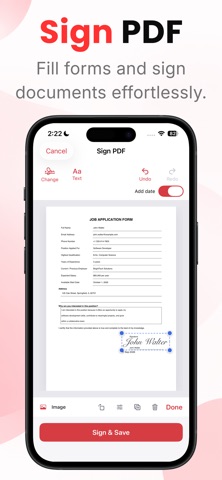
9. SIGN PDF
Fill out documents and sign them directly from your iPhone.
10. WATERMARK
Add custom text or images to your PDFs.
11. PROTECT PDF
Password-protect your documents and keep them secure.
12. OCR & SEARCHABLE PDF
Recognize text in scanned documents and make them searchable.
13. REDACT PDF
Remove sensitive information before sharing your documents.
14. EXTRACT PAGES
Pull specific pages out of a PDF and save them as a new document.
15. PRIVATE & OFFLINE
Your documents stay on your device. PDFlick is designed to work offline, so you can edit, scan, convert, sign, and manage PDFs without uploading your files to a server.
From quick edits to complete document management, PDFlick gives you the tools to create, edit, convert, organize, sign, and protect PDFs in one place. No unnecessary complexity. Just the PDF tools you need, when you need them.
By subscribing, you agree to Apple's standard Terms of Use:
https://www.apple.com/legal/internet-services/itunes/dev/stdeula/
Privacy Policy: https://pdflick.pntapps.com/privacy
Terms of Use: https://pdflick.pntapps.com/terms