
PDFMaker Pro is made and published by EJing. AppBrain is an independent app data site and isn't affiliated with EJing. The app name, icon, screenshots and description belong to EJing and are shown as published on the App Store.
AppBrain's verdict
- Last updated
- February 17, 2024
Rankings
App Store top chartsApp Store Rankings for PDFMaker Pro
This app is not ranked
Competitors
Similar apps and more from EJingAlternatives to PDFMaker Pro






 PDFMaker: JPG to PDF converter
Arthur Eduardo Skaetta Alvarez Desenvolvimento de Software LTDA.
Free
1.4K ratings
More from EJing





Releases
Updates seen on the App Store- Version
- 4.1.0
- Launched
- July 2013
No changelog data
User feedback
Ratings and reviews on the App StoreComments on PDFMaker Pro for iOS
We don't have enough comments to show example comments. Please check back later.
Technology
Found in the app by AppBrain- Price
- $9.99
- App size
- 4.77 MB
- Content rating
- High
Technologies used by PDFMaker Pro
About the app and developer
About PDFMaker Pro
PDFMaker Pro is a productivity app developed by EJing.
What is the rating of PDFMaker Pro?
PDFMaker Pro has no ratings yet.
Is PDFMaker Pro free?
PDFMaker Pro costs $9.99. The app size is 4.77 MB. The latest version available is 4.1.0. The last update was on February 17, 2024.
What are the requirements for PDFMaker Pro?
The app has a content rating of High Maturity. The app has been available on the App Store since July 2013.
Developer information for EJing
Address:
Store listing
By EJing, from the App Store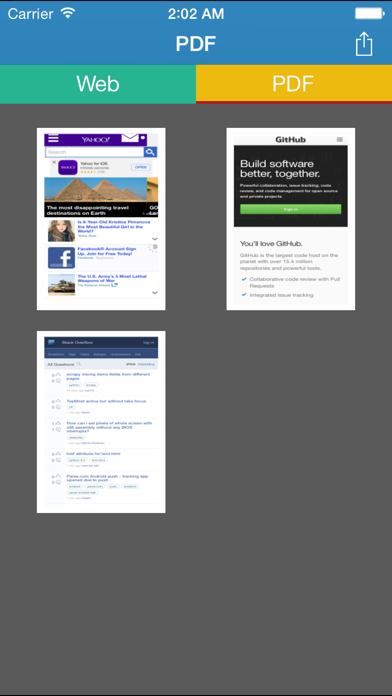
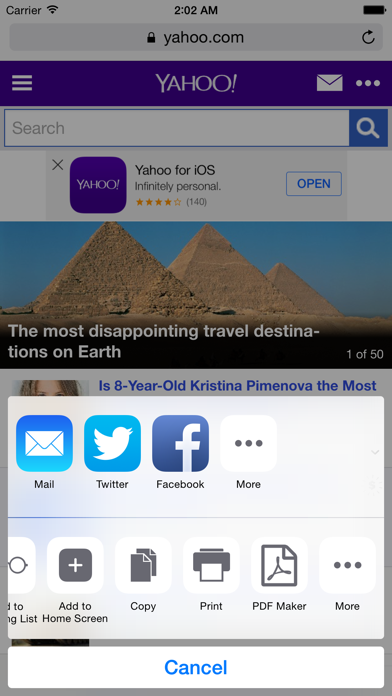
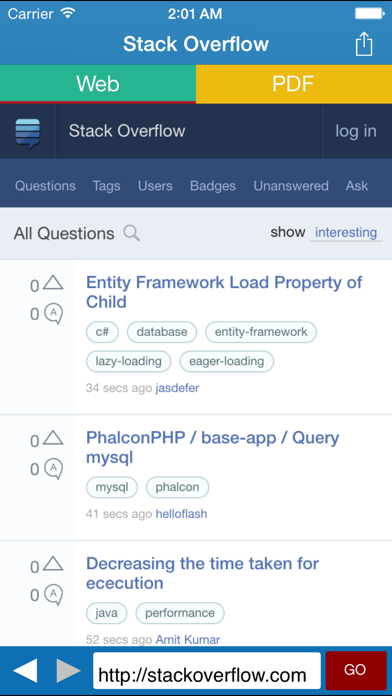


Screenshots by EJing, from the the App Store listing
Description by EJing Written by the developer, not by AppBrain. Click to read.
PDFMaker is a app which can convert webpage into PDF file easily.
When you want to share a webpage to your friend, may your friends can't open you the webpage (for example, the internal network, firewall,network, and so on), this time you can use PDFMaker to convert webpage to PDF file,and send it by email or the other application
A list of functions
1, Convert webpage to PDF file
2, PDF browse, delete and printing
3, share or send to other app, such as mail, iBooks, Dropbox, SkyDrive, GoogleDriver etc..
4, Monitoring the clipboard ,When it found a URL, It would automatically mention you.In order to convert webpage to PDF file by a easy way.
5, iTunes file sharing to PC
6, supported iPhone/iPad vertical Mode and horizontal Mode.
7, Share file with internal web server
When you want to share a webpage to your friend, may your friends can't open you the webpage (for example, the internal network, firewall,network, and so on), this time you can use PDFMaker to convert webpage to PDF file,and send it by email or the other application
A list of functions
1, Convert webpage to PDF file
2, PDF browse, delete and printing
3, share or send to other app, such as mail, iBooks, Dropbox, SkyDrive, GoogleDriver etc..
4, Monitoring the clipboard ,When it found a URL, It would automatically mention you.In order to convert webpage to PDF file by a easy way.
5, iTunes file sharing to PC
6, supported iPhone/iPad vertical Mode and horizontal Mode.
7, Share file with internal web server