

PDFMind: PDF to Word & Convert
PDFMind: PDF to Word & Convert is made and published by Kevinsjh. AppBrain is an independent app data site and isn't affiliated with Kevinsjh. The app name, icon, screenshots and description belong to Kevinsjh and are shown as published on the App Store.
AppBrain's verdict
- Rating on App Store
- 5.00
- 1 ratings
- Last updated
- May 8, 2026
It doesn't have enough ratings yet to judge what users think.
Rankings
App Store top chartsApp Store Rankings for PDFMind: PDF to Word & Convert
Competitors
Similar apps and more from Kevinsjh


Releases
Updates seen on the App Store- Version
- 0.0.4
- Launched
- May 2026
No changelog data
User feedback
Ratings and reviews on the App StoreComments on PDFMind: PDF to Word & Convert for iOS
We don't have enough comments to show example comments. Please check back later.
Technology
Found in the app by AppBrain- Price
- Free
- App size
- 80.2 MB
- Content rating
- Everyone
Technologies used by PDFMind: PDF to Word & Convert
About the app and developer
About PDFMind: PDF to Word & Convert
PDFMind: PDF to Word & Convert is an utilities app developed by Kevinsjh.
User Ratings
PDFMind: PDF to Word & Convert is rated 5.00 out of 5 stars. The rating is based on one rating ratings.
App Information
PDFMind: PDF to Word & Convert is freely available from the App Store. The app size is 80.18 MB. The latest version available is 0.0.4. The last update was on May 8, 2026.
Technical Requirements
The app has a content rating of Everyone. The app has been available on the App Store since May 2026.
Developer information for Kevinsjh
Address:
Frequently asked questions about PDFMind: PDF to Word & Convert
Is PDFMind: PDF to Word & Convert free?
Yes. PDFMind: PDF to Word & Convert is free on the App Store.
Is PDFMind: PDF to Word & Convert still available?
Yes. PDFMind: PDF to Word & Convert is on the App Store, and the last update we saw was on May 8, 2026.
How large is PDFMind: PDF to Word & Convert?
PDFMind: PDF to Word & Convert is 80.18 MB.
Is PDFMind: PDF to Word & Convert suitable for children?
App Store rates the content of PDFMind: PDF to Word & Convert as suitable for everyone.
How do people rate PDFMind: PDF to Word & Convert?
PDFMind: PDF to Word & Convert has one rating of 5.00 stars on the App Store.
Who made PDFMind: PDF to Word & Convert?
PDFMind: PDF to Word & Convert was developed by Kevinsjh. It is listed in the utilities category on the App Store.
What are the best alternatives to PDFMind: PDF to Word & Convert?
People looking at PDFMind: PDF to Word & Convert also look at these utilities apps: LanPulse, PDF to Excel: Table Converter, Scan Photos to PDF - Scanory, Urquhart+, LeoPDF: Photo to Excel & Word.
Store listing
By Kevinsjh, from the App Store




Description by Kevinsjh Written by the developer, not by AppBrain. Click to read.
CONVERT
PDF to Word — Export PDFs as editable Word documents with OCR
PDF to PowerPoint — Turn PDF slides into editable decks
PDF to Excel — Extract tables from PDFs into spreadsheets
PDF to JPG — Save any PDF page as a high-quality image
Word to PDF — Convert Word docs to PDF in one tap
PowerPoint to PDF — Make any presentation a PDF
Excel to PDF — Spreadsheets to PDF, instantly
EDIT & ORGANIZE
Edit PDF — Add text, shapes, and annotations
Merge PDF — Combine multiple PDFs into one
Split PDF — Break a PDF into separate files
Organize PDF — Reorder, delete, or rotate pages
Rotate PDF — Fix page orientation in any PDF
Create PDF — Build a new PDF from scratch
PROTECT
Sign PDF — Draw, type, or import your signature. Legally compliant, audit-ready
Protect PDF — Lock PDFs with a password
Unlock PDF — Remove password protection instantly
Watermark — Stamp text or image watermarks on any page
SCAN & IMAGES
Scanner — Scan paper documents with your camera using OCR
OCR PDF — Extract and copy text from any scanned PDF
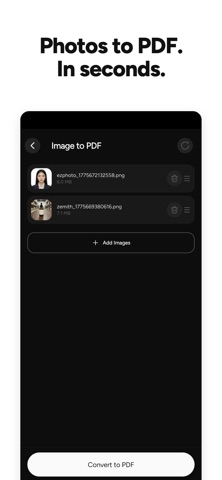
Image to PDF — Convert photos and JPGs to PDF instantly
Compress PDF — Shrink file sizes without losing quality
Repair PDF — Fix corrupted or damaged PDF files
PDFMind is free to use with limited daily credits. A PDFMind Plus subscription unlocks all tools with unlimited use.
Subscription:
Full access to all premium tools and unlimited exports via Weekly or Annual subscription. Subscriptions renew automatically unless cancelled at least 24 hours before the renewal date. Manage subscriptions in your App Store account settings.
Terms of Use (EULA):
https://www.apple.com/legal/internet-services/itunes/dev/stdeula/
[:mav: 0.0.1]