

Peps! is made and published by Appsipaja Oy. AppBrain is an independent app data site and isn't affiliated with Appsipaja Oy. The app name, icon, screenshots and description belong to Appsipaja Oy and are shown as published on the App Store.
AppBrain's verdict
- Last updated
- March 24, 2022
Rankings
App Store top chartsApp Store Rankings for Peps!
Competitors
Similar apps and more from Appsipaja OyAlternatives to Peps!


More from Appsipaja Oy





Releases
Updates seen on the App Store- Version
- 2.6.1
- Launched
- February 2019
No changelog data
User feedback
Ratings and reviews on the App StoreComments on Peps! for iOS
We don't have enough comments to show example comments. Please check back later.
Technology
Found in the app by AppBrain- Price
- Free
- App size
- 50.5 MB
- Content rating
- Everyone
Technologies used by Peps!
About the app and developer
About Peps!
Peps! is a health & fitness app developed by Appsipaja Oy.
User Ratings
The app has no ratings yet.
App Information
Peps! is freely available from the App Store. The app size is 50.46 MB. The latest version available is 2.6.1. The last update was on March 24, 2022.
Technical Requirements
The app has a content rating of Everyone. The app has been available on the App Store since February 2019.
Developer information for Appsipaja Oy
Address:
Store listing
By Appsipaja Oy, from the App Store




Description by Appsipaja Oy Written by the developer, not by AppBrain. Click to read.
With Peps, your friends and family can send you their own custom written or recorded cheers, which you will hear on the race course while running the race. Friends can either send their cheers in advance prior the race, or send them LIVE while watching your strugg..enjoyable voyage towards the finish line.
Messages can be either written or recorded, and written cheers can be in any language: Peps detects the written language and speaks it out in that language. If you like listening to music while running, friends can also send you their power songs, which will be then added to your Spotify queue automatically.
EASY FOR FRIENDS TOO
Your friends do not need the Peps app and they don’t need to register anywhere either. You simply create your race event’s unique magic link in the Peps app and then just send the created link to your friends. Friends will do all their things on that web page. Friends will not see other friends´ messages and so can’t you until the race is over. So it will be a lot of fun!
RESPOND TO YOUR FRIENDS
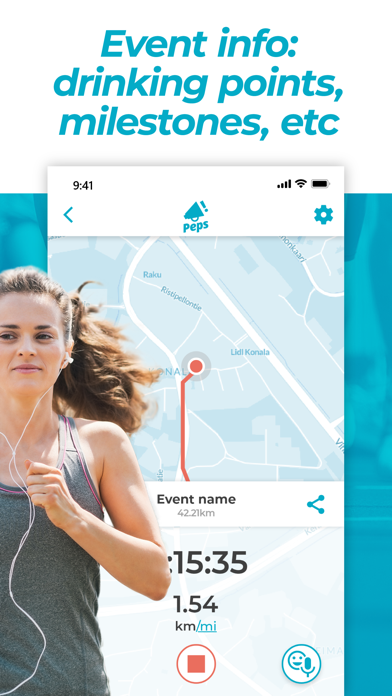
You can also send feedback to the friends: you can either send quick emojis from the app, and they will pop up on the friends map. You can even record quick audio messages to your friends, which the friends can listen on the friends page. Also your listened Spotify tracks will appear on the map on points they started, as well as the ran distance, spent time and the trail you’ve done so far.
RACE PASS
To listen the cheers sent to you in a race, you will have to buy a Race Pass. You can download the app for free, and you can create your event as well for free, and friends can even send their cheers without purchasing the Race Pass, but if you want to listen the cheers in the race, you need the Race Pass. Race Pass is not a subscription of any type.
The Race Pass is valid 8 days from the purchase, so you can do the purchase way before the actual BANG at the start line. While the pass is valid, you can run as many races you want, you SUPERHUMAN!
If the race organizer is offering Peps free in their event, the PLAY button will become active when you are located nearby the race area. In this case you don’t need to purchase the Race Pass.
VIRTUAL RUNS
Peps is used for many virtual running events too. Simply enter the route code you received to download the routes. Pick your route and tap PLAY!
THE GOOD, THE BETTER, THE DETAILS
Read everything from the FAQ section in the app. You’ll find tutorial videos there too! But the highlights briefly:
All written messages will be also sent to your sports watch, if it just supports iPhone’s mirrored notifications via Bluetooth.
You can listen to your music etc. with Peps just like normal. You can use your tracker app with Peps just like normal. Other volume is ducked down, when Peps has something to say, and after it, brought back up. Peps won’t drain your battery either or over-consume your data plan.
To use the Spotify features, you will need to connect Peps with Spotify app. Do this in the app’s settings, grant access and you’re good to go. Some functions need the Spotify Premium account.
When friends send you messages and the race has not started yet, they can set the distance marker for their message, when it is played, or just leave it without distance marker, and then the message is played at some random point of the race. If the race is on (means that you’ve tapped PLAY in the app), all sent messages at that time are played out immediately.
LINK PACK:
IG: @racepeps
FB: @racepeps
TWITTER: @racepeps
WWW: www.pepsapp.com
HELP: https://pepsapp.com/help