

Phone Drive Pro: File Sync
Phone Drive Pro: File Sync is made and published by Eightythree Technology. AppBrain is an independent app data site and isn't affiliated with Eightythree Technology. The app name, icon, screenshots and description belong to Eightythree Technology and are shown as published on the App Store.
AppBrain's verdict
EstablishedLoved by users- Best rank
- #26
- Top Paid, Slovakia
- Rating on App Store
- 4.67
- 2,265 ratings
- Last updated
- October 5, 2026
Users love it: 4.7 stars from 2,265 ratings. Its best ranking is #26 in Top Paid, Utilities in Slovakia.
Rankings
App Store top charts- Highest rank
- #26
- Chart
- Top Paid
- Utilities
- Country
- Slovakia
App Store Rankings for Phone Drive Pro: File Sync
Top rankings
| Rank | Country | Category | List |
|---|---|---|---|
| 26 | Slovakia | Utilities | Top Paid |
| 52 | Czech Republic | Utilities | Top Paid |
| 57 | Portugal | Utilities | Top Paid |
| 62 | Russia | Utilities | Top Paid |
| 66 | Poland | Utilities | Top Paid |
| 80 | Saudi Arabia | Utilities | Top Paid |
| 87 | Belgium | Utilities | Top Paid |
| 89 | Indonesia | Utilities | Top Paid |
| 92 | Mexico | Utilities | Top Paid |
| 97 | Turkey | Utilities | Top Paid |
Ranking history in Slovakia
Competitors
Similar apps and more from Eightythree TechnologyAlternatives to Phone Drive Pro: File Sync
![File Explorer & Player [Pro] icon](https://is1-ssl.mzstatic.com/image/thumb/Purple221/v4/48/fd/64/48fd648e-1dc3-6684-449b-e7e69a12b236/AppIcon-0-0-1x_U007emarketing-0-8-0-85-220.png/100x100bb.jpg)




More from Eightythree Technology


Releases
Updates seen on the App Store- Version
- 8.6.50
- Launched
- April 2011
No changelog data
User feedback
Ratings and reviews on the App StoreComments on Phone Drive Pro: File Sync for iOS
We don't have enough comments to show example comments. Please check back later.
Technology
Found in the app by AppBrain- Price
- Free
- App size
- 130.4 MB
- Content rating
- High
Technologies used by Phone Drive Pro: File Sync
About the app and developer
About Phone Drive Pro: File Sync
Phone Drive Pro: File Sync is an utilities app developed by Eightythree Technology.
User Ratings
Phone Drive Pro: File Sync is rated 4.67 out of 5 stars. The rating is based on 2.3 thousand ratings.
App Information
Phone Drive Pro: File Sync is freely available from the App Store. The app size is 130.44 MB. The latest version available is 8.6.50. The last update was on October 5, 2026.
Technical Requirements
The app has a content rating of High Maturity. The app has been available on the App Store since April 2011.
Developer information for Eightythree Technology
Address:
Frequently asked questions about Phone Drive Pro: File Sync
Is Phone Drive Pro: File Sync free?
Yes. Phone Drive Pro: File Sync is free on the App Store.
Is Phone Drive Pro: File Sync still available?
Yes. Phone Drive Pro: File Sync is on the App Store, and the last update we saw was on October 5, 2026.
How large is Phone Drive Pro: File Sync?
Phone Drive Pro: File Sync is 130.44 MB.
Is Phone Drive Pro: File Sync suitable for children?
App Store gives Phone Drive Pro: File Sync a high maturity rating. It is meant for adults.
How do people rate Phone Drive Pro: File Sync?
Phone Drive Pro: File Sync scores 4.67 out of 5 stars, from 2,265 ratings on the App Store.
Who made Phone Drive Pro: File Sync?
Phone Drive Pro: File Sync was developed by Eightythree Technology. It is listed in the utilities category on the App Store.
What are the best alternatives to Phone Drive Pro: File Sync?
People looking at Phone Drive Pro: File Sync also look at these utilities apps: File Explorer & Player [Pro], Safety Photo+Video Pro, Snap Markup - Annotation Tool, Remote, Mouse & Keyboard Pro, Calcvier - Keyboard Calculator.
Store listing
By Eightythree Technology, from the App Store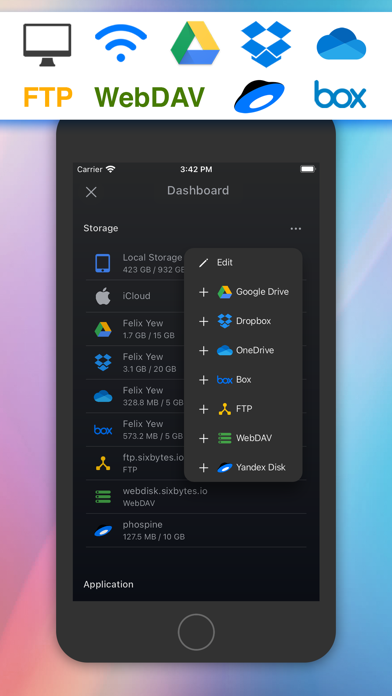
Description by Eightythree Technology Written by the developer, not by AppBrain. Click to read.
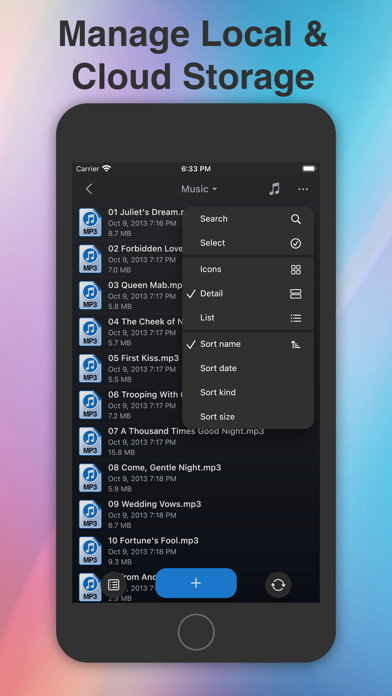
With Phone Drive, you can effortlessly store, view, and manage local or cloud files on your iPhone or iPad. Seamlessly connect to Phone Drive from any Mac or PC over a WiFi network and transfer files through simple drag and drop from Web Browser, Finder or Windows Explorer.
Experience the convenience of managing multiple cloud accounts in a single application. Download, upload, view, and even stream videos or music directly from your cloud drives.
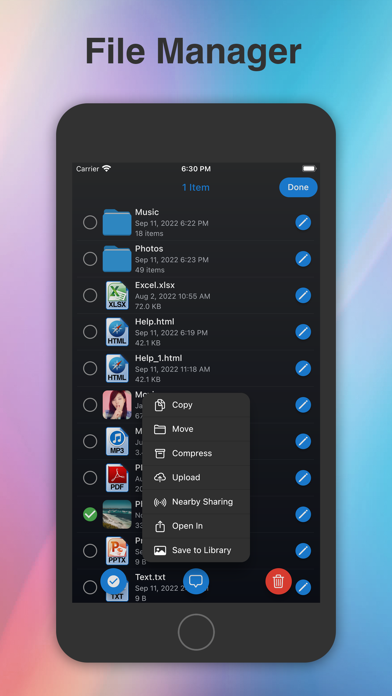
Phone Drive boasts a comprehensive set of features including a document viewer, PDF reader, music player, image viewer, voice recorder, text editor, file manager, and support for various file operations such as delete, move, copy, email, share, zip, unzip, and more.
*** KEY FEATURES ***
• SUPPORT CLOUD STORAGE:
Connect to multiple Dropbox, OneDrive, Box Drive, FTP, WebDAV, Yandex Disk, and iCloud Drive storage accounts. (*additional in-app purchase required)
• MULTIMEDIA PLAYER:
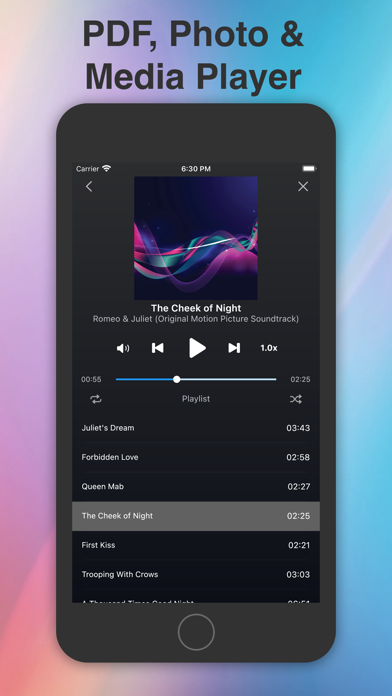
Create custom audio playlists with options like repeat, shuffle, background playback, and multitask remote control. Stream videos and music directly from your cloud storage.
• DOCUMENT READER:
View MS Office, iWork, Text, and HTML files with ease.
• FILE OPERATION:
Effortlessly move, copy, rename, delete, zip, unzip, unrar, create files, and folders.
• FILE SHARING:
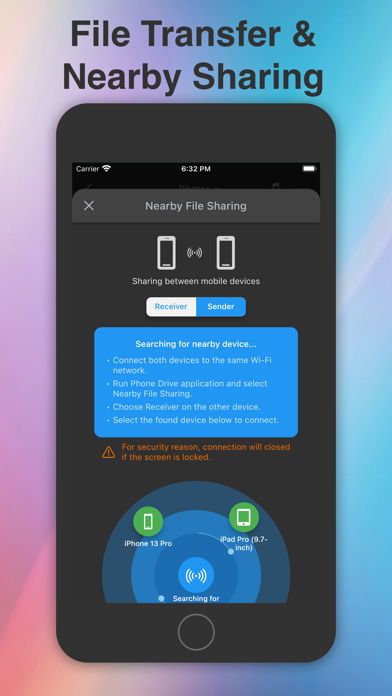
Share files with other iPhone/iPad devices via Bluetooth or Wi-Fi, with automatic search for nearby available devices.
• EASY FILE UPLOAD:
Conveniently upload files through drag and drop via your PC/Mac web browser or USB using iTunes.
• TEXT EDITOR:
Edit text files and source codes directly on your iOS device with the built-in text editor.
• IMPORT/ FILES CREATION:
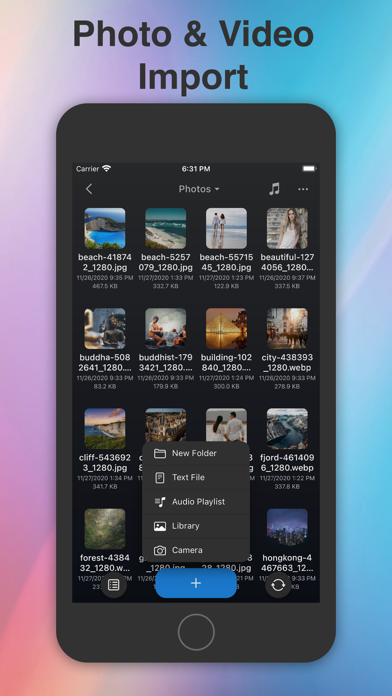
Create text files, capture images, record videos or voice memos, and import pictures from your photo library.
• PASSCODE LOCK:
Protect your files from unauthorized access. Utilize Touch ID and Face ID support for secure unlocking.
• UNIVERSALITY:
Enjoy the benefits of this app on both iPhone and iPad with a single purchase.
*** AUDIO PLAYER ***
• Play MP3 files as playlists.
• Repeat and shuffle songs.
• Background audio playback.
• Multitask audio remote control.
• Stream music from cloud storage.
*** VIEWABLE FORMATS ***
Phone Drive supports the following formats:
• Audio (WAV, MP3, M4A, CAF, AIF, AIFF, AAC)
• Images (JPG, PNG, GIF, BMP, TIF, TIFF, ICO)
• Movies (MP4, MOV, MPV, M4V)
• iWorks (Pages, numbers, and Keynote)
• Microsoft Office (Word, Excel and PowerPoint)
• RTF (Rich Text Format)
• RTFD (TextEdit with embedded images)
• PDF Documents
• Plain text
• Source code
• HTML web pages
• Web archives
Explore more about Phone Drive at:
Website : https://sixbytes.io
Twitter: https://twitter.com/SixbytesApp
Facebook: https://www.facebook.com/sixbytesapp
For detailed information, please review our Terms of Service and Privacy Policy:
• Terms of service: https://sixbytes.io/products/phone-drive/legal/terms
• Privacy policy: https://sixbytes.io/products/phone-drive/legal/privacy-policy