Photo PDF Converter App
Photo PDF Converter App is made and published by Kamalkumar Trapasiya. AppBrain is an independent app data site and isn't affiliated with Kamalkumar Trapasiya. The app name, icon, screenshots and description belong to Kamalkumar Trapasiya and are shown as published on the App Store.
AppBrain's verdict
- Rating on App Store
- 5.00
- 7 ratings
- Last updated
- May 20, 2025
It doesn't have enough ratings yet to judge what users think.
Rankings
App Store top chartsApp Store Rankings for Photo PDF Converter App
Competitors
Similar apps and more from Kamalkumar TrapasiyaAlternatives to Photo PDF Converter App
More from Kamalkumar Trapasiya
Releases
Updates seen on the App Store- Version
- 1.1.6
- Launched
- February 2024
No changelog data
User feedback
Ratings and reviews on the App StoreComments on Photo PDF Converter App for iOS
We don't have enough comments to show example comments. Please check back later.
Technology
Found in the app by AppBrain- Price
- Free
- App size
- 16.6 MB
- Content rating
- Everyone
Technologies used by Photo PDF Converter App
About the app and developer
About Photo PDF Converter App
Photo PDF Converter App is a productivity app developed by Kamalkumar Trapasiya.
What is the rating of Photo PDF Converter App?
Photo PDF Converter App is rated 5.00 out of 5 stars, based on 7 ratings.
Is Photo PDF Converter App free?
Photo PDF Converter App is free. The app size is 16.63 MB. The latest version available is 1.1.6. The last update was on May 20, 2025.
What are the requirements for Photo PDF Converter App?
The app has a content rating of Everyone. The app has been available on the App Store since February 2024.
Developer information for Kamalkumar Trapasiya
Address:
Store listing
By Kamalkumar Trapasiya, from the App StoreDescription by Kamalkumar Trapasiya Written by the developer, not by AppBrain. Click to read.
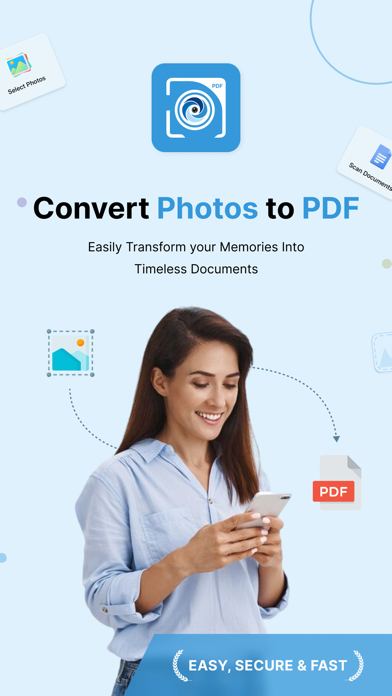
Photo to PDF Conversion:
- Select multiple photos and convert them into high-quality PDFs.
- Enjoy intuitive options for margin, page orientation, size, and image content mode customization.
Optimize and Preview:
- Fine-tune PDF size and quality to meet your exact needs.
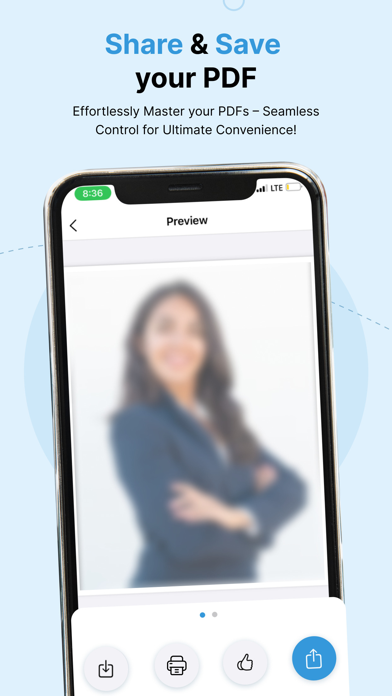
- Preview your PDF before finalizing to ensure perfection.
Scan and Convert:
- Capture and convert documents seamlessly with our built-in scanner.
- Tailor PDF settings for scanned documents with precision.
Effortless Actions:
- Share your PDFs with ease.
- Save them directly to your device.
- Print hard copies for convenience.
User-Friendly Interface:
- Intuitive design for a smooth and enjoyable experience.
- Effortlessly navigate through the conversion process.
PRO Version:
- Upgrade to our Premium for unlimited photo conversions, scan documents, limitless PDF creations, superior quality, advanced configurations, and an ad-free experience. Supercharge your creative journey!
- Payment will be charged to your iTunes account at confirmation of purchase. Subscriptions automatically renew unless auto-renew is turned off 24-hours before the end of the current period. Accounts will be charged for renewal within 24 hours of the end of the current period, and a renewal fee will be provided. The unused portion of a free trial period, if offered, will be forfeited when the user purchases a subscription to that product.
Privacy: https://sites.google.com/view/kttechapps-privacy/home
Terms: https://sites.google.com/view/kttechapps-terms/home
Photo-to-PDF is your go-to solution for turning memories and documents into professionally crafted PDFs. Download now and witness the magic of streamlined photo-to-PDF conversion!