

PhotoDeco Simple
PhotoDeco Simple is made and published by Yosuke Seki. AppBrain is an independent app data site and isn't affiliated with Yosuke Seki. The app name, icon, screenshots and description belong to Yosuke Seki and are shown as published on the App Store.
AppBrain's verdict
- Last updated
- August 8, 2026
Rankings
App Store top chartsApp Store Rankings for PhotoDeco Simple
Competitors
Similar apps and more from Yosuke SekiMore from Yosuke Seki








Releases
Updates seen on the App Store- Version
- 1.5
- Launched
- July 2026
No changelog data
User feedback
Ratings and reviews on the App StoreComments on PhotoDeco Simple for iOS
We don't have enough comments to show example comments. Please check back later.
Technology
Found in the app by AppBrain- Price
- Free
- App size
- 9.52 MB
- Content rating
- Everyone
Technologies used by PhotoDeco Simple
About the app and developer
About PhotoDeco Simple
PhotoDeco Simple is a photo & video app developed by Yosuke Seki.
User Ratings
The app has no ratings yet.
App Information
PhotoDeco Simple is freely available from the App Store. The app size is 9.52 MB. The latest version available is 1.5. The last update was on August 8, 2026.
Technical Requirements
The app has a content rating of Everyone. The app has been available on the App Store since July 2026.
Developer information for Yosuke Seki
Address:
Frequently asked questions about PhotoDeco Simple
Is PhotoDeco Simple free?
Yes. PhotoDeco Simple is free on the App Store.
Is PhotoDeco Simple still available?
Yes. PhotoDeco Simple is on the App Store, and the last update we saw was on August 8, 2026.
How large is PhotoDeco Simple?
PhotoDeco Simple is 9.52 MB.
Is PhotoDeco Simple suitable for children?
App Store rates the content of PhotoDeco Simple as suitable for everyone.
Who made PhotoDeco Simple?
PhotoDeco Simple was developed by Yosuke Seki. It is listed in the photo & video category on the App Store.
Store listing
By Yosuke Seki, from the App Store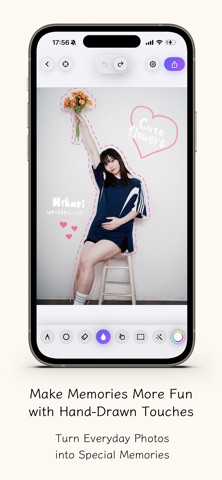


Description by Yosuke Seki Written by the developer, not by AppBrain. Click to read.
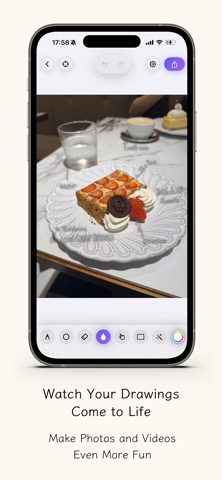
Import a favorite photo or video, then draw freely with pens, an eraser, fill tools, and selection tools. Adjust line width, color, texture, blur, and outlines to create anything from simple line art to playful photo decorations.
You can save your work as an image combined with the original photo, export it as a transparent PNG, or create videos using your drawn lines. PhotoDeco works well for tracing over photos, adding personal touches, and making images or videos feel more expressive before sharing them.
With simple controls and flexible drawing tools, PhotoDeco makes it easy to turn everyday photos into fun, customized creations.