

Piconizer. is made and published by Maktar Inc. AppBrain is an independent app data site and isn't affiliated with Maktar Inc. The app name, icon, screenshots and description belong to Maktar Inc. and are shown as published on the App Store.
AppBrain's verdict
Established- Rating on App Store
- 4.75
- 36 ratings
- Last updated
- April 22, 2026
It doesn't have enough ratings yet to judge what users think.
Rankings
App Store top chartsApp Store Rankings for Piconizer.
Competitors
Similar apps and more from Maktar Inc.Alternatives to Piconizer.








More from Maktar Inc.




Releases
Updates seen on the App Store- Version
- 2.2.3
- Launched
- April 2017
No changelog data
User feedback
Ratings and reviews on the App StoreComments on Piconizer. for iOS
We don't have enough comments to show example comments. Please check back later.
Technology
Found in the app by AppBrain- Price
- Free
- App size
- 37.8 MB
- Content rating
- Everyone
Technologies used by Piconizer.
About the app and developer
About Piconizer.
Piconizer. is a photo & video app developed by Maktar Inc.
User Ratings
Piconizer. is rated 4.75 out of 5 stars. The rating is based on 36 ratings.
App Information
Piconizer. is freely available from the App Store. The app size is 37.81 MB. The latest version available is 2.2.3. The last update was on April 22, 2026.
Technical Requirements
The app has a content rating of Everyone. The app has been available on the App Store since April 2017.
Developer information for Maktar Inc.
Address:
Store listing
By Maktar Inc., from the App Store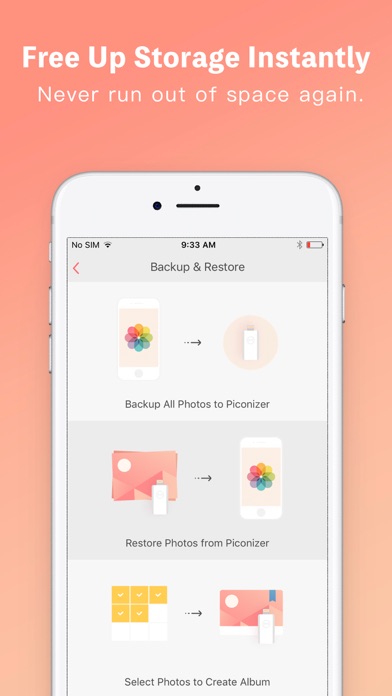



Description by Maktar Inc. Written by the developer, not by AppBrain. Click to read.
Ever seen the dreaded “Storage Almost Full” pop-up while taking photos, shooting videos, or updating your iOS? It’s frustrating—and just plain annoying.
The solution? Piconizer™ by Maktar Inc.
Piconizer™: The smartest way to expand storage on your iPhone or iPad.
• Instantly free up space
Easily transfer photos and videos from your iPhone or iPad to your Mac or PC—no hassle, no waiting.
• Smart auto-categorization
Photos are automatically sorted into categories as they’re transferred to Piconizer™, keeping your memories organized effortlessly.
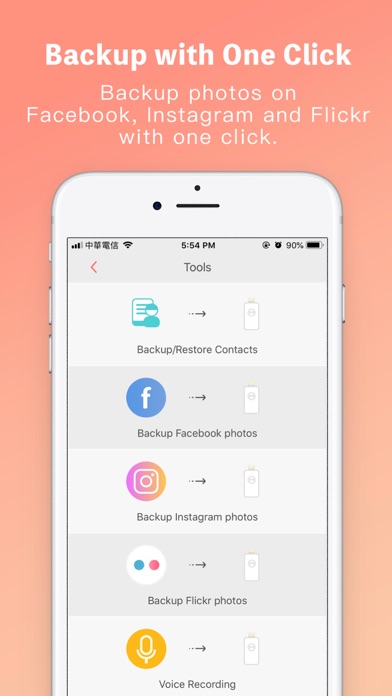
• Flexible backup options
Choose how you back up:
One-tap full backup
Select by year, month, or date
Or manually pick photos to create your own custom albums
• View photos without the Piconizer™ plugged in
The app stores lightweight preview copies of your photos, so you can still view and share them on social media—even when the device isn't connected.
No monthly fees. No internet required.
Just plug in Piconizer™ to your iPhone or iPad—and you’re ready to go.