

PingPlotter is made and published by Pingman Tools LLC. AppBrain is an independent app data site and isn't affiliated with Pingman Tools LLC. The app name, icon, screenshots and description belong to Pingman Tools LLC and are shown as published on the App Store.
AppBrain's verdict
Established- Rating on App Store
- 3.36
- 36 ratings
- Last updated
- July 13, 2021
It doesn't have enough ratings yet to judge what users think.
Rankings
App Store top chartsApp Store Rankings for PingPlotter
Competitors
Similar apps and more from Pingman Tools LLCAlternatives to PingPlotter



Releases
Updates seen on the App Store- Version
- 1.4.1
- Launched
- July 2015
No changelog data
User feedback
Ratings and reviews on the App StoreComments on PingPlotter for iOS
We don't have enough comments to show example comments. Please check back later.
Technology
Found in the app by AppBrain- Price
- Free
- App size
- 62.1 MB
- Content rating
- Everyone
Technologies used by PingPlotter
About the app and developer
About PingPlotter
PingPlotter is an utilities app developed by Pingman Tools LLC.
User Ratings
PingPlotter is rated 3.36 out of 5 stars. The rating is based on 36 ratings.
App Information
PingPlotter is freely available from the App Store. The app size is 62.07 MB. The latest version available is 1.4.1. The last update was on July 13, 2021.
Technical Requirements
The app has a content rating of Everyone. The app has been available on the App Store since July 2015.
Developer information for Pingman Tools LLC
Address:
Store listing
By Pingman Tools LLC, from the App Store



Description by Pingman Tools LLC Written by the developer, not by AppBrain. Click to read.
Get notified about network problems the moment they occur and find culprits quickly with PingPlotter's graphing and alert system. Our best in class graphical traceroute and ping tools go wherever your network needs you. With a desktop and mobile version at your disposal, you can pinpoint network problems anywhere, anytime.
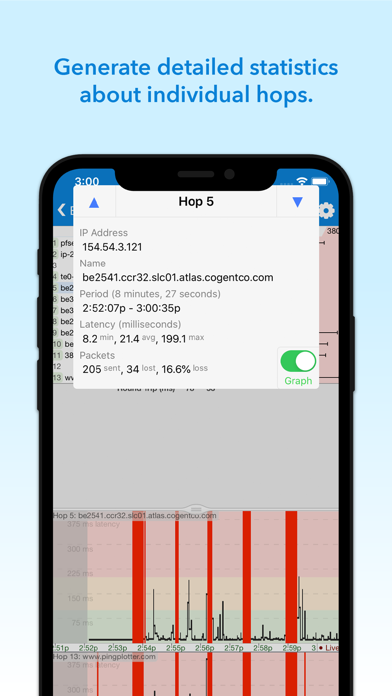
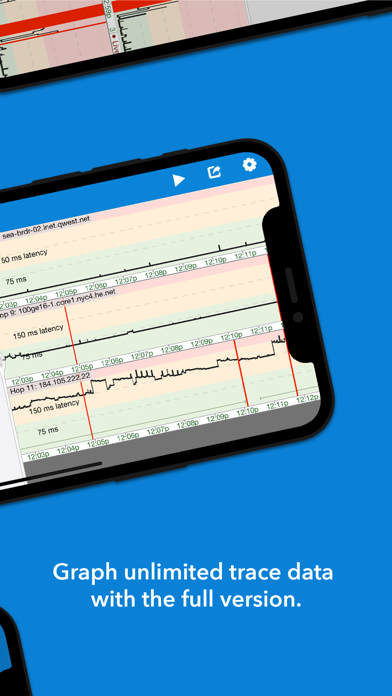
For instant vision into network performance, simply enter a target address and PingPlotter will begin graphing latency and packet loss. The multi-dimensional output is displayed on two graphs - a trace graph that plots current measurements for all participating routers and a timeline graph that shows individual router performance over time.
Audio based monitoring keeps hands and eyes free for other activities while playing sounds that inform ears about network performance. A monitoring system especially useful during visually demanding, network dependent, activities like online gaming. While PingPlotter Mobile is streaming background audio, players can keep their eyes on the game, hear when network performance deteriorates, and take cover before lag negatively effects their experience.
FREE
- Graph latency and packet loss
- Scroll through performance timelines
- Zoom in on interesting periods
- Generate reports for individual hops
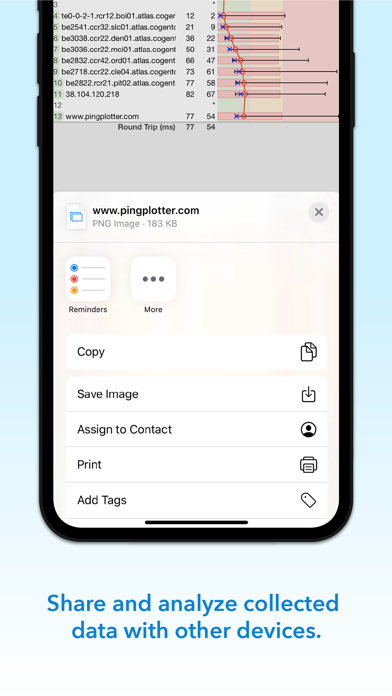
- Save and send collected data
- Customize tracing intervals, packet options, and graph ranges
- Ping any website with IPv4 or IPv6 protocol
UPGRADE (in-app purchase)
- Unlimited length timelines
- Graph intermediate hop history
- Audio alerting system
- Keep screen on while tracing
- Load data collected by mobile or desktop versions