

Pizza Party Cafe
Pizza Party Cafe is made and published by Emerging Coders. AppBrain is an independent app data site and isn't affiliated with Emerging Coders. The app name, icon, screenshots and description belong to Emerging Coders and are shown as published on the App Store.
AppBrain's verdict
- Last updated
- June 26, 2026
Rankings
App Store top chartsApp Store Rankings for Pizza Party Cafe
Competitors
Similar apps and more from Emerging CodersAlternatives to Pizza Party Cafe





More from Emerging Coders


Releases
Updates seen on the App Store- Version
- 6.1.26
- Launched
- January 2026
No changelog data
User feedback
Ratings and reviews on the App StoreComments on Pizza Party Cafe for iOS
We don't have enough comments to show example comments. Please check back later.
Technology
Found in the app by AppBrain- Price
- Free
- App size
- 64.0 MB
- Content rating
- Everyone
Technologies used by Pizza Party Cafe
About the app and developer
About Pizza Party Cafe
Pizza Party Cafe is a food & drink app developed by Emerging Coders.
User Ratings
The app has no ratings yet.
App Information
Pizza Party Cafe is freely available from the App Store. The app size is 64.04 MB. The latest version available is 6.1.26. The last update was on June 26, 2026.
Technical Requirements
The app has a content rating of Everyone. The app has been available on the App Store since January 2026.
Developer information for Emerging Coders
Address:
Store listing
By Emerging Coders, from the App Store
Description by Emerging Coders Written by the developer, not by AppBrain. Click to read.
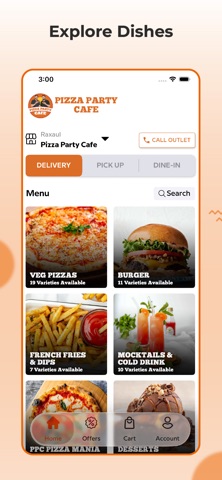
• Open the app and select your preferred order type: Delivery or Pickup or dine-in.
• Browse the menu and choose from a variety of items.
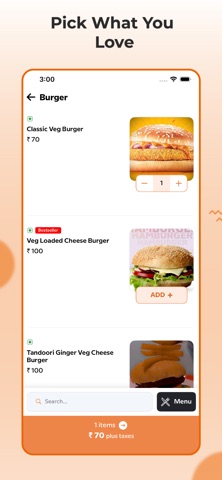
• Customize your items by selecting options for add-ons to make your meal exactly how you like it.
• Use the search bar to find your favorite item by name and select it.
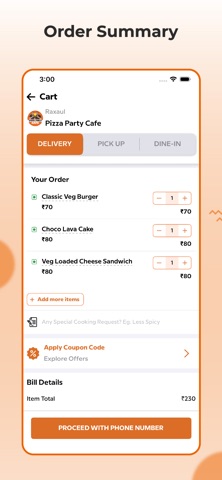
• Once you've added your items, tap on View Cart to review your order.
• Add any special notes or requests, and apply any coupon codes.
• Proceed to checkout.
• For delivery orders, enter your delivery address.
• Choose your preferred payment method.
• Finally, click Place Order, and your order will be confirmed and processed.