

PNB ONE is made and published by PNB. AppBrain is an independent app data site and isn't affiliated with PNB. The app name, icon, screenshots and description belong to PNB and are shown as published on the App Store.
AppBrain's verdict
Established- Best rank
- #43
- Top Free, India
- Rating on App Store
- 3.60
- 580 ratings
- Last updated
- October 17, 2026
Users are divided: 3.6 stars from 580 ratings. Its best ranking is #43 in Top Free, Finance in India.
Rankings
App Store top charts- Highest rank
- #43
- Chart
- Top Free
- Finance
- Country
- India
App Store Rankings for PNB ONE
Top rankings
| Rank | Country | Category | List |
|---|---|---|---|
| 43 | India | Finance | Top Free |
Ranking history in India
Competitors
Similar apps and more from PNBAlternatives to PNB ONE


More from PNB


Releases
Updates seen on the App Store- Version
- 5.43
- Launched
- January 2019
No changelog data
User feedback
Ratings and reviews on the App StoreComments on PNB ONE for iOS
We don't have enough comments to show example comments. Please check back later.
Technology
Found in the app by AppBrain- Price
- Free
- App size
- 387.3 MB
- Content rating
- Everyone
Technologies used by PNB ONE
About the app and developer
About PNB ONE
PNB ONE is a finance app developed by PNB.
User Ratings
PNB ONE is rated 3.60 out of 5 stars. The rating is based on 580 ratings.
App Information
PNB ONE is freely available from the App Store. The app size is 387.29 MB. The latest version available is 5.43. The last update was on October 17, 2026.
Technical Requirements
The app has a content rating of Everyone. The app has been available on the App Store since January 2019.
Developer information for PNB
Address:
Frequently asked questions about PNB ONE
Is PNB ONE free?
Yes. PNB ONE is free on the App Store.
Is PNB ONE still available?
Yes. PNB ONE is on the App Store, and the last update we saw was on October 17, 2026.
How large is PNB ONE?
PNB ONE is 387.29 MB.
Is PNB ONE suitable for children?
App Store rates the content of PNB ONE as suitable for everyone.
How do people rate PNB ONE?
PNB ONE scores 3.60 out of 5 stars, from 580 ratings on the App Store.
Who made PNB ONE?
PNB ONE was developed by PNB. It is listed in the finance category on the App Store.
What are the best alternatives to PNB ONE?
People looking at PNB ONE also look at these finance apps: YONO SBI: Banking, UPI & Pay, PNBIL, Canara ai1- Mobile Banking App, SBI Card: Manage Credit Card, IDFC FIRST Bank: MobileBanking.
Store listing
By PNB, from the App Store

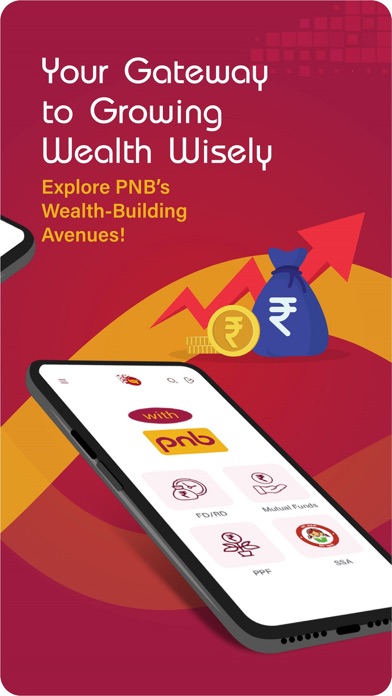


Description by PNB Written by the developer, not by AppBrain. Click to read.
Services Available / Features of PNB ONE
a) Interactive Interface
(i) Redesigned dashboard with more features available on the dashboard
(ii) Access all the accounts on the dashboard itself.
b) Accounts
(i) All accounts will be displayed in illustrative manner. ( Savings, Deposits, Loan, Overdraft, Current)
(ii) Detailed view of account statement
(iii) Check Balances
c) Transfer Funds:
(i) Regular Transfers - “Self” (for own accounts), “Within” (for PNB accounts) & “Other” (for non-pnb accounts) will be there.NEFT/IMPS/UPI for Interbank fund transfers.
(ii) Instant Transfers (without adding beneficiary) - IMPS using MMID and Quick Transfer without adding beneficiary.
(iii) Indo- Nepal Remittance
d) Invest funds
(i) Open a term deposit account
(ii) Mutual Funds
(iii) Insurance
e) Transactions
(i) My transactions will display all the recent transactions
(ii) My Favorite Payee will show list of recent payees
(iii) Schedule a transaction
(iv) Recurring transactions
f) Safe and secure
(i) Sign in much faster and simpler with your fingerprint
(ii) 2 factor authentication
(iii) Encryption
g) Manage Debit Card
(i) Apply for a new card
(ii) Update limits of ATM withdrawal, POS/ Ecomm transaction
(iii) Hotlist debit card
h) Manage Credit Card
(i) Link/De link Credit Card
(ii) Auto Payment Registration
(iii) Auto Payment De-Registration
(iv) Change card limit
(v) Statement on e-mail
(vi) Damaged card replacement
i) Unified Payment Interface (UPI)
(i) Send/ Collect money through UPI
(ii) Transaction History
(iii) Complaint Management
(iv) User Deregistration
j) Scan & Pay (BHARAT QR):
(i) Make Payment by scanning QR directly.
(ii) Link your cards once and make the payment directly from the account.
k) Pay Bills/Recharge:
(i) Register your biller pertaining to Mutual find, Insurance, Telecom, Electricity, DTH, credit card etc.
(ii) Pay bills directly to your registered biller.
l) Languages: Available in English and Hindi
m) Cheques
(i) Inquire Cheque Status
(ii) Stop Cheque
(iii) Request for Cheque book
(iv) View Cheque
n) M-Passbook
(i) View account statement of account
(ii) Download account statement in PDF for offline purposes.
o) Favourites
p) Value Added Services
(i) PAN/ Aadhar Registration
(ii) E-mail ID Updation
(iii) E statement registration
(iv) E-statement de registration
(v) MMID( used for IMPS)
(vi) Last 10 SMS
q) Complaint Service Management
(i) Raise a complaint/ Service Request
(ii) Track your request
(iii) Request history