

Pocket Docs - Document Storage
Pocket Docs - Document Storage is made and published by Evgeniy Konev. AppBrain is an independent app data site and isn't affiliated with Evgeniy Konev. The app name, icon, screenshots and description belong to Evgeniy Konev and are shown as published on the App Store.
AppBrain's verdict
Established- Rating on App Store
- 4.97
- 40 ratings
- Last updated
- August 1, 2024
It doesn't have enough ratings yet to judge what users think.
Rankings
App Store top chartsApp Store Rankings for Pocket Docs - Document Storage
Competitors
Similar apps and more from Evgeniy KonevAlternatives to Pocket Docs - Document Storage








More from Evgeniy Konev







Releases
Updates seen on the App Store- Version
- 4.4.0
- Launched
- November 2020
No changelog data
User feedback
Ratings and reviews on the App StoreComments on Pocket Docs - Document Storage for iOS
We don't have enough comments to show example comments. Please check back later.
Technology
Found in the app by AppBrain- Price
- Free
- App size
- 9.55 MB
- Content rating
- Everyone
Technologies used by Pocket Docs - Document Storage
About the app and developer
About Pocket Docs - Document Storage
Pocket Docs - Document Storage is a productivity app developed by Evgeniy Konev.
User Ratings
Pocket Docs - Document Storage is rated 4.97 out of 5 stars. The rating is based on 40 ratings.
App Information
Pocket Docs - Document Storage is freely available from the App Store. The app size is 9.55 MB. The latest version available is 4.4.0. The last update was on August 1, 2024.
Technical Requirements
The app has a content rating of Everyone. The app has been available on the App Store since November 2020.
Developer information for Evgeniy Konev
Address:
Store listing
By Evgeniy Konev, from the App Store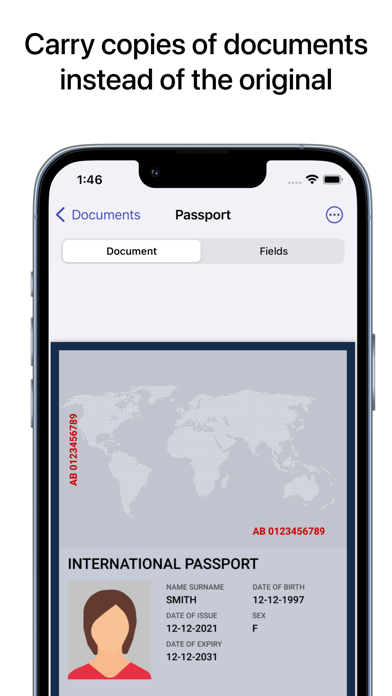
Description by Evgeniy Konev Written by the developer, not by AppBrain. Click to read.
We don't use servers to store data, your documents are stored only on your device. For extra security, you can set a password and use TouchId or FaceId to quickly unlock.
- OFFLINE -
Create and view documents offline, the app works without an internet connection.
- DOCUMENT UPLOADING -.
You can add a document to the app in several ways. Scan with the built-in scanner, upload a pdf from your device, or upload photos of a document. Documents are stored in PDF format.
- DOCUMENT FIELDS -
In the app you can create fields for each document. This way you can record the most frequently used data and not have to search through the entire PDF document. Saved fields can easily be copied to use where you need them. You can copy individual fields or all fields at once.
- QR DOCUMENTS -
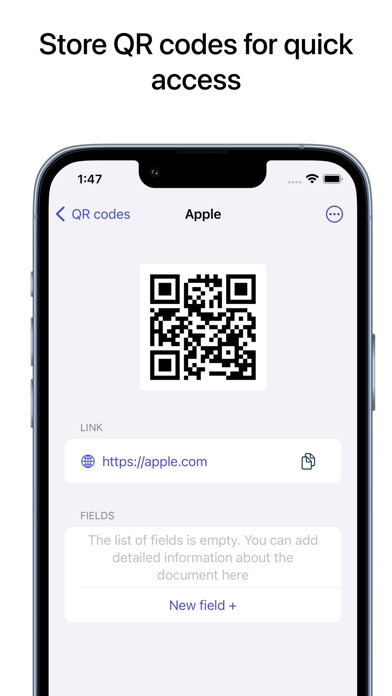
A new section of the app allows you to store qr codes. So you can scan movie tickets, transport tickets and any other information which is stored as a QR code.
- QR-codes -
Save qr codes for quick access. Here you can also create fields to quickly copy important information. For example, you can store ticket information, qr and any other information available as qr.
- SENDING DOCUMENTS -
Send PDF documents via email, social media, and other available methods.