

Poseidon Installer
Poseidon Installer is made and published by Poseidon Systems LLC. AppBrain is an independent app data site and isn't affiliated with Poseidon Systems LLC. The app name, icon, screenshots and description belong to Poseidon Systems LLC and are shown as published on the App Store.
AppBrain's verdict
Established- Rating on App Store
- 5.00
- 2 ratings
- Last updated
- January 15, 2026
It doesn't have enough ratings yet to judge what users think.
Rankings
App Store top chartsApp Store Rankings for Poseidon Installer
Competitors
Similar apps and more from Poseidon Systems LLCAlternatives to Poseidon Installer







More from Poseidon Systems LLC

Releases
Updates seen on the App Store- Version
- 4.3.0
- Launched
- July 2019
No changelog data
User feedback
Ratings and reviews on the App StoreComments on Poseidon Installer for iOS
We don't have enough comments to show example comments. Please check back later.
Technology
Found in the app by AppBrain- Price
- Free
- App size
- 21.4 MB
- Content rating
- Everyone
Technologies used by Poseidon Installer
About the app and developer
About Poseidon Installer
Poseidon Installer is a business app developed by Poseidon Systems LLC.
What is the rating of Poseidon Installer?
Poseidon Installer is rated 5.00 out of 5 stars, based on 2 ratings.
Is Poseidon Installer free?
Poseidon Installer is free. The app size is 21.38 MB. The latest version available is 4.3.0. The last update was on January 15, 2026.
What are the requirements for Poseidon Installer?
The app has a content rating of Everyone. The app has been available on the App Store since July 2019.
Developer information for Poseidon Systems LLC
Address:
Store listing
By Poseidon Systems LLC, from the App Store


Description by Poseidon Systems LLC Written by the developer, not by AppBrain. Click to read.
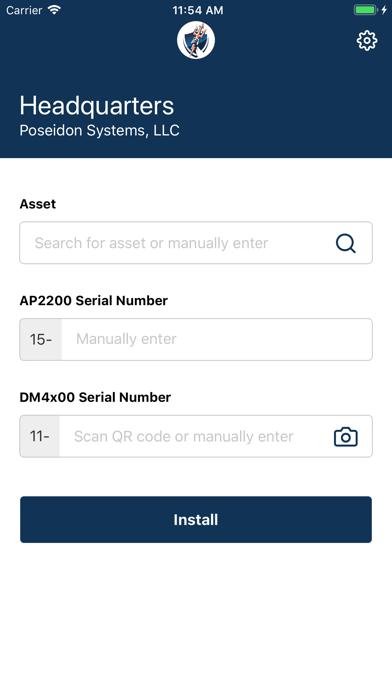
1. After install, input the location pin of the Site where you are performing installations.
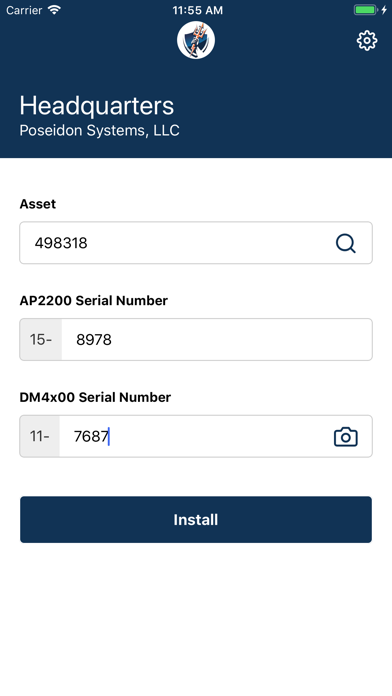
2. To track an install, simply search for or manually input the name of the asset where you are installing the device.
3. Scan the QR code on the device or manually input the serial number of the device.
4. Upon submission, This information will automatically be sent to Poseidon if you have internet access.
5. If you have installed devices without internet access, manually sync your installs once you have an internet connection.