

PPics - Scrolling Screenshot
PPics - Scrolling Screenshot is made and published by 万庄 黄. AppBrain is an independent app data site and isn't affiliated with 万庄 黄. The app name, icon, screenshots and description belong to 万庄 黄 and are shown as published on the App Store.
AppBrain's verdict
Established- Rating on App Store
- 4.56
- 39 ratings
- Last updated
- January 3, 2021
- Size
- 44.3 MB
It doesn't have enough ratings yet to judge what users think.
User feedback
Ratings and reviews on the App StoreComments on PPics - Scrolling Screenshot for iOS
We don't have enough comments to show example comments. Please check back later.
Store listing
By 万庄 黄, from the App Store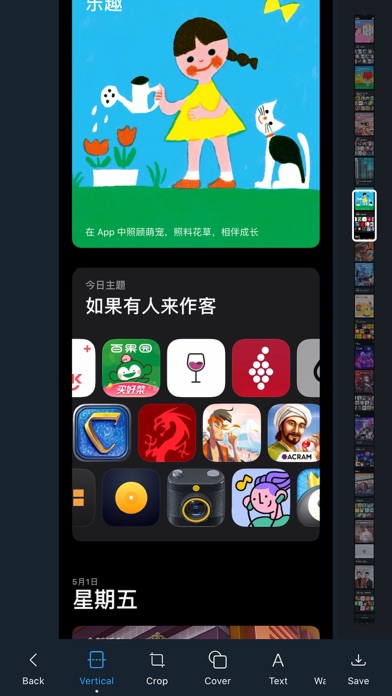

Description by 万庄 黄 Written by the developer, not by AppBrain. Click to read.
The main functions are: scrolling screenshots, picture splicing, picture adjustment, picture annotation, filter function, etc.
Rich functions, simple interface, smooth operation, no ads.
- Automatic splicing of screenshots: efficient recognition algorithm, automatically remove the overlapping parts of continuous screenshots, perfect splicing chat records, various long screenshots.
- Scrolling screenshots: No need to manually take screenshots, screen recording directly generates long screenshots.
- Vertical stitching: combine multiple pictures into one to facilitate your saving and sharing.
- Horizontal stitching: Similar to vertical stitching, multiple pictures are merged horizontally.
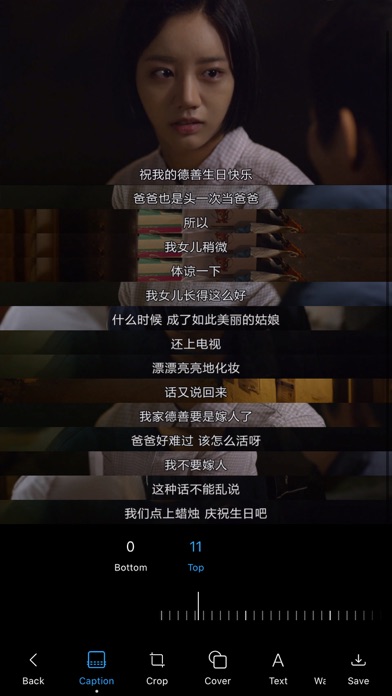
- Subtitle stitching: stitch the screenshots of the video, quickly adjust the stitching range, leaving only the subtitle area.
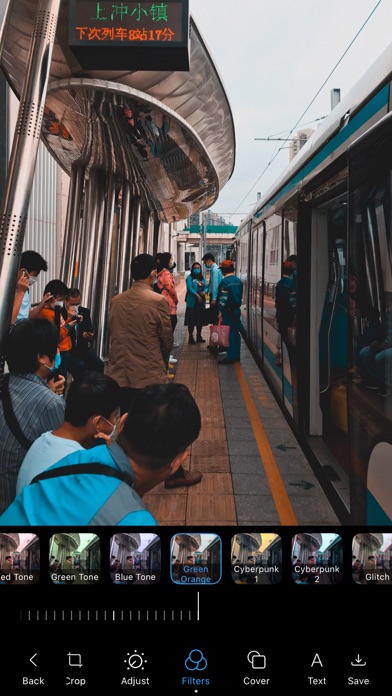
- Picture filters: 57 mainstream filters for autumn, warm winter, film, green and orange, cyberpunk, malfunction, oil painting, cartoon, etc.
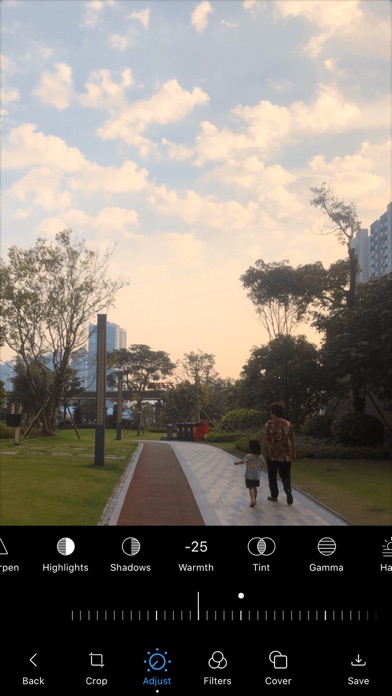
- Picture adjustment: exposure, contrast, saturation, hue, color temperature and other 13 adjustment tools.
- Picture crop: adjust the size of the picture and crop the extra area.
- Masking tools: mosaic masking, blurry pictures, various color brushes
- Text annotation: font style, text size, color.
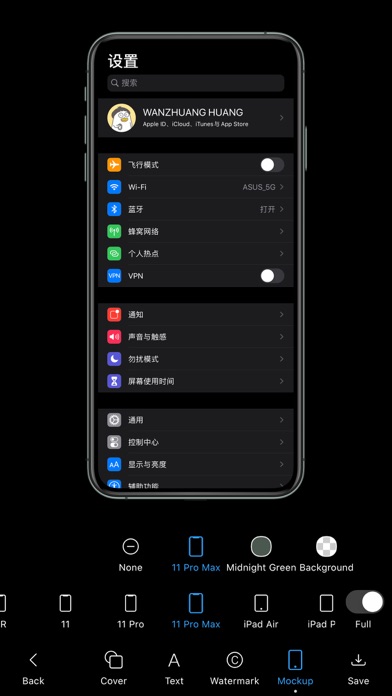
- Device shell: add a shell to the picture, free to choose from a variety of models and colors.
- Custom watermark: modify the watermark content and adjust the position.
- Dark Mode.
Other functions:
- Album selection pictures, support sliding selection.
- Automatically remove Scroll Indicator and Remove AssistiveTouch.
- Automatically detect new screenshots, one-click stitching, eliminating the tedious steps of selecting one by one.
- Automatically delete the original picture. After the new picture is saved successfully, it will automatically prompt to delete the original screenshot.
- Quick sharing, after the picture is saved successfully, it can be directly shared to other applications.
More functions are under development, your support and encouragement is our biggest motivation to move forward, thank you very much!
If you encounter any problems or have any comments or suggestions during use, please contact us: ppics@qq.com
Safety and technology
Found in the app by AppBrain- Price
- Free
- App size
- 44.3 MB
- Content rating
- Everyone
Technologies used by PPics - Scrolling Screenshot
Releases
Updates seen on the App Store- Version
- 2.3.18
- Launched
- June 2019
No changelog data
Alternatives
Similar apps and more from 万庄 黄Alternatives to PPics - Scrolling Screenshot





More from 万庄 黄


Rankings
App Store top chartsApp Store Rankings for PPics - Scrolling Screenshot
About the app and developer
About PPics - Scrolling Screenshot
PPics - Scrolling Screenshot is a productivity app developed by 万庄 黄.
What is the rating of PPics - Scrolling Screenshot?
PPics - Scrolling Screenshot is rated 4.56 out of 5 stars, based on 39 ratings.
Is PPics - Scrolling Screenshot free?
PPics - Scrolling Screenshot is free. The app size is 44.28 MB. The latest version available is 2.3.18. The last update was on January 3, 2021.
What are the requirements for PPics - Scrolling Screenshot?
The app has a content rating of Everyone. The app has been available on the App Store since June 2019.
Developer information for 万庄 黄
Address:
Frequently asked questions about PPics - Scrolling Screenshot
Is PPics - Scrolling Screenshot free?
Yes. PPics - Scrolling Screenshot is free on the App Store.
Is PPics - Scrolling Screenshot still available?
Yes. PPics - Scrolling Screenshot is on the App Store, and the last update we saw was on January 3, 2021.
How large is PPics - Scrolling Screenshot?
PPics - Scrolling Screenshot is 44.28 MB.
Is PPics - Scrolling Screenshot suitable for children?
App Store rates the content of PPics - Scrolling Screenshot as suitable for everyone.
How do people rate PPics - Scrolling Screenshot?
PPics - Scrolling Screenshot scores 4.56 out of 5 stars, from 39 ratings on the App Store.
Who made PPics - Scrolling Screenshot?
PPics - Scrolling Screenshot was developed by 万庄 黄. It is listed in the productivity category on the App Store.
What are the best alternatives to PPics - Scrolling Screenshot?
People looking at PPics - Scrolling Screenshot also look at these productivity apps: PDF Mpjex - Editor for pdf, FastClip - Snippets Editor, Tiny Planner - Daily Organizer, bProgress - Manage Daily Tasks, Read it later: Twilar.