
Pro Tools Shortcuts Trainer
Pro Tools Shortcuts Trainer is made and published by Steve Arms. AppBrain is an independent app data site and isn't affiliated with Steve Arms. The app name, icon, screenshots and description belong to Steve Arms and are shown as published on the App Store.
AppBrain's verdict
Established- Rating on App Store
- 4.72
- 36 ratings
- Last updated
- March 12, 2023
It doesn't have enough ratings yet to judge what users think.
Rankings
App Store top chartsApp Store Rankings for Pro Tools Shortcuts Trainer
Competitors
Similar apps and more from Steve ArmsAlternatives to Pro Tools Shortcuts Trainer








Also available on Google Play

Releases
Updates seen on the App Store- Version
- 1.9.5
- Launched
- March 2018
No changelog data
User feedback
Ratings and reviews on the App StoreComments on Pro Tools Shortcuts Trainer for iOS
We don't have enough comments to show example comments. Please check back later.
Technology
Found in the app by AppBrain- Price
- Free
- App size
- 26.9 MB
- Content rating
- Everyone
Technologies used by Pro Tools Shortcuts Trainer
About the app and developer
About Pro Tools Shortcuts Trainer
Pro Tools Shortcuts Trainer is a music app developed by Steve Arms.
User Ratings
Pro Tools Shortcuts Trainer is rated 4.72 out of 5 stars. The rating is based on 36 ratings.
App Information
Pro Tools Shortcuts Trainer is freely available from the App Store. The app size is 26.85 MB. The latest version available is 1.9.5. The last update was on March 12, 2023.
Technical Requirements
The app has a content rating of Everyone. The app has been available on the App Store since March 2018.
Developer information for Steve Arms
Address:
Store listing
By Steve Arms, from the App Store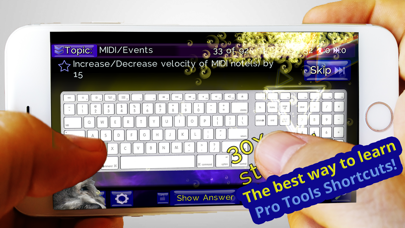




Description by Steve Arms Written by the developer, not by AppBrain. Click to read.
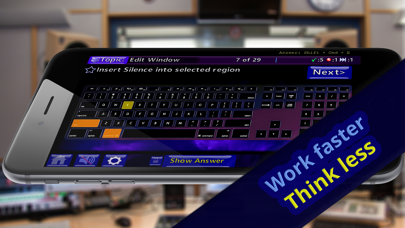
- Take a quiz with an onscreen keyboard to test and expand your shortcut knowledge.
- 228 Shortcuts! (203 in the free version) across 10 topics.
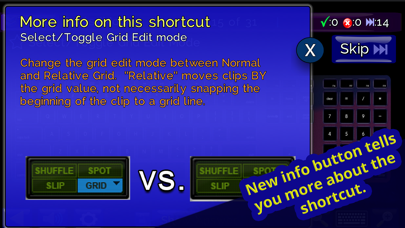
- New: Press the info button for details/images behind when the shortcuts does
- New: A timer with timer-related achievements
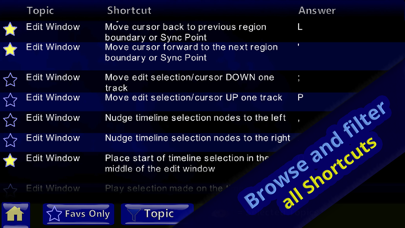
- Browse all shortcuts outside of the quiz and filter by topic.
- Mac or PC keyboard modes are available.
- Mark Favorites and build your own quiz
- Skip shortcuts in the quiz and retry them later
- Reveal answers when you are uncertain.
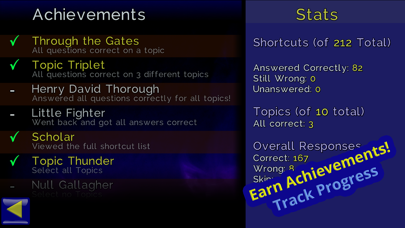
- Earn achievements!
Become a Pro Tools ninja and never let the mouse interrupt your creative or technical flow again.
New in 1.9.5:
- A timer option!
- Shortcuts updated for Pro Tools 2022.12
- Bug Fixes