Download Android Apps and Games
AppBrain
  • Apps
  • Apps being viewed right now Trending apps today Most popular apps All-time most downloaded apps Top rated apps
  • Intelligence ▾
    Intelligence overview → Track any Android app or your whole market
    Track & analyze
    Keyword Tracker & OptimizerTrack & improve Play rankings App Performance ReportOne-off PDF for any app StatisticsFree Android & Play market stats
    Promote your app
    Featured Apps App Links
  • Intelligence
  • Pricing
  • Dashboard
  • Sign up
  • Log in
Last updated on: 2026-08-25
App Store Apps > Productivity > ProDocktive: Desktop BrowserOS
ProDocktive: Desktop BrowserOS icon

ProDocktive: Desktop BrowserOS

1.4.5
Gautam Sukhramani
4.61
18 reviews
Free

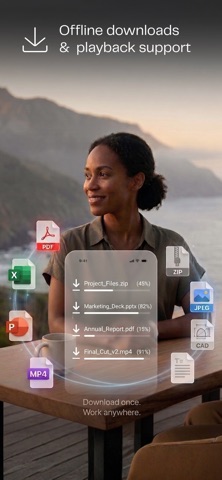
ProDocktive: Desktop BrowserOS Screenshot 1 of 7
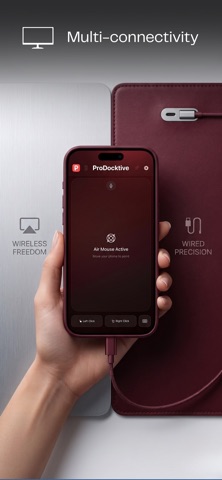
ProDocktive: Desktop BrowserOS Screenshot 2 of 7
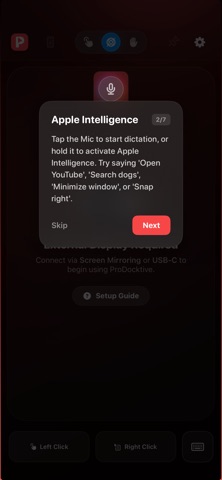
ProDocktive: Desktop BrowserOS Screenshot 3 of 7
ProDocktive: Desktop BrowserOS Screenshot 4 of 7
ProDocktive: Desktop BrowserOS Screenshot 5 of 7
ProDocktive: Desktop BrowserOS Screenshot 6 of 7
ProDocktive: Desktop BrowserOS Screenshot 7 of 7
Download from the App Store

About ProDocktive: Desktop BrowserOS

ProDocktive: Desktop BrowserOS is an overall app developed by Gautam Sukhramani.

How many times has ProDocktive: Desktop BrowserOS been downloaded?

What is the rating of ProDocktive: Desktop BrowserOS?

ProDocktive: Desktop BrowserOS is rated 4.61 out of 5 stars, based on 18 ratings.

Is ProDocktive: Desktop BrowserOS free?

ProDocktive: Desktop BrowserOS is free to download. The APK download size is 36.52 MB. The latest version available is 1.4.5. The last update was on August 19, 2026.

What are the requirements for ProDocktive: Desktop BrowserOS?

The app has a content rating of High Maturity. The app has been available on Google Play April 2026.

Description
ProDocktive: The Future of Pocket Computing
Turn your iPhone into a pro-grade desktop workstation.

ProDocktive is a powerful computing assistant that extends your iPhone to any external display - AR Glasses, Monitors, or TVs - powering a high-performance desktop environment using your phone's native silicon. Your iPhone becomes the engine, the trackpad, the air mouse, and the spatial hand tracker.

Whether you are traveling, in a cafe, or at home, ProDocktive transforms your mobile device into a full productivity hub. No Mac or PC required.

THE ULTIMATE AR & XR GLASSES COMPANION
Unlock spatial productivity with your XREAL, VITURE, or Rokid glasses. Experience a massive, private, multi-window desktop in your field of view. Perfect for focused work in public spaces where privacy and screen real estate are paramount.
Infinite Real Estate: Avoid simple screen mirroring. Experience a massive virtual desktop that allows for true, immersive multitasking.
Privacy by Design: Work on sensitive projects or emails in public spaces with total confidence. No one can see your screen but you.
Spatial Interaction: Use the Air Mouse or Hand Tracking for a futuristic interaction experience that feels straight out of science fiction.

CONNECT ANY DISPLAY
ProDocktive supports almost any setup for maximum flexibility:
AR Glasses: Plug in for an instant, private cinema-sized workstation.
USB-C / HDMI: Wired, zero-latency output to any monitor or desk display.
AirPlay: Wireless freedom! Connect instantly to compatible TVs and monitors for zero-friction browsing.

REVOLUTIONARY INPUT MODES
We have re-imagined desktop interaction with modes tailored for every situation:
Air Mouse: The gold standard for mobile-to-desktop navigation. Point your iPhone like a laser to move the cursor with natural, physical precision.
Hand Tracker (BETA): Experience true spatial computing. Use your iPhone's camera to control your desktop with simple hand gestures - ideal for hands-free browsing.
Liquid Trackpad: Transform your entire screen into a premium, multi-touch trackpad with support for native gestures like scroll, swipe, and pinch-to-zoom.
External Support: Pair your favorite Bluetooth keyboard and mouse directly to your iPhone for an uncompromised workstation feel.

PRO-GRADE DESKTOP FEATURES
Sync Assistant: Overcome mobile browser limitations. Our unique interaction bridge lets you verify and refresh problematic webviews instantly.
Pin to Dock: Save frequently used browser sessions directly to your desktop dock for lightning-fast access later.
Native Desktop UI: ProDocktive renders a unique desktop UI optimized for large-scale displays and precision input.

PERFORMANCE & PRIVACY
Built for Speed: Unlike remote desktop solutions that rely on internet speed, ProDocktive operates entirely on-device, eliminating lag and compression common in other apps.
Native Rendering: By offloading rendering to your iPhone's high-performance GPU, we provide a responsive environment that is as fast as your phone.
Secure by Design: ProDocktive renders every pixel locally on your iPhone's silicon. Your data stays on your device, and your desktop moves with you.

REQUIREMENTS & SUPPORT
Requires iOS 18+ for native display scaling and advanced gesture support.
Compatible with USB-C/HDMI adapters and AirPlay displays.

Privacy Policy: https://prodocktive.com/privacy
Terms of Use (EULA): https://www.apple.com/legal/internet-services/itunes/dev/stdeula/
Show more Show less

More data about ProDocktive: Desktop BrowserOS

Price Free to download
Rating 4.61 based on 18 ratings
Ranking Not ranked
Version 1.4.5
App download size 36.5 MB
Maturity High Maturity

Alternative downloads for the ProDocktive: Desktop BrowserOS app

External Display Browser: XeOS icon External Display Browser: XeOS
Marian-Daniel Filipovici
4.3
Free
7 ratings
Arrow Electronics Events icon Arrow Electronics Events
Arrow Electronics, Inc.
5.0
Free
2 ratings
Mudra Band icon Mudra Band
Wearable Devices Ltd
3.1
Free
15 ratings
ShortcutStudio - AI Shortcuts icon ShortcutStudio - AI Shortcuts
SEAN JASON SAULSBURY
4.1
Free
17 ratings
infiniteX2P - Multitasking icon infiniteX2P - Multitasking
Joonwoo Kim
3.9
Free
48 ratings
Chirp: AI for Watch icon Chirp: AI for Watch
Jonathon Lau
4.6
Free
24 ratings
Ant Browser: Web on your Watch icon Ant Browser: Web on your Watch
Jonathon Lau
4.6
Free
43 ratings
Shortcuty icon Shortcuty
Arthur Hoefer
5.0
Free
35 ratings

Changelog of ProDocktive: Desktop BrowserOS

No changelog data

Developer information for Gautam Sukhramani

Gautam Sukhramani

Address:

Share ProDocktive: Desktop BrowserOS

Comments on ProDocktive: Desktop BrowserOS for iOS

We don't have enough comments to show example comments. Please check back later.

App Store Rankings for ProDocktive: Desktop BrowserOS

This app is not ranked

Technologies used by ProDocktive: Desktop BrowserOS

Top new apps Apps other people are watching Today's trending apps Apps on sale Popular Overall
External Display Browser: XeOS icon External Display Browser: XeOS
Arrow Electronics Events icon Arrow Electronics Events
Mudra Band icon Mudra Band
ShortcutStudio - AI Shortcuts icon ShortcutStudio - AI Shortcuts
infiniteX2P - Multitasking icon infiniteX2P - Multitasking
Chirp: AI for Watch icon Chirp: AI for Watch
Ant Browser: Web on your Watch icon Ant Browser: Web on your Watch
Shortcuty icon Shortcuty

Back to top
AppBrain Intelligence premium content

Subscribe now to get full and unlimited access to AppBrain Intelligence. You'll have access to:

  • App Intelligence dashboard (performance timeline, competitor comparison, country rankings, insight cards)
  • Detailed ranking data per app
  • Full timeline per developer
  • Device market shares data per country
  • Unlimited keyword tracking
1 Month

$75/mo
(billed every month)

SAVE 0%
Subscribe
3 Months

$65/mo
($195 billed every 3 months)

SAVE 13%
Subscribe
1 Year

$57.50/mo
($690 billed every year)

SAVE 23%
Subscribe
Each subscription will automatically renew 3 days before the expiration date for the same time period. Subscriptions can be cancelled at any time before the renewal.

AppBrain is a directory focused on discovering great apps and games. We give statistics, rankings and search options that Google Play and the App Store don't have. All trademarks are owned by their respective owners. AppBrain doesn't offer APKs or binaries, and always lets users install the official version from Google Play or the App Store.

More apps

  • Top Android apps being viewed
  • Stylez
  • FFF Skins Box
  • Threema. The Secure Messenger

Android Statistics

  • Android statistics
  • Google Play Developer stats
  • Trending Android Apps
  • Top popular Apps
  • Buy the best Android phone

About AppBrain

  • Contact
  • Privacy
  • Documentation
  • DMCA takedowns
  • Articles
  • Blog
  • Free App-Ads.Txt Validation
© 2010-2026 - AppBrain