
Projects 2 LT is made and published by Thomas Blackburn. AppBrain is an independent app data site and isn't affiliated with Thomas Blackburn. The app name, icon, screenshots and description belong to Thomas Blackburn and are shown as published on the App Store.
AppBrain's verdict
Removed- Rating on App Store
- 3.00
- 2 ratings
- Last updated
- September 17, 2020
Projects 2 LT is no longer on the App Store. It had too few ratings to say what users thought.
Competitors
Similar apps and more from Thomas BlackburnMore from Thomas Blackburn



Releases
Updates seen on the App Store- Version
- 2.4.1
- Launched
- October 2015
No changelog data
User feedback
Ratings and reviews on the App StoreComments on Projects 2 LT for iOS
We don't have enough comments to show example comments. Please check back later.
Technology
Found in the app by AppBrain- Price
- Free
- App size
- 25.5 MB
- Content rating
- Everyone
Technologies used by Projects 2 LT
About the app and developer
About Projects 2 LT
Projects 2 LT was a business app developed by Thomas Blackburn. It was removed from the App Store Mar 10, 2025.
User Ratings
Projects 2 LT was rated 3.00 out of 5 stars, based on 2 ratings.
App Information
Projects 2 LT was free. The app size was 25.47 MB. The last available version was 2.4.1. The last update was on September 17, 2020.
Technical Requirements
The app had a content rating of Everyone. The app had been available on the App Store since October 2015.
Developer information for Thomas Blackburn
Address:
Store listing
By Thomas Blackburn, from the App StoreSimilar apps





Description by Thomas Blackburn Written by the developer, not by AppBrain. Click to read.
Projects 2 has been designed for ease of use in the office using an iPad and when mobile using an iPhone. It is easy to update during a meeting and report progress to team members.
It has many features that simplify and help manage a project:
• Working & Non-Working Time : The duration of a task can be scheduled as ‘Elapsed’ for continuous activity or ‘Working Time’ for activity that occurs during working hours. Working and non-working days can be specified, including the start and end time for the working day.
• Batch Editing : Allows multiple tasks to be modified at once to update status, start date, end date, duration, flag and percent complete.
• Linked Tasks : Establish parent-child relationships and have the child tasks update automatically when a parent task changes.
• Filter : Filter the Task, Gantt and Calendar views to show tasks of interest. Filter by Flag, Milestone, Status, Phase, Resource.
• Sort : Tasks can be sorted manually or automatically by name, start date and end date and grouped by status.
• Resources : Create and assign resources to tasks. Filter and search by resource in Task, Calendar and Gantt views.
• Search : Find tasks easily with keyword search for tasks and notes. This will filter Task and Gantt views to show the tasks which meet the search criteria.
• Dashboard : A Dashboard gives a quick overview of your project showing key dates, task counts, status, task duration and completion.
• To Do List : Add a checklist of To Do items to task to keep track of key deliverables and tick them off as they are completed. The task’s percent complete will update automatically.
— TASK VIEW —
• The Task view is great for listing the tasks within a project.
• Customize the appearance to simply/expand the information displayed.
• Show/hide notes and completed tasks.
• Color code a task to identify it’s status.
• Identify tasks as milestones.
• Single tap on a task to edit it’s properties:
- Description, notes, dates, duration, status, flag, percent complete and resource.
- Edit to do items.
- Establish parent/child relationships.
— GANTT VIEW —
• The Gantt view is great for viewing project timescales.
• Adjust the time scale to show days/weeks/months/quarters.
• Zoom, Pan and Scroll the view to see all tasks in a Project.
• Tap on the task name to scroll the task into view.
• Long press on a task to establish parent/child relationships.
• Customize the information displayed next to the Gantt bar.
— CALENDAR —
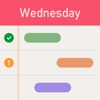
• View tasks on a Month and Day Calendar.
• Scroll/Swipe to change the displayed date.
• Select a date on the month calendar to view a specific date.
• Adjust task time and duration on the day calendar with interactive touch controls.
• Customize the appearance of the calendars to show/hide notes and completed tasks.
• View tasks in a Gantt format or time based format.
— REPORTS —
• There are 3 templates for reporting project status:
- Gantt Report showing the Gantt chart.
- Task & Notes Report showing tasks, notes, date and duration.
- To Do List Report showing tasks with to do items.
• Customize what is included in the report and preview before sending
• Send report by Email in PDF format
• Print a hardcopy using a wireless printer with AirPrint.
— OTHER —
• Use iCloud to store project files and keep up to date on all your devices
• Export in PJ2 format to backup or share a project with other Projects 2 users
• Import a project file created in Projects PJ1 format
• Set the project time zone
For more information, visit our website