PromptClip is an iPhone app for managing AI prompts, reference images and videos, notes, web content, and text.
Save, search, and reuse prompts for ChatGPT, Claude, Gemini, and other AI services. Snippets, a custom keyboard,
text editing, web tools, and backups streamline your workflow.
【Prompt Management】
・Organize with tags, target AI, and favorites
・Search by keyword, tag, or AI
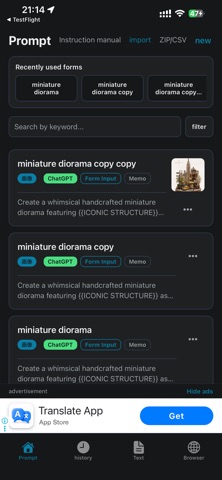
・View recently used form-based prompts
・Duplicate prompts and save copy history
・Confirmation before deletion
“Recently Used Forms” lists prompts with replaceable fields by recent use.
【Snippets】
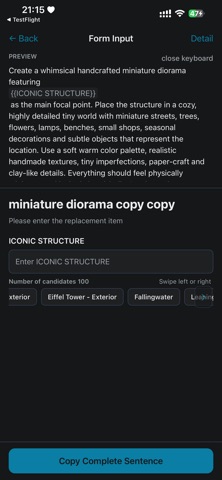
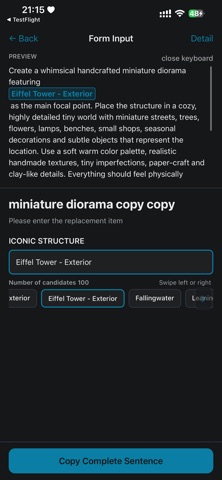
Add fields such as {{Topic}} or {{Product Name}} and enter only what changes.
・Register frequently used choices
・One choice per line or multi-line choices separated by ---
・Nested snippets and snippets inside choices
・Remove unfilled fields when copying
・Live preview with highlighted replacements
・Open details without losing entered values
Choices can switch one prompt between several output formats.
【Reference Images, Videos, and Notes】
・Add, replace, delete, and copy images
・Full-screen images with zoom, pan, and swipe
・Add up to three videos per prompt, up to 200 MB each
・View video thumbnails and durations
・Tap for full-screen playback
・Long-press to play, share, replace, or delete
・Duplicate videos with a prompt
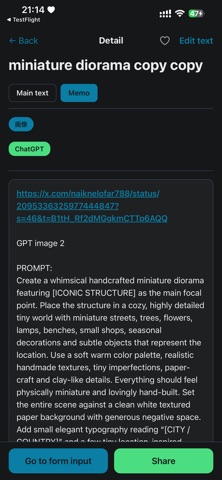
・Save and edit searchable notes
・Open note URLs in a new Browser Mode tab
Videos are stored on the device and are not included in CSV or ZIP backups.
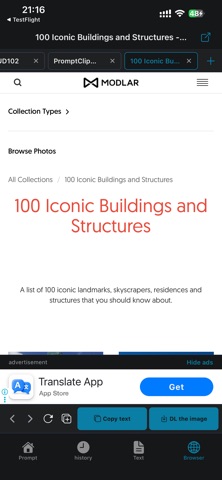
【Browser Mode】
・Browse from Google with up to five tabs
・Duplicate pages or open links in a new tab
・Copy URLs or main text with its source URL
・Download detected page images
・Long-press to select specific images
・Save up to 50 images per batch, then continue
・Supports JPEG, PNG, GIF, WebP, AVIF, and SVG
・Open pages externally
・Restore tabs after switching modes or restarting
・Stop or reload pages that take too long
Tap “Download Images” without a selection for bulk saving. Some content may be unavailable due to site restrictions.
【Text Mode】
・Up to 100 tabs
・Rename, reorder, create, and duplicate tabs
・Duplicate text and protection settings
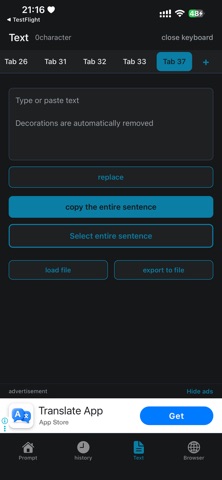
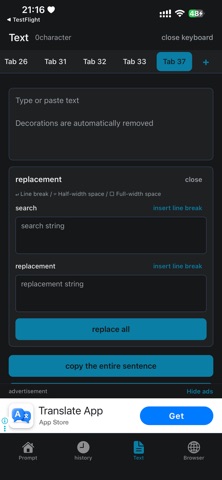
・Find and replace, including line breaks
・Visible line break and space indicators
・Collapsible replacement panel
・Import and export text files
・Copy all, select all, and view character count
・Preserve scroll positions and restore the last tab
・Open URLs in a new Browser Mode tab
・Stable long-text editing
【Protected Templates】
Protect selected text so it remains when the rest is deleted.
・Protect multiple ranges in one tab
・Show protected ranges with a subtle background
・Remove protection to edit normally
・Export as regular text
・Preserve protection when duplicating a tab
【Custom Keyboard】
Use saved prompts in AI chats, notes, social media, email, and other apps.
・Enter snippet values and tap choices
・Preview completed text
・Filter by favorites, AI, and tags
・Input assistance and keyboard switching keys
【History Mode】
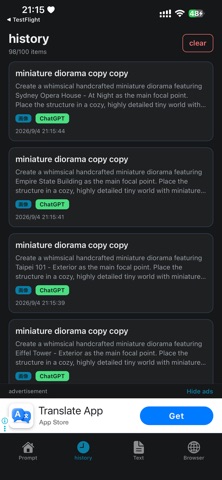
Store and reuse up to 100 copied prompts, text entries, and reference images.
・Image thumbnails and one-tap recopy
・Move recopied items to the top
・Swipe left to delete individual items
・Confirmation before clearing history
【ZIP/CSV Backup】
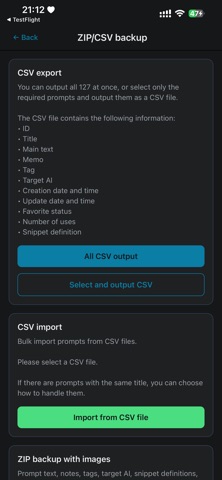
・CSV import and export
・ZIP backup with reference images
・Restore from ZIP
・Save text, notes, tags, target AI, snippets, and images
CSV does not include images. Use ZIP to preserve them. Videos are not currently backed up.
【Ads and Ad Removal】
・Watch one rewarded ad to hide ads for 12 hours
・Remove ads permanently with a one-time purchase
・Restore a previous purchase
【Data】
・Stored on the device
・No account required
・Core features work offline
・Web and ads require internet access
・CSV and ZIP backup supported
【Recommended For】
Users who reuse AI prompts, manage media references, collect web content, edit long AI text, or manage reusable
templates.
PromptClip helps you save, find, use, research, organize, and carry prompts, text, web content, images, and videos.
Show more
Show less