

Public Print Locations
Public Print Locations is made and published by ePRINTit.com Corp. AppBrain is an independent app data site and isn't affiliated with ePRINTit.com Corp. The app name, icon, screenshots and description belong to ePRINTit.com Corp and are shown as published on the App Store.
AppBrain's verdict
Established- Rating on App Store
- 3.93
- 108 ratings
- Last updated
- January 19, 2022
Users are divided: 3.9 stars from 108 ratings.
Rankings
App Store top chartsApp Store Rankings for Public Print Locations
Competitors
Similar apps and more from ePRINTit.com CorpAlternatives to Public Print Locations


More from ePRINTit.com Corp

Releases
Updates seen on the App Store- Version
- 1.9.22
- Launched
- December 2016
No changelog data
User feedback
Ratings and reviews on the App StoreComments on Public Print Locations for iOS
We don't have enough comments to show example comments. Please check back later.
Technology
Found in the app by AppBrain- Price
- Free
- App size
- 29.2 MB
- Content rating
- High
Technologies used by Public Print Locations
About the app and developer
About Public Print Locations
Public Print Locations is a productivity app developed by ePRINTit.com Corp.
User Ratings
Public Print Locations is rated 3.93 out of 5 stars. The rating is based on 110 ratings.
App Information
Public Print Locations is freely available from the App Store. The app size is 29.16 MB. The latest version available is 1.9.22. The last update was on January 19, 2022.
Technical Requirements
The app has a content rating of High Maturity. The app has been available on the App Store since December 2016.
Developer information for ePRINTit.com Corp
Address:
Store listing
By ePRINTit.com Corp, from the App Store


Description by ePRINTit.com Corp Written by the developer, not by AppBrain. Click to read.
Public Print:
With thousands of Public Print Locations worldwide and over 14 million users of ePRINTit’s mobile app, customers can easily select files to print and pick up at any Public Print Location. Print from virtually anywhere via the ePRINTit Cloud.
Corporate Print:
ePRINTit provides a private cloud-based printing service for corporate network printing that supports all your network printers with a secure experience.
For more information, visit www.eprintit.com.
Features
ePRINTit supports the widest range of document and image types.
Easily print any file type from your web-enabled device and pick up at any network connected printer.
With Public Print Locations like FedEx Office, The UPS Store, PostNET and more, you’re always within steps of a print location.
With military-grade encryption to secure and protect customer data during rest and transit, all transactions are safe and secure. Users must enter a unique authentication code to guarantee the privacy of printed material.
How it works
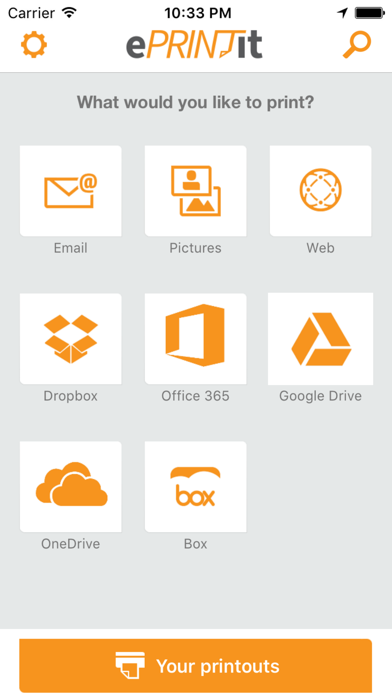
1. Open the ePRINTit app and select the content you want to print (email, web page, photo, documents, etc.).
2. For Public Print Locations, use the app’s built-in geo-location feature to search for and select a location, or, refine the search by entering keywords in the search bar.
3. Tap Print. You should receive an authentication code to release your print job at the printer
4. Go to your selected public printing location (store, hotel front desk, etc.), and the app will show you where to pick up your print job.
Supported Environment
- Works on iOS 8.0 or newer. iOS 6.0 is no longer supported, however it should work.
(1) Usage of ePRINTit Public Print Locations service requires Internet and email-capable device running iOS 7.0 or newer, with separately purchased wireless Internet service and the ePRINTit app. Availability and cost of printing varies at Public Print Locations.
(2) Opening files from other app via "Open In" supports Microsoft Word documents, PowerPoint, Excel and Adobe PDF, Other apps must provide individual access to files and enable exposure to these registered document type handlers from iOS.