

Pulseway
Pulseway is made and published by MMSOFT Design Ltd. AppBrain is an independent app data site and isn't affiliated with MMSOFT Design Ltd. The app name, icon, screenshots and description belong to MMSOFT Design Ltd. and are shown as published on the App Store.
AppBrain's verdict
EstablishedLoved by users- Rating on App Store
- 4.58
- 616 ratings
- Last updated
- August 11, 2026
- Size
- 98.3 MB
Users love it: 4.6 stars from 616 ratings.
User feedback
Ratings and reviews on the App StoreComments on Pulseway for iOS
We don't have enough comments to show example comments. Please check back later.
Store listing
By MMSOFT Design Ltd., from the App Store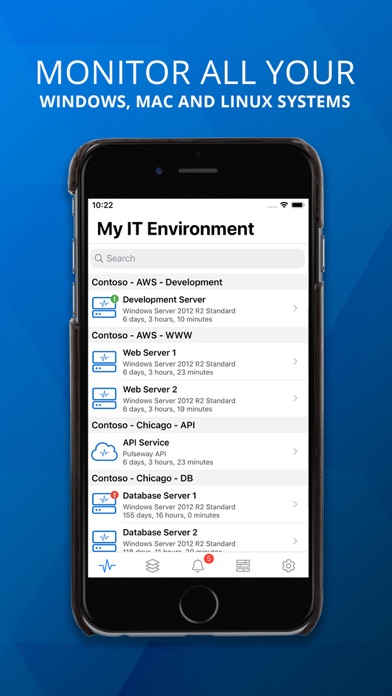
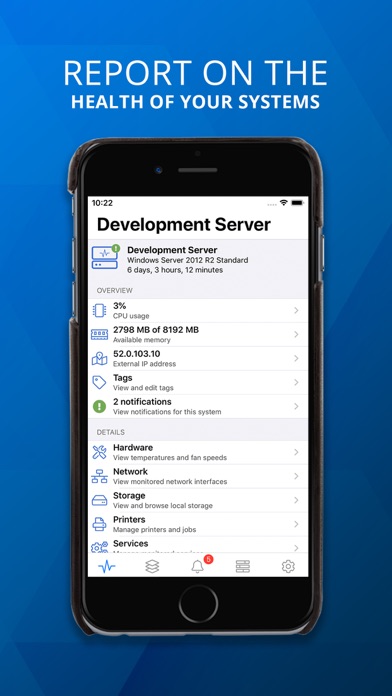
Description by MMSOFT Design Ltd. Written by the developer, not by AppBrain. Click to read.
You can monitor and control Windows, Linux and Mac Operating Systems as well as any application using the monitoring API.
Pulseway dramatically reduces the level of manual checks for support engineers and provides them with a real time status of their monitored systems. You are the first to know about any potential issues affecting your systems and can resolve those issues immediately.
*** IMPORTANT ***
• To monitor a computer, download and install the agent software from our website;
• The communication between this application and the monitored computers is always encrypted.
MONITOR:
• The status and uptime of all systems
• CPU usage and usage history chart
• Current available memory and usage history chart
• External IP address and the location on the map using GeoIP
• Ping round trip response time and response time chart
• Status of local hard disks
• Services status
• Network interfaces status and traffic chart
• Running processes
• Event logs
• Scheduled tasks status
• Ports status
• Logged in users
• Hardware details
• Status of web sites and application pools in Internet Information Server
• User accounts status in Active Directory including locked user accounts
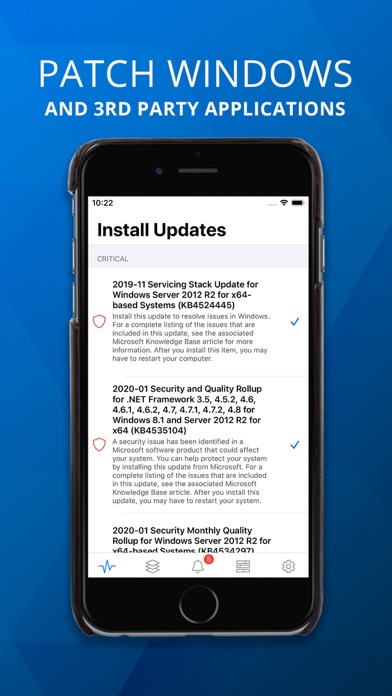
• View and manage Windows updates
• Performance counters
• ... and more
MANAGE:
• Start, pause, continue and stop a service
• Kill a process
• Start and stop a scheduled task
• Log off any logged in user
• Send a message to the logged in users
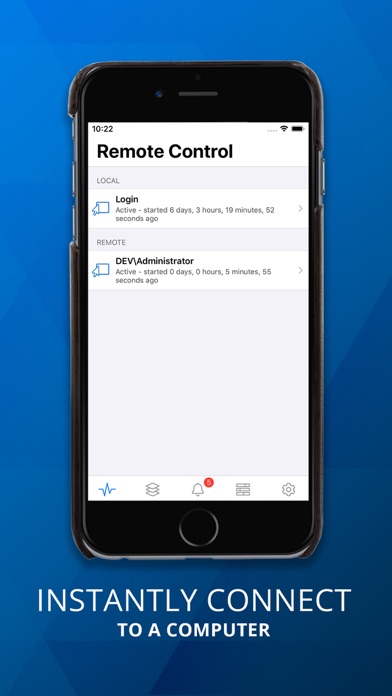
• Command prompt and PowerShell support
• Restart, wake up (Wake on WAN over Internet supported), shutdown, power off, suspend or send the computer into hibernation
• Send commands to multiple systems in the same group
• Start/stop/restart Internet Information Server web sites
• Start/stop/recycle Internet Information Server application pools
• Mobile device authorization for system commands - only selected authorized devices on your account can be allowed to send system commands
• Enable, disable, unlock and reset password for user accounts in Active Directory
• Add and remove groups for a user account in Active Directory
• Hyper-V and VMware support, start and stop virtual machines
• Run SQL Server queries
• ... and more
GET NOTIFIED:
• When a system goes offline, starts up, shuts down, suspends and resumes
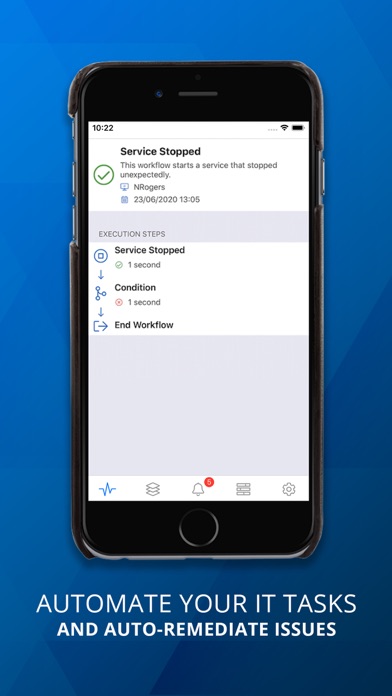
• When a monitored service stopped unexpectedly
• When the free memory is below a specified percentage
• When the processor usage is above or below a specified percentage for a specified period of time
• When the free space of a hard disk drive is below a specified percentage
• When a user logs in or logs out
• When ping round trip time is above a specified value for a specified period of time
• When a monitored port is closed
• When an event log entry is generated and it matches a specified filter (Windows only)
• When the CPU, system or HDD temperature exceeds a specified threshold
• When a web site or app pool stopped on Internet Information Server
• ... and more
The application will work even if the system cannot be directly accessed from the Internet (i.e. does not have a routable IP address or sits behind a firewall).
Operating Systems supported:
• Server: Windows 2003 or higher
• Desktop: Windows XP or higher
• Linux: All major distributions
• Mac: OS X 10.8+
Safety and technology
Found in the app by AppBrain- Price
- Free
- App size
- 98.3 MB
- Content rating
- Everyone
Technologies used by Pulseway
Releases
Updates seen on the App Store- Version
- 10.28.1
- Launched
- December 2010
No changelog data
Alternatives
Similar apps and more from MMSOFT Design Ltd.Alternatives to Pulseway


Rankings
App Store top chartsApp Store Rankings for Pulseway
About the app and developer
About Pulseway
Pulseway is a productivity app developed by MMSOFT Design Ltd.
User Ratings
Pulseway is rated 4.58 out of 5 stars. The rating is based on 620 ratings.
App Information
Pulseway is freely available from the App Store. The app size is 98.30 MB. The latest version available is 10.28.1. The last update was on August 11, 2026.
Technical Requirements
The app has a content rating of Everyone. The app has been available on the App Store since December 2010.
Developer information for MMSOFT Design Ltd.
Address:
Frequently asked questions about Pulseway
Is Pulseway free?
Yes. Pulseway is free on the App Store.
Is Pulseway still available?
Yes. Pulseway is on the App Store, and the last update we saw was on August 11, 2026.
How large is Pulseway?
Pulseway is 98.30 MB.
Is Pulseway suitable for children?
App Store rates the content of Pulseway as suitable for everyone.
How do people rate Pulseway?
Pulseway scores 4.58 out of 5 stars, from 616 ratings on the App Store.
Who made Pulseway?
Pulseway was developed by MMSOFT Design Ltd. It is listed in the productivity category on the App Store.
What are the best alternatives to Pulseway?
People looking at Pulseway also look at these productivity apps: NinjaOne Mobile, IT Glue, PRTG - Monitoring, NinjaRMM Screenshare Utility, UISP Mobile.