

QR Code Transfer
QR Code Transfer is made and published by Shingo Kinoshita. AppBrain is an independent app data site and isn't affiliated with Shingo Kinoshita. The app name, icon, screenshots and description belong to Shingo Kinoshita and are shown as published on the App Store.
AppBrain's verdict
- Last updated
- December 23, 2025
- Size
- 2.08 MB
User feedback
Ratings and reviews on the App StoreComments on QR Code Transfer for iOS
We don't have enough comments to show example comments. Please check back later.
Store listing
By Shingo Kinoshita, from the App Store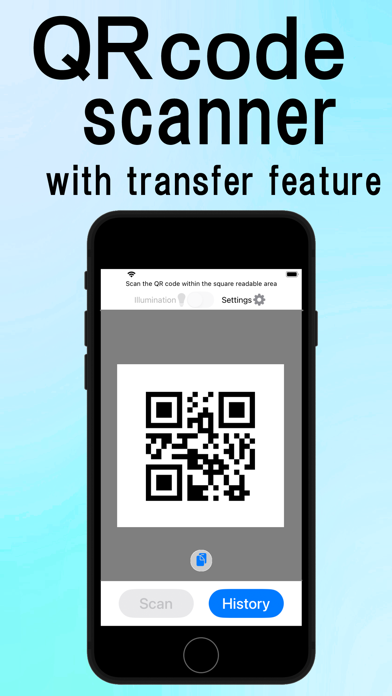


Description by Shingo Kinoshita Written by the developer, not by AppBrain. Click to read.
The scanned data can be transferred to the web browser of another device, such as a PC. Of course, you can use it with just the smartphone itself.
[How to transfer]
After scanning the QR code etc., tap "Transfer" and the camera will start up again. If you scan the two-dimensional code that appears randomly on the following web page, the data will be transferred and displayed in your web browser. The transfer destination can be a PC, tablet, smartphone, etc.
https://qr.sinroku.com
If you install the Windows application, you can use it to integrate with other applications and Excel VBA.
No user registration is required to use this service. The transferred data is not recorded on the server side.
[App launch function]
You can launch an app depending on the data you read. For example, if the data starts with "https:", a web browser will launch, and if it starts with "tel:", a phone will launch. This function can also be used at the transferring destination, but a regular PC will not be able to launch a phone.
→ (Supported data types) https: http: mailto: tel: WIFI: VCARD
[History display function]
The data you have scanned can be redisplayed by tapping "History". Transfers and app launches are also possible.
A unique feature of the "At That Time(あのとき)" is that it also tells you the weather and news at the time you read it(available only in Japan).
[Scannable barcodes and 2D codes]
JAN, EAN-13, EAN-8, UPC-A, UPC-E, CODE39, CODE93, CODE128, NW-7 (Codabar), ITF (Interleaved 2 of 5)
QR Code, Data Matrix, PDF417, Aztec Code
Safety and technology
Found in the app by AppBrain- Price
- Free
- App size
- 2.08 MB
- Content rating
- Everyone
Technologies used by QR Code Transfer
Releases
Updates seen on the App Store- Version
- 1.8
- Launched
- February 2025
No changelog data
Alternatives
Similar apps and more from Shingo KinoshitaAlternatives to QR Code Transfer


Rankings
App Store top chartsApp Store Rankings for QR Code Transfer
About the app and developer
About QR Code Transfer
QR Code Transfer is a productivity app developed by Shingo Kinoshita.
What is the rating of QR Code Transfer?
QR Code Transfer has no ratings yet.
Is QR Code Transfer free?
QR Code Transfer is free. The app size is 2.08 MB. The latest version available is 1.8. The last update was on December 23, 2025.
What are the requirements for QR Code Transfer?
The app has a content rating of Everyone. The app has been available on the App Store since February 2025.
Developer information for Shingo Kinoshita
Address:
Frequently asked questions about QR Code Transfer
Is QR Code Transfer free?
Yes. QR Code Transfer is free on the App Store.
Is QR Code Transfer still available?
Yes. QR Code Transfer is on the App Store, and the last update we saw was on December 23, 2025.
How large is QR Code Transfer?
QR Code Transfer is 2.08 MB.
Is QR Code Transfer suitable for children?
App Store rates the content of QR Code Transfer as suitable for everyone.
Who made QR Code Transfer?
QR Code Transfer was developed by Shingo Kinoshita. It is listed in the productivity category on the App Store.
What are the best alternatives to QR Code Transfer?
People looking at QR Code Transfer also look at these productivity apps: QR code reader to web, e-File Transfer, kisledScan, QrTransfer.io, Rilla Forms.