

QR Messenger
QR Messenger is made and published by HAN WEI WANG. AppBrain is an independent app data site and isn't affiliated with HAN WEI WANG. The app name, icon, screenshots and description belong to HAN WEI WANG and are shown as published on the App Store.
AppBrain's verdict
- Last updated
- October 25, 2025
Rankings
App Store top chartsApp Store Rankings for QR Messenger
Competitors
Similar apps and more from HAN WEI WANGAlternatives to QR Messenger





More from HAN WEI WANG





Releases
Updates seen on the App Store- Version
- 1.5
- Launched
- September 2025
No changelog data
User feedback
Ratings and reviews on the App StoreComments on QR Messenger for iOS
We don't have enough comments to show example comments. Please check back later.
Technology
Found in the app by AppBrain- Price
- Free
- App size
- 3.98 MB
- Content rating
- Everyone
Technologies used by QR Messenger
About the app and developer
About QR Messenger
QR Messenger is an utilities app developed by HAN WEI WANG.
User Ratings
The app has no ratings yet.
App Information
QR Messenger is freely available from the App Store. The app size is 3.98 MB. The latest version available is 1.5. The last update was on October 25, 2025.
Technical Requirements
The app has a content rating of Everyone. The app has been available on the App Store since September 2025.
Developer information for HAN WEI WANG
Address:
Store listing
By HAN WEI WANG, from the App Store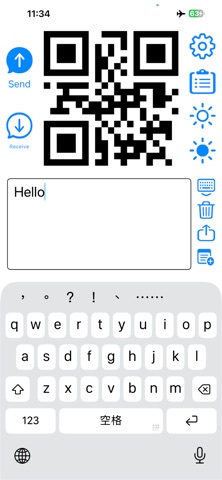
Description by HAN WEI WANG Written by the developer, not by AppBrain. Click to read.
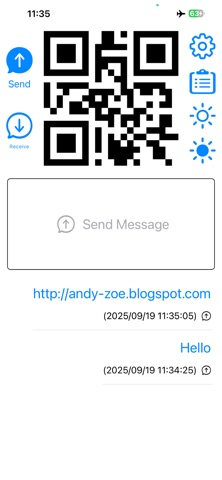
To send messages: 1. Launch QR Messenger. 2. Click the "Send" icon located at the top left. 3. Enter your messages in the text input box in the center. The QR code for sending messages will be generated in real-time at the top of your screen.
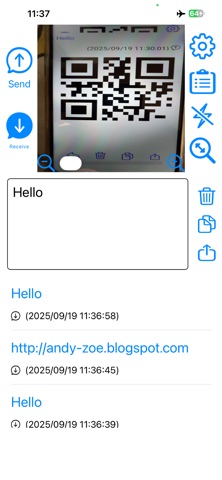
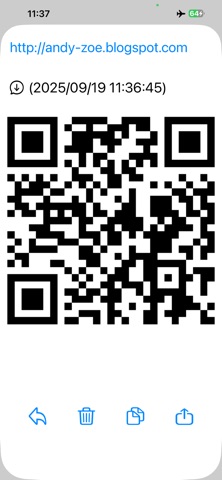
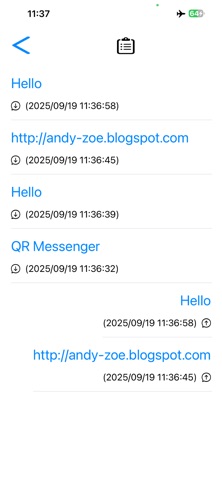
To receive messages: 1. Open QR Messenger. 2. Click the "Receive" icon located at the top left. 3. Scan the QR code to receive messages. The received message will appear in the center text box in real-time.
QR Messenger allows you to send and receive encrypted messages using Advanced Encryption Standard (AES) technology. When sending a message, you can include a password. The recipient must enter the correct password to view the original message; otherwise, they will see a garbled version.
If encryption is not used, QR Messenger employs a standard QR Code format, enabling the sender or receiver to utilize other QR Code applications for communication. However, if the message needs to be encrypted, both parties must use QR Messenger to properly encrypt and decrypt the messages.
It's that simple! QR Messenger is especially useful for transferring messages between mobile devices. You can also use it to send messages to strangers without needing their account details beforehand, or when a wireless connection is unavailable. Just download QR Messenger to send messages seamlessly, even without a connection!
p.s. In the settings page, you have the option to customize the default send message. This means if you clear the send message field, the QR code for the default message will generate instead of an empty message. Additionally, you can adjust the error correction level of the QR code or delete the send and receive history from the settings page.