

QRbot: QR Code Barcode Scanner
QRbot: QR Code Barcode Scanner is made and published by faiza zulfiqar. AppBrain is an independent app data site and isn't affiliated with faiza zulfiqar. The app name, icon, screenshots and description belong to faiza zulfiqar and are shown as published on the App Store.
AppBrain's verdict
- Last updated
- October 20, 2026
Rankings
App Store top chartsApp Store Rankings for QRbot: QR Code Barcode Scanner
Competitors
Similar apps and more from faiza zulfiqarAlternatives to QRbot: QR Code Barcode Scanner


More from faiza zulfiqar


Also available on Google Play

Releases
Updates seen on the App Store- Version
- 5.1.2
- Launched
- February 2026
No changelog data
User feedback
Ratings and reviews on the App StoreComments on QRbot: QR Code Barcode Scanner for iOS
We don't have enough comments to show example comments. Please check back later.
Technology
Found in the app by AppBrain- Price
- Free
- App size
- 48.9 MB
- Content rating
- Everyone
Technologies used by QRbot: QR Code Barcode Scanner
About the app and developer
About QRbot: QR Code Barcode Scanner
QRbot: QR Code Barcode Scanner is an utilities app developed by faiza zulfiqar.
What is the rating of QRbot: QR Code Barcode Scanner?
QRbot: QR Code Barcode Scanner has no ratings yet.
Is QRbot: QR Code Barcode Scanner free?
QRbot: QR Code Barcode Scanner is free. The app size is 48.92 MB. The latest version available is 5.1.2. The last update was on October 20, 2026.
What are the requirements for QRbot: QR Code Barcode Scanner?
The app has a content rating of Everyone. The app has been available on the App Store since February 2026.
Developer information for faiza zulfiqar
Address:
Store listing
By faiza zulfiqar, from the App Store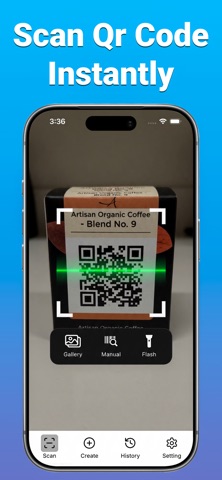


Description by faiza zulfiqar Written by the developer, not by AppBrain. Click to read.
Scan QR codes, read barcodes and create your own QR codes with QRbot — a fast, simple and reliable QR code scanner and barcode reader.
Whether you want to scan a QR code, read a product barcode, open a website, access WiFi details or generate a custom QR code, QRbot brings essential scanning tools together in one easy-to-use app.
QR CODE SCANNER
Scan QR codes quickly using your camera or import saved images directly from your photo library.
• Fast and accurate QR code scanning
• Scan QR codes from photos and images
• Open websites and URLs
• Read WiFi network details
• View contact information
• Recognize email addresses and phone numbers
• Read text, locations and calendar details
• Copy and share scanned information
BARCODE SCANNER & READER
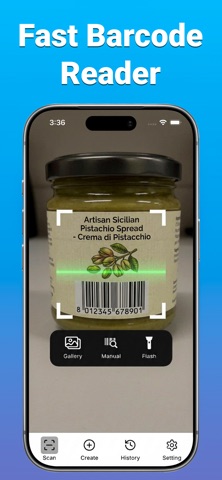
Easily scan product barcodes and access their encoded information.
• Scan UPC and EAN barcodes
• Support for common barcode formats
• Read product barcode numbers
• Copy and share barcode results
• Access previously scanned barcodes
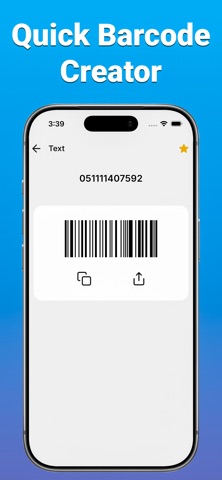
QR CODE GENERATOR
Create and share your own QR codes in just a few taps.
Generate QR codes for:
• Websites and links
• WiFi network information
• Contacts and digital business cards
• Text and notes
• Email addresses
• Phone numbers
• SMS messages
• Locations
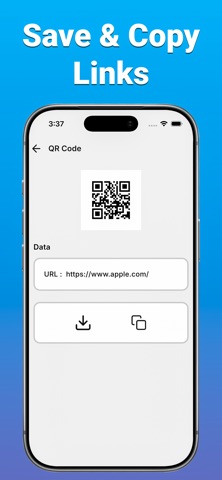
Save your generated QR codes or share them whenever needed.
SCAN QR CODES FROM PHOTOS
Have a QR code saved as an image? Import it directly from your photo library to read its information without using the camera.
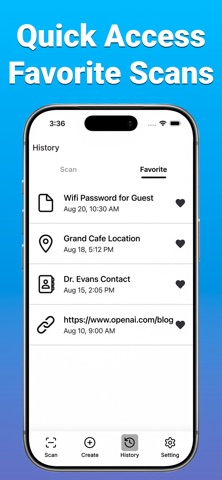
SCAN HISTORY
Keep track of previously scanned codes and easily access your scan results whenever you need them.
SIMPLE & EASY TO USE
QRbot combines a QR scanner, barcode reader and QR code generator in one clean interface.
Perfect for scanning menus, opening links, reading product barcodes, sharing WiFi information, saving contacts and creating QR codes for everyday use.
PRIVACY & CONTROL
Your scan history stays on your device unless you choose to share it. Camera and photo library access are used for scanning and importing codes.
SCAN, CREATE & SHARE
Make QR code scanning and barcode reading easier with QRbot. Scan codes, create your own, organize your history and share information in seconds.
Download QRbot and get started today.
Privacy Policy:
https://sites.google.com/view/qrscanprivacypolicy/home
Terms of Use (EULA):
https://www.apple.com/legal/internet-services/itunes/dev/stdeula/