
Quick Print - Print & Scan PDF
Quick Print - Print & Scan PDF is made and published by 威如 张. AppBrain is an independent app data site and isn't affiliated with 威如 张. The app name, icon, screenshots and description belong to 威如 张 and are shown as published on the App Store.
AppBrain's verdict
Established- Rating on App Store
- 3.40
- 5 ratings
- Last updated
- December 12, 2023
- Size
- 76.1 MB
It doesn't have enough ratings yet to judge what users think.
User feedback
Ratings and reviews on the App StoreComments on Quick Print - Print & Scan PDF for iOS
We don't have enough comments to show example comments. Please check back later.
Store listing
By 威如 张, from the App Store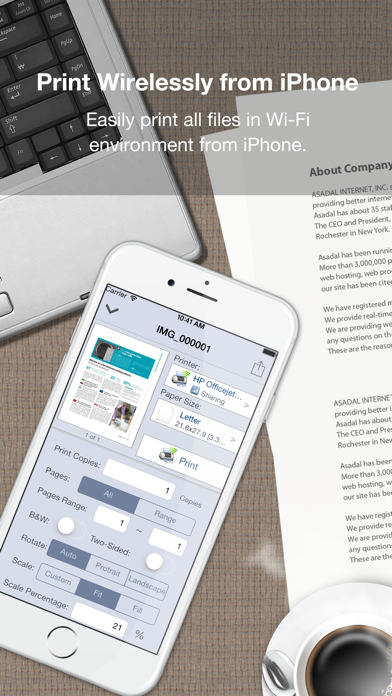
Description by 威如 张 Written by the developer, not by AppBrain. Click to read.
*** Check out this! Quick Print Connect(Mac) helps you print to ANY Printer ***
https://itunes.apple.com/us/app/quick-print-connect/id917159776?ls=1&mt=12
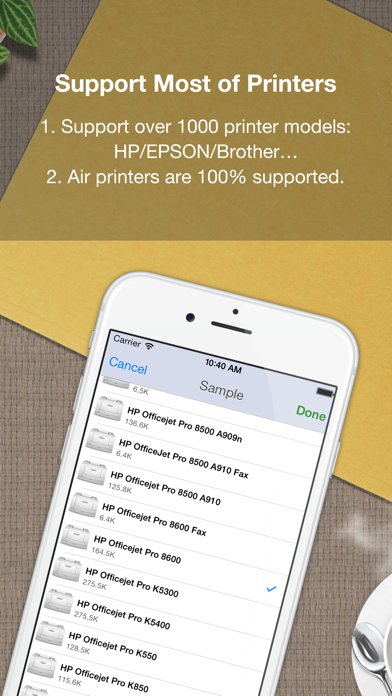
It eliminates the need to print through computer, download or install printer driver for printing, Quick Print supports many wifi, network and local printer supports more than 1000 printer models of many manufacturers (for example: Brother, Canon, Dell, EPSON, Fuji Xerox, Gestetner, Hewlett Packard(HP), Infotec, Kodak, Kyocera, Lanier, Lenovo, Lexmark, Oki Data, Olivetti, NRG, NTT, RICOH, Samsung, Savin, Sharp, TA Triumph-Adler/UTAX, Toshiba, Xerox, Zink…) including WiFi/Ethernet/USB printers and most of other OEM Brands with AirPrint-enable printers is 100% supported.
=== Upgrade to Full Version ===
Quick Print Lite is aimed to test compatibility with your printer. if it works well with your printers, please get the full version of Quick Print to print your documents.
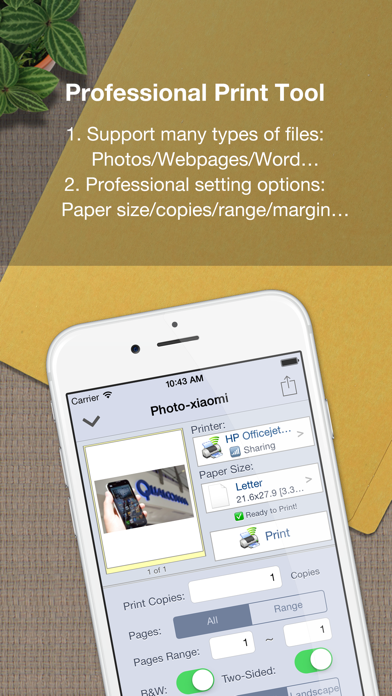
Quick Print lets you create full-quality printed output without the need to download or install drivers, Quick Print displays many printer options that apply to the document or image being printed. Details such as paper type, page range, print quality, and orientation are automatically determined at search time.
Using "Open In..." approach you can print files from many popular online storages: Dropbox, MobileMe iDisk, GoogleDocs. It just a matter of several taps to download your file via free Dropbox, iDisk or Google Docs application and send it to printer.
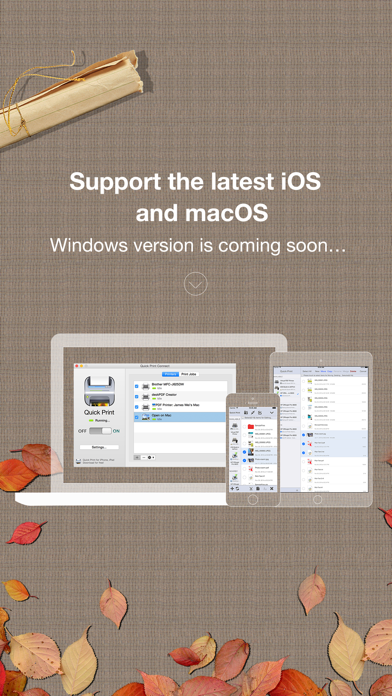
With Quick Print Connect(Mac), it helps your to print from iPhone and iPad to ALL printers attached on your mac, and print to pdf on mac with build-in virtual pdf printer too.
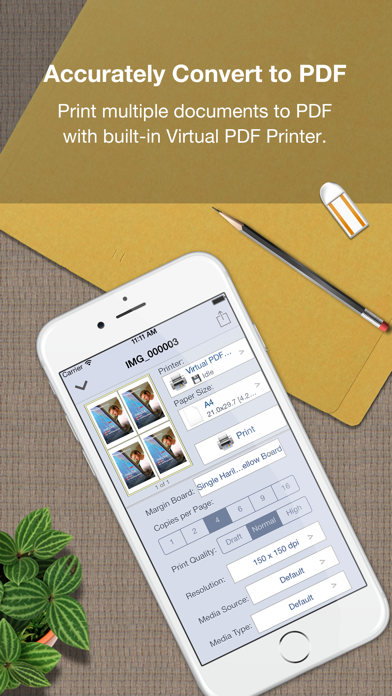
= Accurately print any printable file format to PDF =
Quick print many types of documents to pdf with build-in Virtual PDF Printer directly, here are the list of supported document formats: PDF, Word, Excel, Powerpoint, Pages, Numbers, Keynote, TXT, HTML, JPG, Safari webarchive. With WiFi Driver Sharing you can upload or download files from your computer to iPad , it uses HTTP & WebDAV protocol to share its data with other computers via Wi-Fi network.
Also you can transfer documents to Quick Print using iTunes File Sharing via USB for read, print and share.
Important Note:
1. Please go to our website to check Quick Printer will works with your printer model, or you can contact us: support@iPDFApps.com
2. A Wi-Fi capable printer must be connected to the same home Wi-Fi network as your iPad device.
3. Your printers connected using Bluetooth or shared through a USB port of a Mac, PC, AirPort Base Station, or Time Capsule are not supported.
Find More Information about Quick Print at:
http://www.iPDFApps.com/
Feel free to contact us If you have any suggestions, questions or issues at:
http://www.iPDFApps.com/contact.
== Legal Information ==
Duration and price of each subscription are displayed in PDF to Word storefront, updated at the time of purchase. Payment will be charged to iTunes account at confirmation of purchase. Subscriptions automatically renew unless auto-renew is turned off no later than 24 hours before the end of the current period. Subscriptions and auto-renewal can be managed/turned off in the iTunes account settings. Any unused portion of a free trial period is forfeited as soon as a subscription is purchased.
Terms of use & Privacy policy:
https://www.ipdfapps.com/term-of-service/
https://www.ipdfapps.com/privacy-policy/
Safety and technology
Found in the app by AppBrain- Price
- Free
- App size
- 76.1 MB
- Content rating
- Everyone
Technologies used by Quick Print - Print & Scan PDF
Releases
Updates seen on the App Store- Version
- 5.3.5
- Launched
- July 2013
No changelog data
Alternatives
Similar apps and more from 威如 张Alternatives to Quick Print - Print & Scan PDF







Rankings
App Store top chartsApp Store Rankings for Quick Print - Print & Scan PDF
About the app and developer
About Quick Print - Print & Scan PDF
Quick Print - Print & Scan PDF is a productivity app developed by 威如 张.
User Ratings
Quick Print - Print & Scan PDF is rated 3.40 out of 5 stars. The rating is based on 5 ratings.
App Information
Quick Print - Print & Scan PDF is freely available from the App Store. The app size is 76.10 MB. The latest version available is 5.3.5. The last update was on December 12, 2023.
Technical Requirements
The app has a content rating of Everyone. The app has been available on the App Store since July 2013.
Developer information for 威如 张
Address:
Frequently asked questions about Quick Print - Print & Scan PDF
Is Quick Print - Print & Scan PDF free?
Yes. Quick Print - Print & Scan PDF is free on the App Store.
Is Quick Print - Print & Scan PDF still available?
Yes. Quick Print - Print & Scan PDF is on the App Store, and the last update we saw was on December 12, 2023.
How large is Quick Print - Print & Scan PDF?
Quick Print - Print & Scan PDF is 76.10 MB.
Is Quick Print - Print & Scan PDF suitable for children?
App Store rates the content of Quick Print - Print & Scan PDF as suitable for everyone.
How do people rate Quick Print - Print & Scan PDF?
Quick Print - Print & Scan PDF scores 3.40 out of 5 stars, from 5 ratings on the App Store.
Who made Quick Print - Print & Scan PDF?
Quick Print - Print & Scan PDF was developed by 威如 张. It is listed in the productivity category on the App Store.
What are the best alternatives to Quick Print - Print & Scan PDF?
People looking at Quick Print - Print & Scan PDF also look at these productivity apps: Printing App - Wireless Print, PrinterShare: WiFi & PDF, Cloud Ready printer, ThinPrint Cloud Printer, PrintHand Mobile Print.