

Quiet Take: Audio Denoise is made and published by 玉凤 崔. AppBrain is an independent app data site and isn't affiliated with 玉凤 崔. The app name, icon, screenshots and description belong to 玉凤 崔 and are shown as published on the App Store.
AppBrain's verdict
- Last updated
- August 18, 2026
Rankings
App Store top chartsApp Store Rankings for Quiet Take: Audio Denoise
Competitors
Similar apps and more from 玉凤 崔More from 玉凤 崔


Releases
Updates seen on the App Store- Version
- 1.0.0
- Launched
- August 2026
No changelog data
User feedback
Ratings and reviews on the App StoreComments on Quiet Take: Audio Denoise for iOS
We don't have enough comments to show example comments. Please check back later.
Technology
Found in the app by AppBrain- Price
- Free
- App size
- 3.29 MB
- Content rating
- Everyone
Technologies used by Quiet Take: Audio Denoise
About the app and developer
About Quiet Take: Audio Denoise
Quiet Take: Audio Denoise is a music app developed by 玉凤 崔.
User Ratings
The app has no ratings yet.
App Information
Quiet Take: Audio Denoise is freely available from the App Store. The app size is 3.29 MB. The latest version available is 1.0.0. The last update was on August 18, 2026.
Technical Requirements
The app has a content rating of Everyone. The app has been available on the App Store since August 2026.
Developer information for 玉凤 崔
Address:
Frequently asked questions about Quiet Take: Audio Denoise
Is Quiet Take: Audio Denoise free?
Yes. Quiet Take: Audio Denoise is free on the App Store.
Is Quiet Take: Audio Denoise still available?
Yes. Quiet Take: Audio Denoise is on the App Store, and the last update we saw was on August 18, 2026.
How large is Quiet Take: Audio Denoise?
Quiet Take: Audio Denoise is 3.29 MB.
Is Quiet Take: Audio Denoise suitable for children?
App Store rates the content of Quiet Take: Audio Denoise as suitable for everyone.
Who made Quiet Take: Audio Denoise?
Quiet Take: Audio Denoise was developed by 玉凤 崔. It is listed in the music category on the App Store.
Store listing
By 玉凤 崔, from the App Store


Description by 玉凤 崔 Written by the developer, not by AppBrain. Click to read.
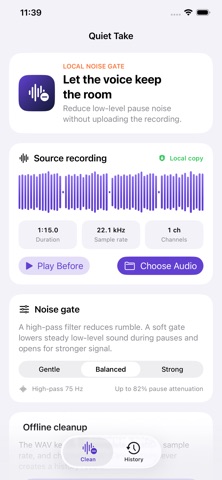
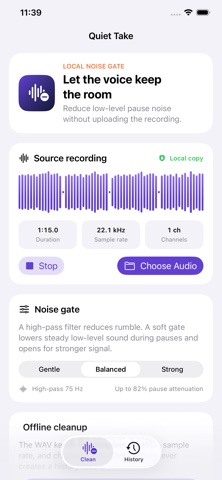
Quiet Take copies an audio file you choose into its local sandbox and applies a conservative Balanced cleanup. It reduces rumble and steady low-level noise during quieter passages, while keeping the original duration, sample rate, and channel count in the exported WAV.
WHY IT HELPS
• Keep imported audio on your device; no account or microphone permission is required.
• Inspect duration, sample rate, channels, and a real waveform before processing.
• Listen to the source and cleaned result before deciding what to keep.
• See measured pause-floor reduction and peak change instead of a made-up quality score.
• Reopen verified results from history and reach the standard share sheet.
HOW IT WORKS
1. Choose an audio file from Files.
2. Run Balanced cleanup and compare before with after.
3. Keep or share the complete verified WAV.
Quiet Take is designed for voice memos, interviews, lessons, and spoken clips with steady background noise. It does not remove echo, repair clipping, restore missing speech, or erase noise that overlaps speech. Choose a file and hear the measured difference.