

QuiltPaper is made and published by NNN Software. AppBrain is an independent app data site and isn't affiliated with NNN Software. The app name, icon, screenshots and description belong to NNN Software and are shown as published on the App Store.
AppBrain's verdict
Established- Best rank
- #24
- Top Paid, Canada
- Rating on App Store
- 3.21
- 28 ratings
- Last updated
- June 20, 2024
It doesn't have enough ratings yet to judge what users think. Its best ranking is #24 in Top Paid, Lifestyle in Canada.
Rankings
App Store top charts- Highest rank
- #24
- Chart
- Top Paid
- Lifestyle
- Country
- Canada
App Store Rankings for QuiltPaper
Top rankings
| Rank | Country | Category | List |
|---|---|---|---|
| 24 | Canada | Lifestyle | Top Paid |
| 79 | United States | Lifestyle | Top Paid |
| 79 | Iran | Lifestyle | Top Paid |
Ranking history in Canada
Competitors
Similar apps and more from NNN SoftwareAlternatives to QuiltPaper







More from NNN Software


Releases
Updates seen on the App Store- Version
- 1.29.4
- Launched
- December 2016
No changelog data
User feedback
Ratings and reviews on the App StoreComments on QuiltPaper for iOS
We don't have enough comments to show example comments. Please check back later.
Technology
Found in the app by AppBrain- Price
- $0.99
- App size
- 131.7 MB
- Content rating
- Everyone
Technologies used by QuiltPaper
About the app and developer
About QuiltPaper
QuiltPaper is a lifestyle app developed by NNN Software.
User Ratings
QuiltPaper is rated 3.21 out of 5 stars. The rating is based on 28 ratings.
App Information
QuiltPaper costs $0.99. The app size is 131.74 MB. The latest version available is 1.29.4. The last update was on June 20, 2024.
Technical Requirements
The app has a content rating of Everyone. The app has been available on the App Store since December 2016.
Developer information for NNN Software
Address:
Frequently asked questions about QuiltPaper
Is QuiltPaper free?
No. QuiltPaper costs $0.99 on the App Store.
Is QuiltPaper still available?
Yes. QuiltPaper is on the App Store, and the last update we saw was on June 20, 2024.
How large is QuiltPaper?
QuiltPaper is 131.74 MB.
Is QuiltPaper suitable for children?
App Store rates the content of QuiltPaper as suitable for everyone.
How do people rate QuiltPaper?
QuiltPaper scores 3.21 out of 5 stars, from 28 ratings on the App Store.
Who made QuiltPaper?
QuiltPaper was developed by NNN Software. It is listed in the lifestyle category on the App Store.
What are the best alternatives to QuiltPaper?
People looking at QuiltPaper also look at these lifestyle apps: Quiltful, Love Patchwork & Quilting, Quilter's World, BLOCK Magazine by MSQC, My Quilt Buddy.
Store listing
By NNN Software, from the App Store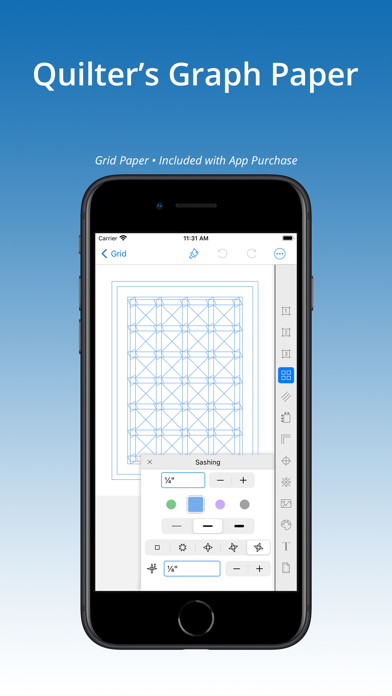
Description by NNN Software Written by the developer, not by AppBrain. Click to read.
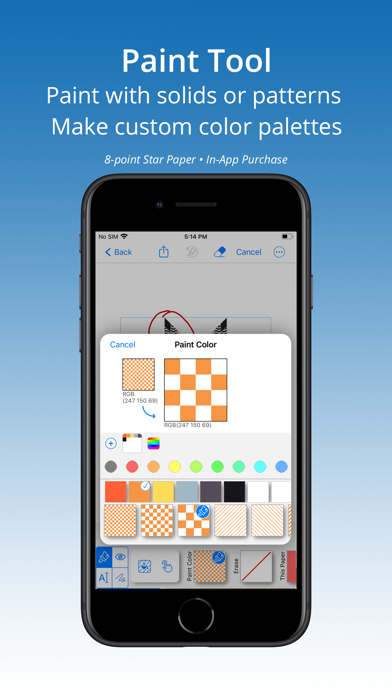
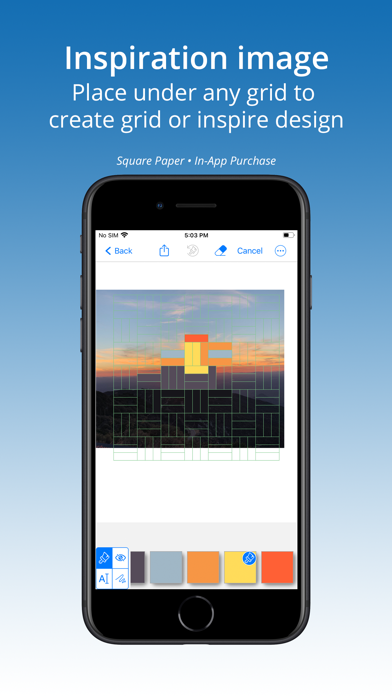
To draft quilt layouts, start with the basic grid. Tap to add borders, sashing, cornerstones, etc. Even better, place an inspiration image under a grid to use as a guide as you create a layout. Use the Paint tool to play with color and create your design on your device.
Three papers are included with purchase: Standard grid, Diagonal for on-point quilts, and Dots for free-form quilt planning.
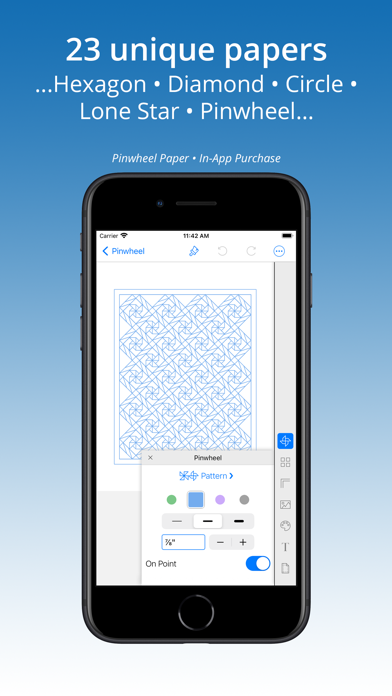
InApp purchases add 24 hard-to-find specialty papers. Buy any five papers (or purchase the ’All Papers Forever’ BUNDLE) to unlock all papers forever. Credit is given for every purchase so that on purchase of any fifth paper the bundle is instantly added:
Hexagon
Lone Star - 8 point star
Triangle
Diamond
Log Cabin
HST & HRT template
6 point star
Tumbler
Polygon (especially helpful to make shapes for EPP)
Honeycomb (Lucy Boston)
Jewel
Kite
Brick
Square
Circle
Arc
Pinwheel
Jewel Ring
Concentric Hexagon
Pineapple
Apple Core
Coffin
Pentagon
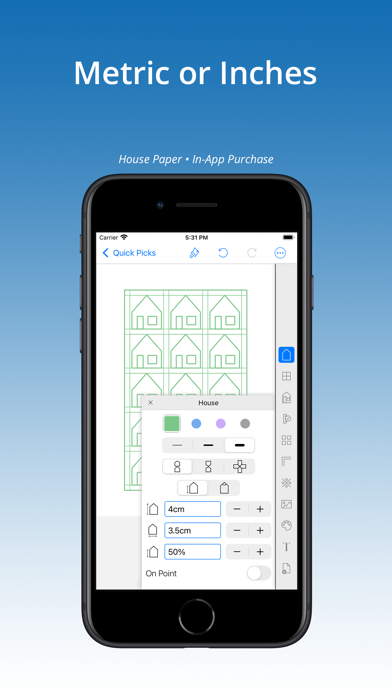
House
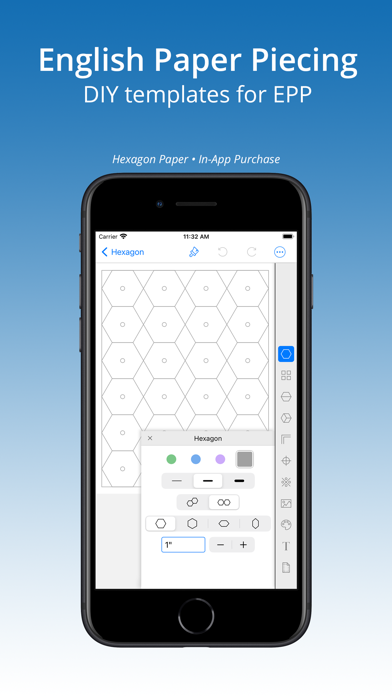
Tools for better EPP Templates!
Many of the InApp purchase specialty papers are ideal for creating EPP templates because QuiltPaper creates shapes at their exact size. Special feature adds a center hole to each piece for inserting a blunt stick for easier paper removal. Once a template is ready, print and cut by hand or save as a PDF or SVG and export to a cutting machine.
Includes a Paint Tool!
The Paint Tool colors with solids and textures. Special feature adds an inspiration image under a grid before bringing a graph paper into Paint. There is a set of built-in color palettes, however, you can add colors to create unlimited custom pallets from images, live camera, color wheel, RGB or HSB codes.
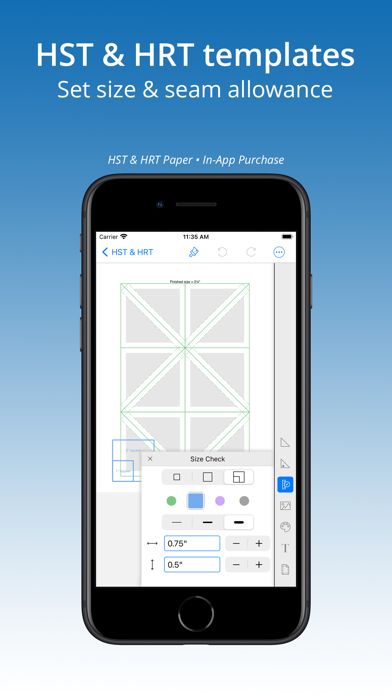
Unique HST & HRT paper
This InApp purchase creates templates at any size —
Half Square Triangle Template at any size, set seam allowance.
Half Rectangle Triangle Template at any size, set seam allowance. Paper template includes markings to aid trimming corners for accurate matching during assembly (no ‘dog ears’).
PURCHASE INCLUDES 3 PAPERS:
Grid Classic grid graph paper taken up a notch!
Dot Choice of 5 dot styles and 2 dot patterns for free-form quilt planning.
Diagonal On-point design graph paper.
— FEATURES OF ALL PAPERS —
√ Buy once — purchase works on all devices — iPhone, iPad, iPod.
√ Metric (cm or mm) and Inch settings for grid and page size.
√ Paint quilt layout with color and pattern. Add unlimited custom color palettes.
√ Place an inspiration image under any grid.
√ Up to four line colors on a grid.
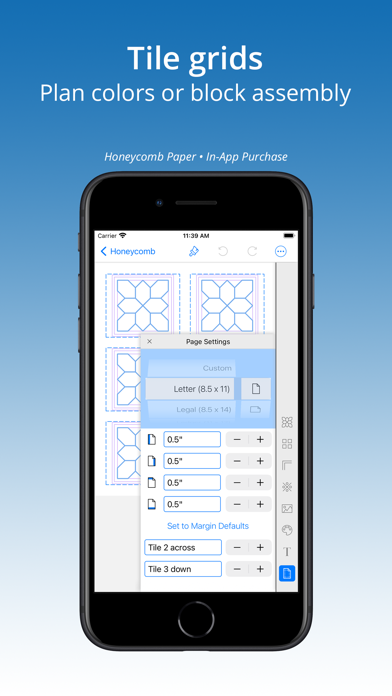
√ Tile multiple grids on a page for planning block designs, assembly, etc.
√ Title grid with choice of font, size, bold or italic, and color.
√ Print on standard sized page (such as 8.5x11 or A4) portrait or landscape, or set to a custom size.
√ Avoid the headache of scaling a design by setting the page to the quilt actual size by using setting for ‘Custom’ page size.
√ Library of Quick Pick templates offer inspiration and a short cut to creating layouts.
√ Print, share, or upload grids as a PDF, PNG or SVG
√ Share painted grids as a PNG or PDF
√ Work up close using pinch-n-zoom gesture.
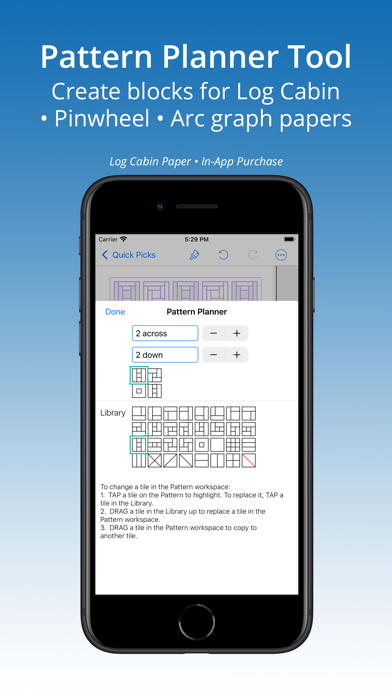
NOTE — If you are looking for a quilt block library, you will not find it here. QuiltPaper app is for quilters who use a grid to plan and design a quilt. It is worth mentioning, however, that three in-app purchase papers — Pinwheel, Arc and Log Cabin — that use a Pattern Planner tool that offers a minimum level of block planning.
Don’t see the paper or feature you need? Send an email and we’ll see what we can do!