

Radio Code Renault
Radio Code Renault is made and published by thomas Custodio. AppBrain is an independent app data site and isn't affiliated with thomas Custodio. The app name, icon, screenshots and description belong to thomas Custodio and are shown as published on the App Store.
AppBrain's verdict
EstablishedLoved by users- Rating on App Store
- 4.59
- 279 ratings
- Last updated
- January 9, 2026
Users love it: 4.6 stars from 279 ratings.
Rankings
App Store top chartsApp Store Rankings for Radio Code Renault
Competitors
Similar apps and more from thomas CustodioAlternatives to Radio Code Renault





More from thomas Custodio







Releases
Updates seen on the App Store- Version
- 1.2.4
- Launched
- February 2018
No changelog data
User feedback
Ratings and reviews on the App StoreComments on Radio Code Renault for iOS
We don't have enough comments to show example comments. Please check back later.
Technology
Found in the app by AppBrain- Price
- Free
- App size
- 4.98 MB
- Content rating
- Everyone
Technologies used by Radio Code Renault
About the app and developer
About Radio Code Renault
Radio Code Renault is an utilities app developed by thomas Custodio.
User Ratings
Radio Code Renault is rated 4.59 out of 5 stars. The rating is based on 280 ratings.
App Information
Radio Code Renault is freely available from the App Store. The app size is 4.98 MB. The latest version available is 1.2.4. The last update was on January 9, 2026.
Technical Requirements
The app has a content rating of Everyone. The app has been available on the App Store since February 2018.
Developer information for thomas Custodio
Address:
Store listing
By thomas Custodio, from the App Store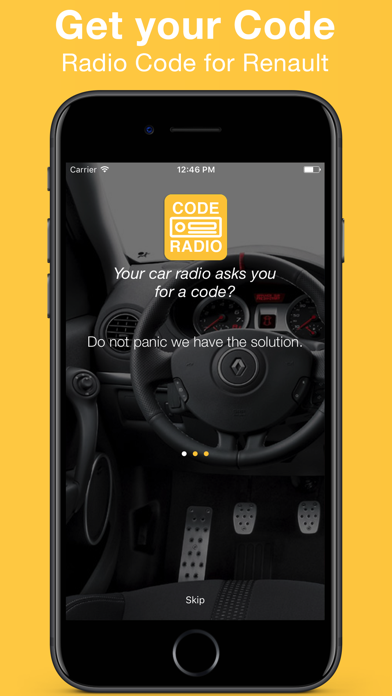
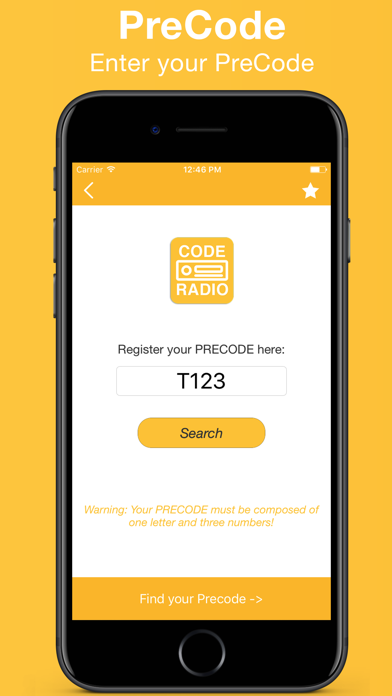
Description by thomas Custodio Written by the developer, not by AppBrain. Click to read.
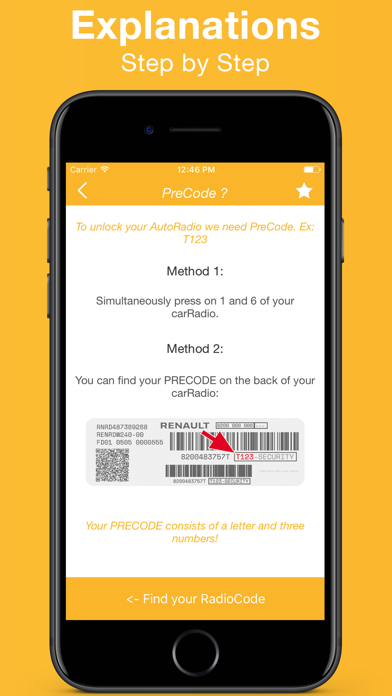
- Switch on the car radio and hold button 1 and 6 (in some cases it is necessary to remove the car radio)
- The precode is composed of 1 letter and 3 digits. For example: G842, H786, I814
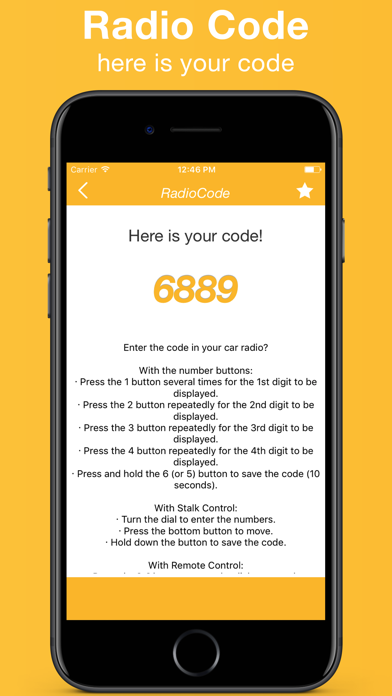
Enter the code in your car radio?
With Buttons
· Press the "1" button several times for the 1st digit to be displayed
· Press the "2" button repeatedly for the 2nd digit to be displayed
· Press the "3" button repeatedly for the 3rd digit to be displayed
· Press the "4" button repeatedly for the 4th digit to display "
· Press and hold the "6" (or "5") button to save code (10 seconds)
With Stalk Control
· Turn the dial to enter the numbers.
Press the bottom button to move.
· Hold down the button to save the code.
With Remote Control
· Press the [¬] button to turn the dial to enter the numbers.
· Press and hold the [¬] button to save code
The subscription automatically renews unless canceled at least 24 hours before the end of the current period. Your iTunes account will be charged within 24 hours prior to renewal. You can manage and cancel your subscription in your iTunes account settings.
Terms : https://sidistribution.wixsite.com/website-6/terms
Privacy : https://sidistribution.wixsite.com/website-6/privacy