ReadLock - Screen Time Control is an overall app developed by Acha Igwe.
How many times has ReadLock - Screen Time Control been downloaded?
What is the rating of ReadLock - Screen Time Control?
ReadLock - Screen Time Control is rated 5.00 out of 5 stars, based on one rating ratings.
Is ReadLock - Screen Time Control free?
ReadLock - Screen Time Control is free to download. The APK download size is 68.35 MB. The latest version available is 1.6. The last update was on May 11, 2026.
What are the requirements for ReadLock - Screen Time Control?
The app has a content rating of High Maturity. The app has been available on Google Play December 2025.
Description
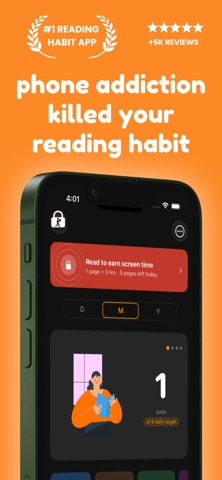
The most successful people in the world read more than everyone else. Yet most of us can't finish a single book, not because we lack time, but because social media, doom-scrolling, and endless notifications keep pulling us away. ReadLock helps you take back your attention. Set a reading session, choose the apps and website categories that distract you most, and ReadLock locks them using Screen Time so your phone stops competing with your book. When your session ends, update your reading progress or notes, and ReadLock's AI scores your comprehension before your apps unlock. No skimming. No faking it. Just real reading. "Just one more scroll" becomes "just one more page." It works with any book format: paperback, hardcover, e-book, or PDF. No special reader required.
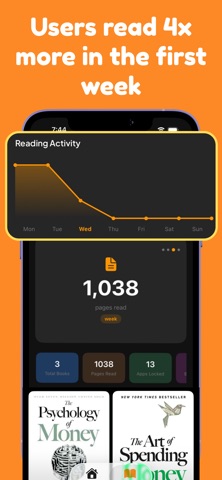
Key Features * Distraction Locking (Screen Time): Lock selected apps and distracting website categories during your reading sessions. When a locked app is opened, the ReadLock shield screen appears. * AI Comprehension Scoring: After each session, write a short note on what you read. ReadLock's AI compares your notes against your pages and scores your focus and understanding before your apps unlock. You can't fake your way through. * AI Summary Suggestions: Not sure how to capture what you read? ReadLock's AI rewrites your notes into a cleaner, sharper summary — turning scattered thoughts into real understanding. * Book Scanning & Search: Add any book instantly by scanning the cover or searching the title. Your reading journey starts in seconds. * Works with Any Book Format: Track progress and take chapter notes for both physical and digital books. No special reader required. * Flexible Reading Sessions: Set reading windows for morning, afternoon, or evening and build a consistent daily routine. * Progress Tracking: Update pages read, mark chapters as completed, and watch your reading habit grow day by day. * Notes & Key Takeaways: Capture chapter notes and important lessons as you read. AI sharpens them after every session. * Book Library: Add books by scan or search, organize by category, and pick up right where you left off. * Habit Building: Streaks, session history, and gentle reminders to make reading stick as a long-term habit.
How to Use ReadLock 1. Sign in with Google or Apple, or continue as a guest—your choice. 2. Add your current book by scanning the cover or searching the title. 3. Tap Locked Apps → Add, grant Screen Time permission, and select the apps, categories, or websites you want to block. 4. Tap Set Daily Reading Target and pick your reading window. 5. When your session is active, opening a locked app shows the ReadLock shield screen. 6. When the session ends, open ReadLock → open your book → add your notes → let AI score your comprehension → tap Save to confirm your reading and unlock your apps.
Permissions Screen Time permission is required to enable app and website blocking. Without it, ReadLock will still run but cannot shield distractions. ReadLock uses analytics to improve app performance and user experience.
Sign-In Options Google Sign-In, Sign in with Apple, and Guest mode.
Ads & Subscriptions Free users may see interstitial ads at certain points. Premium subscribers enjoy an ad-free, fully unlocked experience via in-app subscription.
Terms of Use (EULA) https://www.apple.com/legal/internet-services/itunes/dev/stdeula/ https://readlock.us/agreements/terms/
Each subscription will automatically renew 3 days before the expiration date for
the same time period. Subscriptions can be cancelled at any time before the renewal.