

Red5 Live Streaming
Red5 Live Streaming is made and published by Infrared5 Inc. AppBrain is an independent app data site and isn't affiliated with Infrared5 Inc. The app name, icon, screenshots and description belong to Infrared5 Inc. and are shown as published on the App Store.
AppBrain's verdict
- Last updated
- June 30, 2026
- Size
- 17.2 MB
User feedback
Ratings and reviews on the App StoreComments on Red5 Live Streaming for iOS
We don't have enough comments to show example comments. Please check back later.
Store listing
By Infrared5 Inc., from the App Store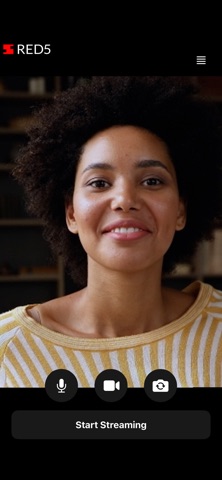
Description by Infrared5 Inc. Written by the developer, not by AppBrain. Click to read.
Turn your phone into a real time contribution encoder and stream high quality video and audio to viewers worldwide. Create a live stream in a few taps, pick the quality level that fits your connection, and publish directly into your Red5 Cloud deployment over WebRTC with ultra-low latency.
Red5 Live Streaming app is built for mobile streaming and journalism, creator driven content such as outdoor adventures, travel vlogs, and interactive social streaming, IRL streaming, remote production for news or sports, live event coverage from mobile devices, on site monitoring for security or inspections, and other live broadcasting workflows.
• Sign up and log in with a magic link sent to your email: Enter your email, receive a magic link, and tap it to open the app logged in. If the email isn’t associated with a Red5 Cloud account, the link takes you to the signup page. No credit card is required to sign up, and new users receive 50 GB of free streaming and 6,000 instance hours each month.
• Create a stream: Stream autoscalable, high-quality video and audio in real time from your phone to an unlimited number of viewers using Red5 Cloud with a few taps.
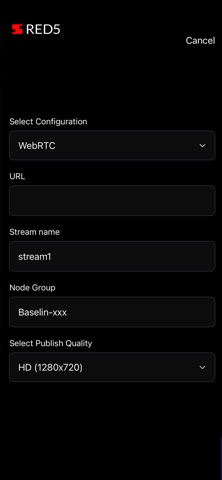
• Configure stream quality: Select from preset quality levels that adjust resolution and bitrate together based on your network conditions.
• Choose a node group: Pick the node group in your Red5 Cloud deployment that will receive and serve your stream.
• Share the stream link with viewers: Share the player URL so viewers can watch your stream in any browser on any device.
Safety and technology
Found in the app by AppBrain- Price
- Free
- App size
- 17.2 MB
- Content rating
- High
Technologies used by Red5 Live Streaming
Releases
Updates seen on the App Store- Version
- 1.0
- Launched
- June 2026
No changelog data
Alternatives
Similar apps and more from Infrared5 Inc.Alternatives to Red5 Live Streaming


Rankings
App Store top chartsApp Store Rankings for Red5 Live Streaming
About the app and developer
About Red5 Live Streaming
Red5 Live Streaming is a photo & video app developed by Infrared5 Inc.
User Ratings
The app has no ratings yet.
App Information
Red5 Live Streaming is freely available from the App Store. The app size is 17.23 MB. The latest version available is 1.0. The last update was on June 30, 2026.
Technical Requirements
The app has a content rating of High Maturity. The app has been available on the App Store since June 2026.
Developer information for Infrared5 Inc.
Address: